Fanruan FineReport CAS Single Sign-On
# Description
This document describes the authentication configuration between Fanruan FineReport and IDaaS to achieve IDaaS single sign-on to Fanruan FineReport. Applicable version: V10.0.
# Authentication Configuration
# IDaaS Configuration
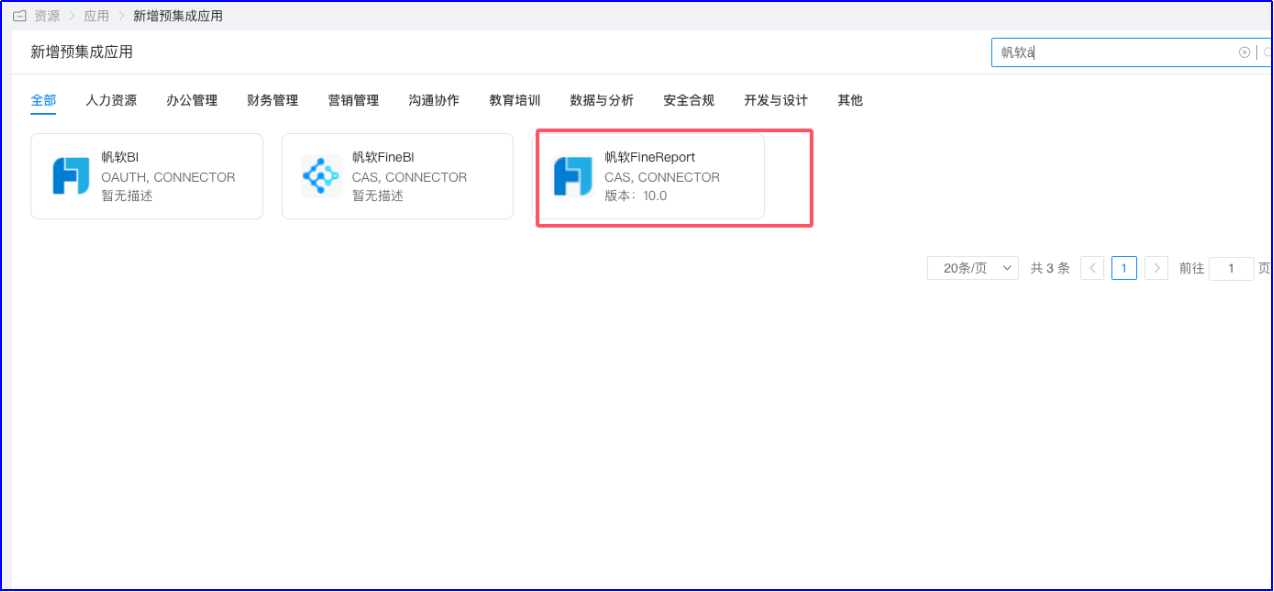
Log in to the IDaaS Enterprise Center and add the Fanruan FineReport pre-integrated application.
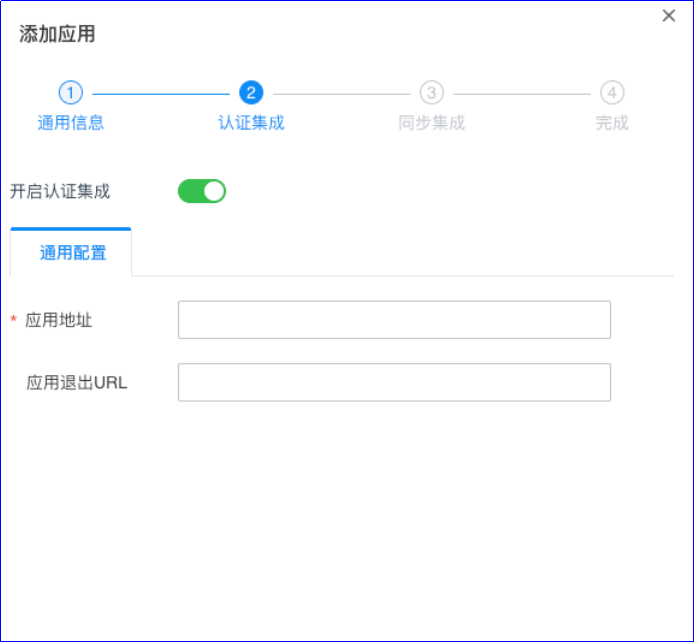
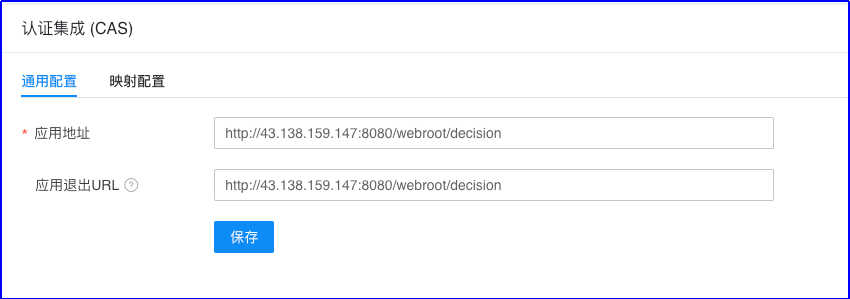
Configure authentication parameters. For the application address, fill in http://ip:port/project_name/decision
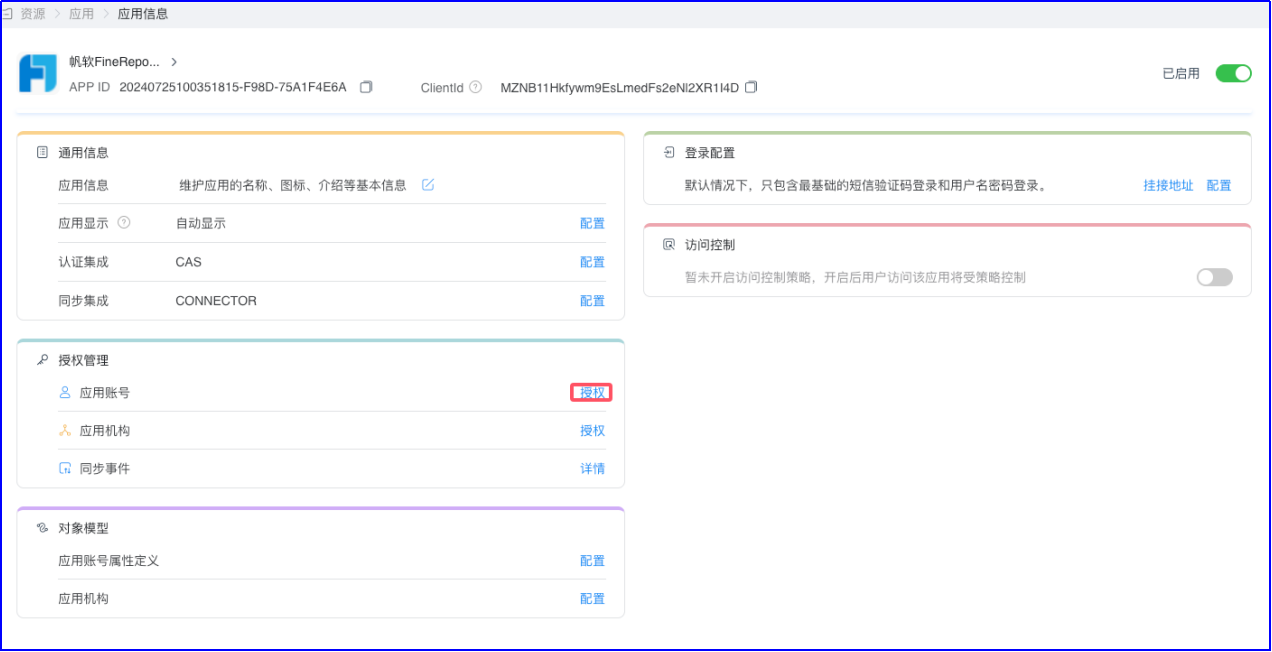
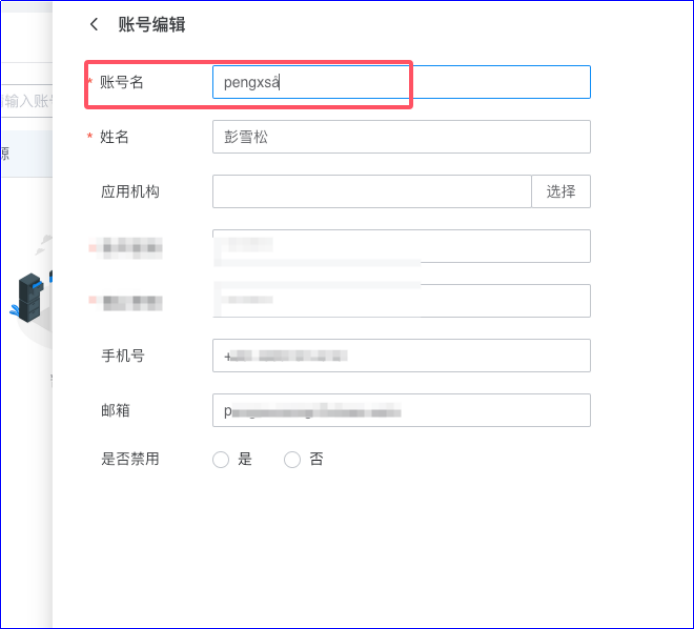
Authorize accounts. Go to the application details, under 【Authorization Management】-【Application Accounts】 for authorization. The account name must match the username in Report.

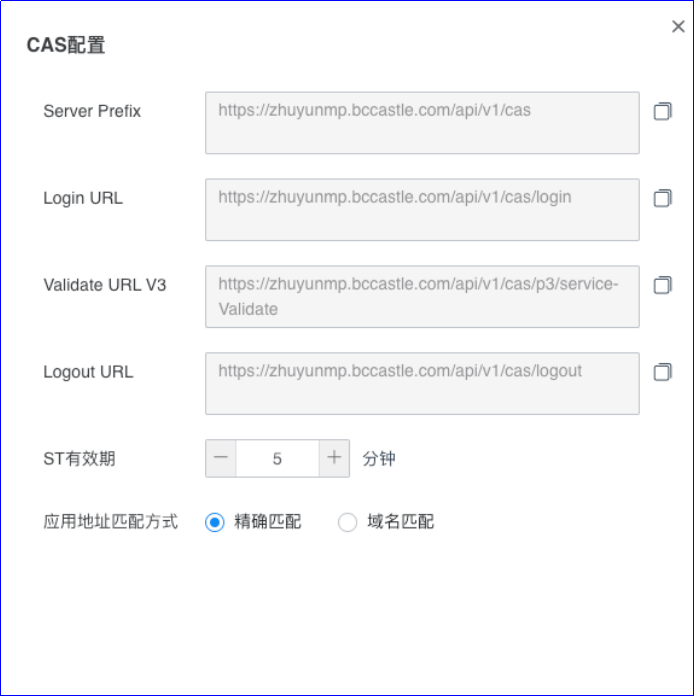
View CAS service configuration. 【Settings】-【Service Configuration】-【CAS Configuration】
# FineReport Configuration
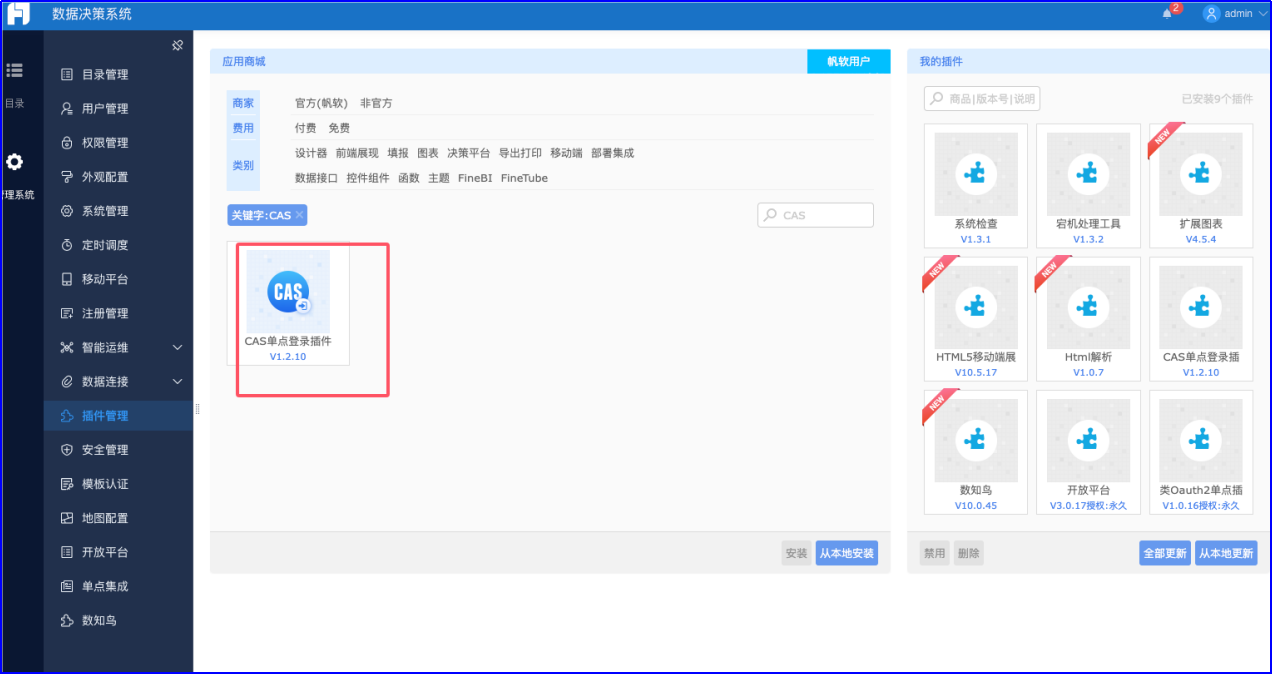
Install Plugin Log in to the FineReport backend as an administrator, go to 【Management System】-【Plugin Management】, search for the CAS plugin, and click install. Plugin documentation address: https://help.fanruan.com/finereport/doc-view-4361.html?source=0&from=plug
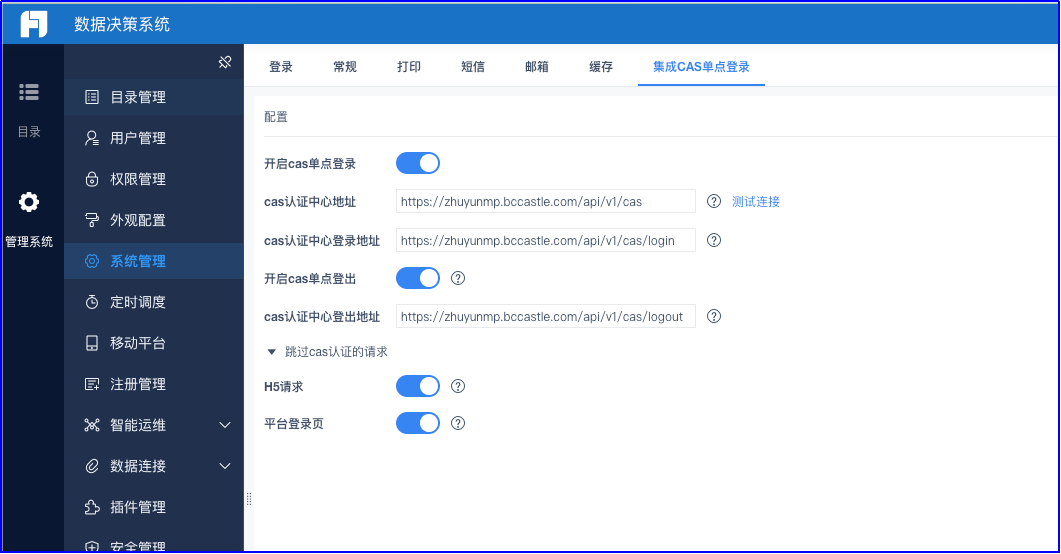
Configure CAS Go to 【Management System】-【System Management】-【Integrated CAS Single Sign-On】, enable CAS Single Sign-On. Edit the configuration parameters and save.
# Login Verification
Access the FineReport address, http://reportserver.com/webroot/decision.
You will be redirected to the IDaaS login interface. Enter the authorized account login information to access the BI system.