
FineReport Data Synchronization
# Description
This article explains how to synchronize organization and personnel data from IDaaS to FineReport, enabling data flow from IDaaS to FineReport.
# Synchronization Configuration
# FineReport Configuration
Log in to the FineReport Data Decision System.
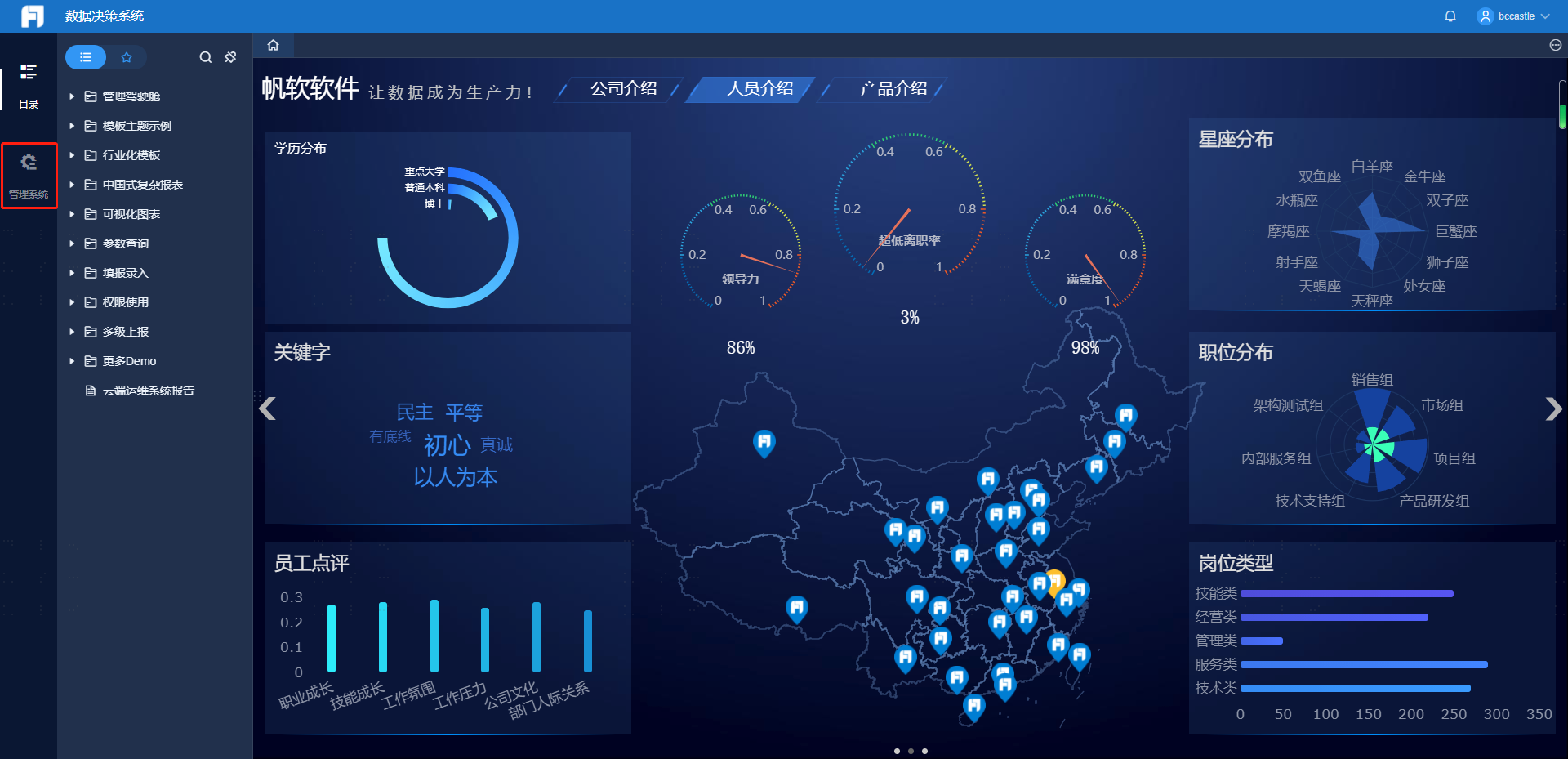
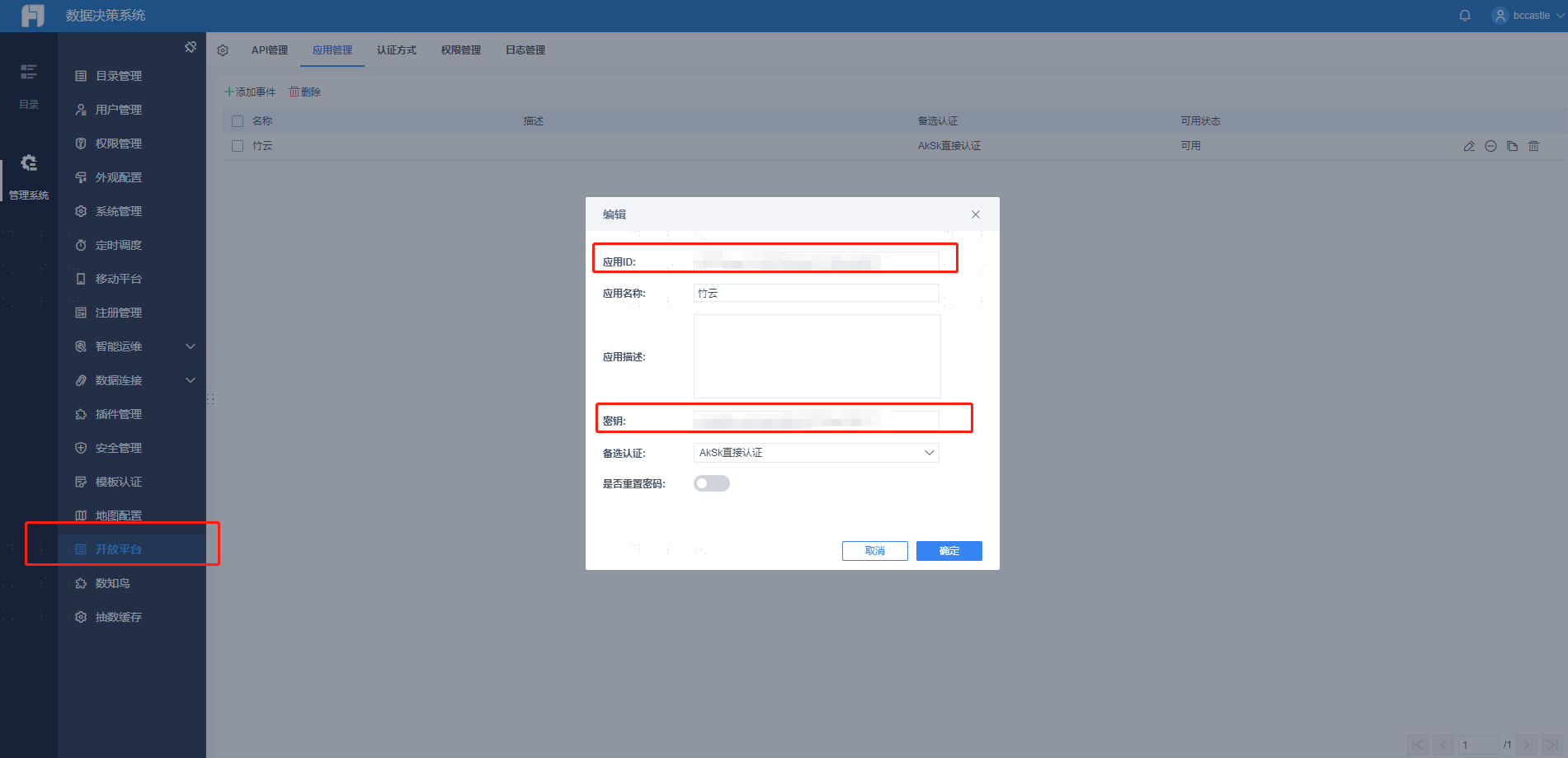
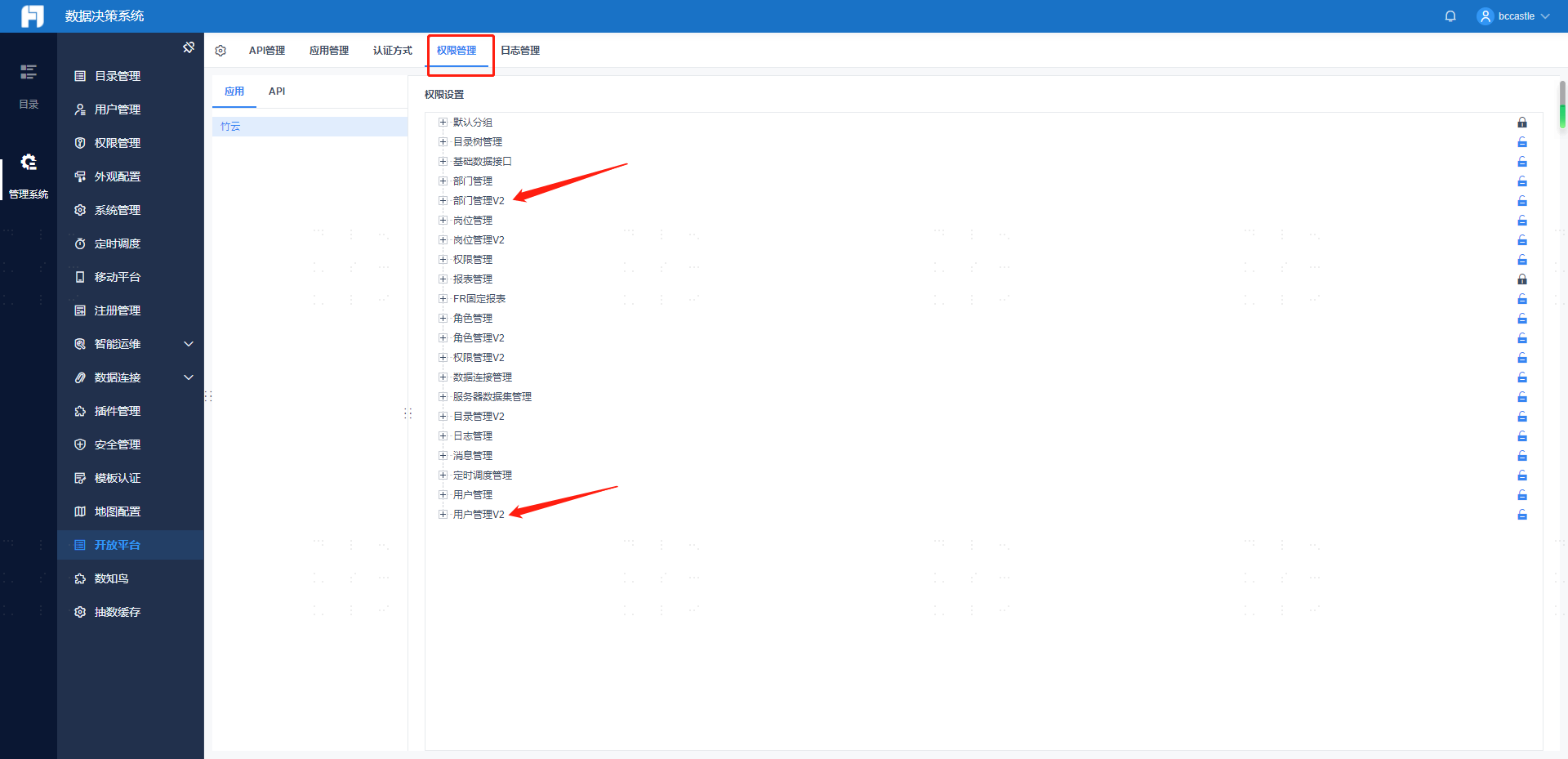
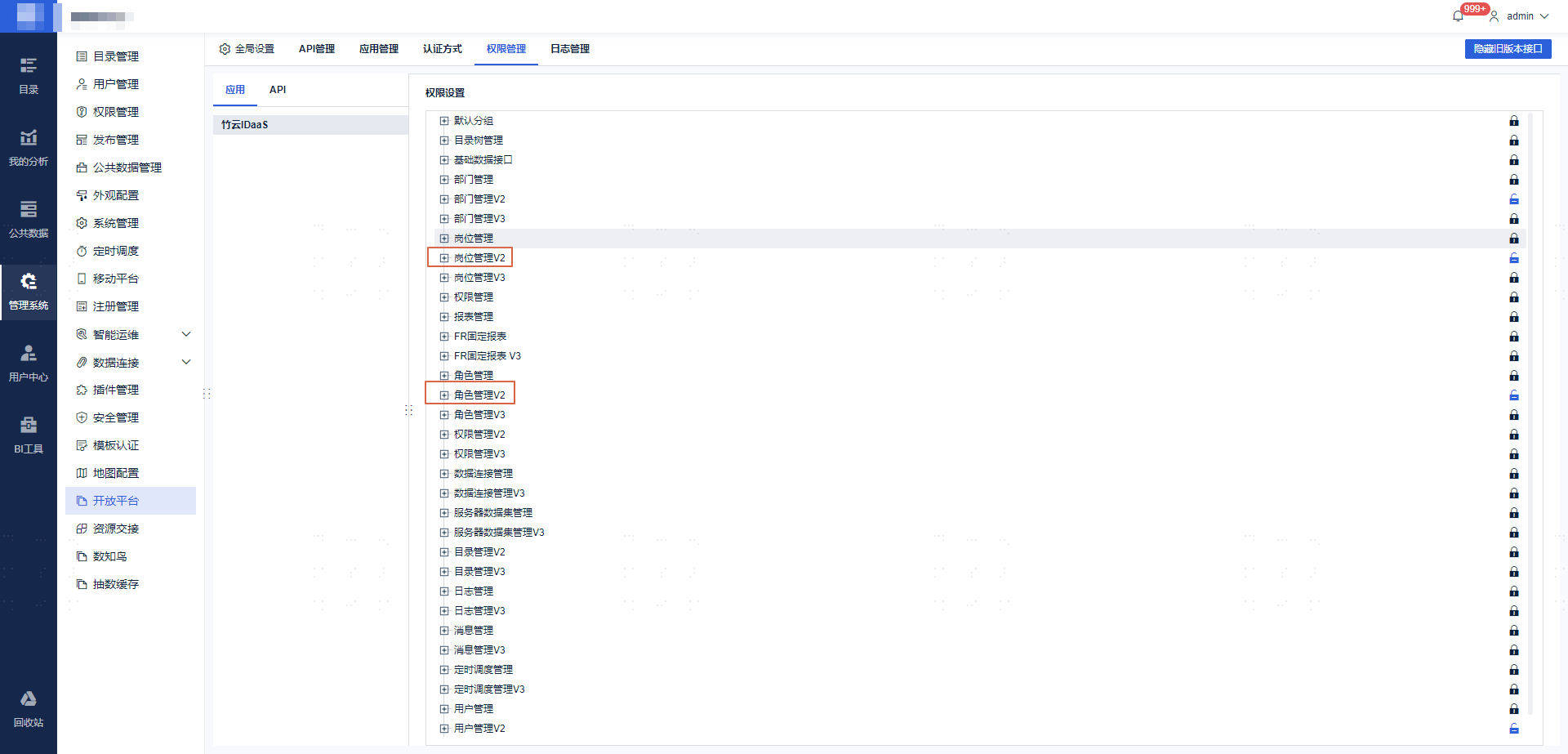
Navigate to 【Management System】 -> 【Open Platform】 -> 【Application Management】, select the application, view the Application ID and Secret, and enable API interface permissions.
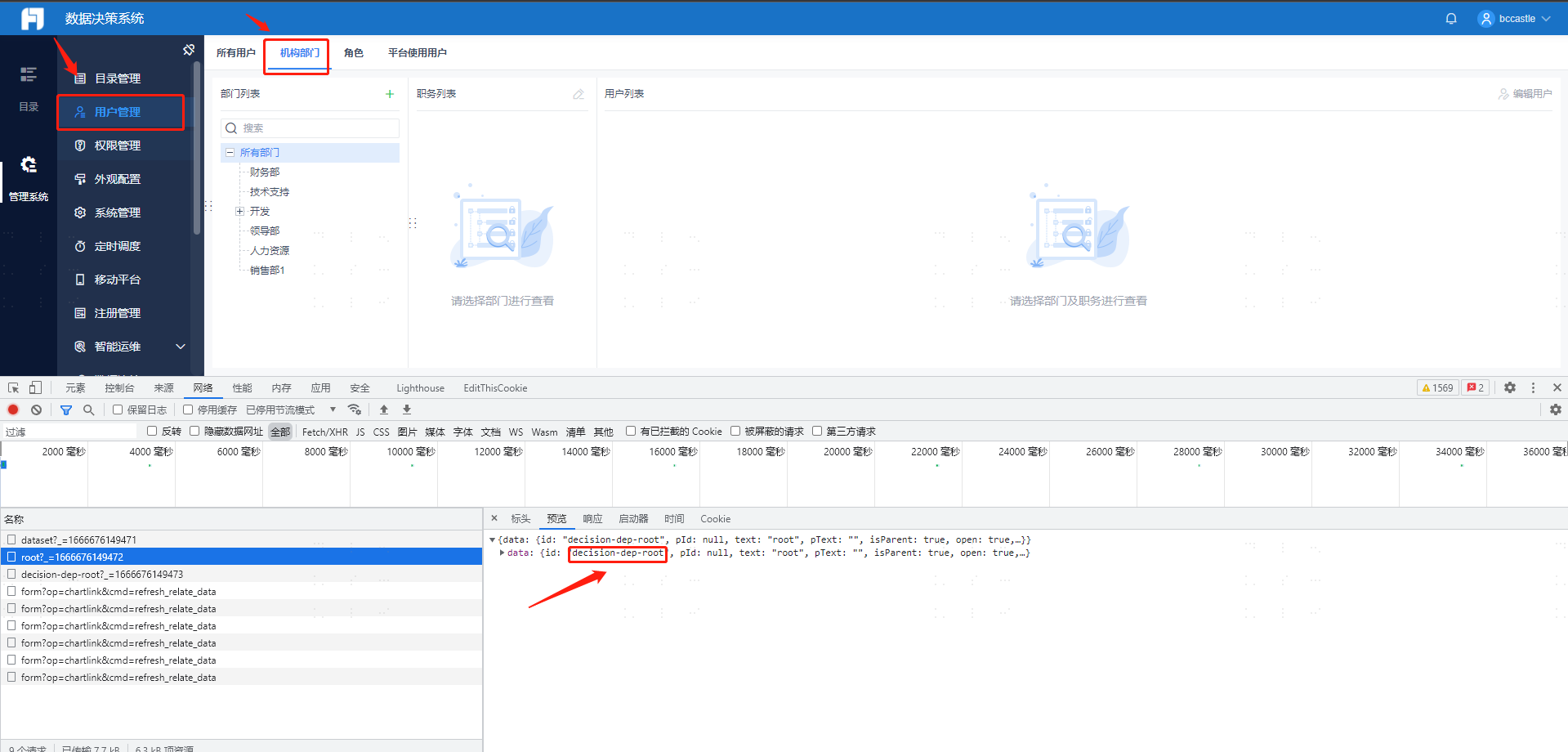
View the root department node ID.
To integrate positions or roles, you need to enable the corresponding interface permissions.
# IDaaS Configuration
Add the FineReport pre-integrated application.
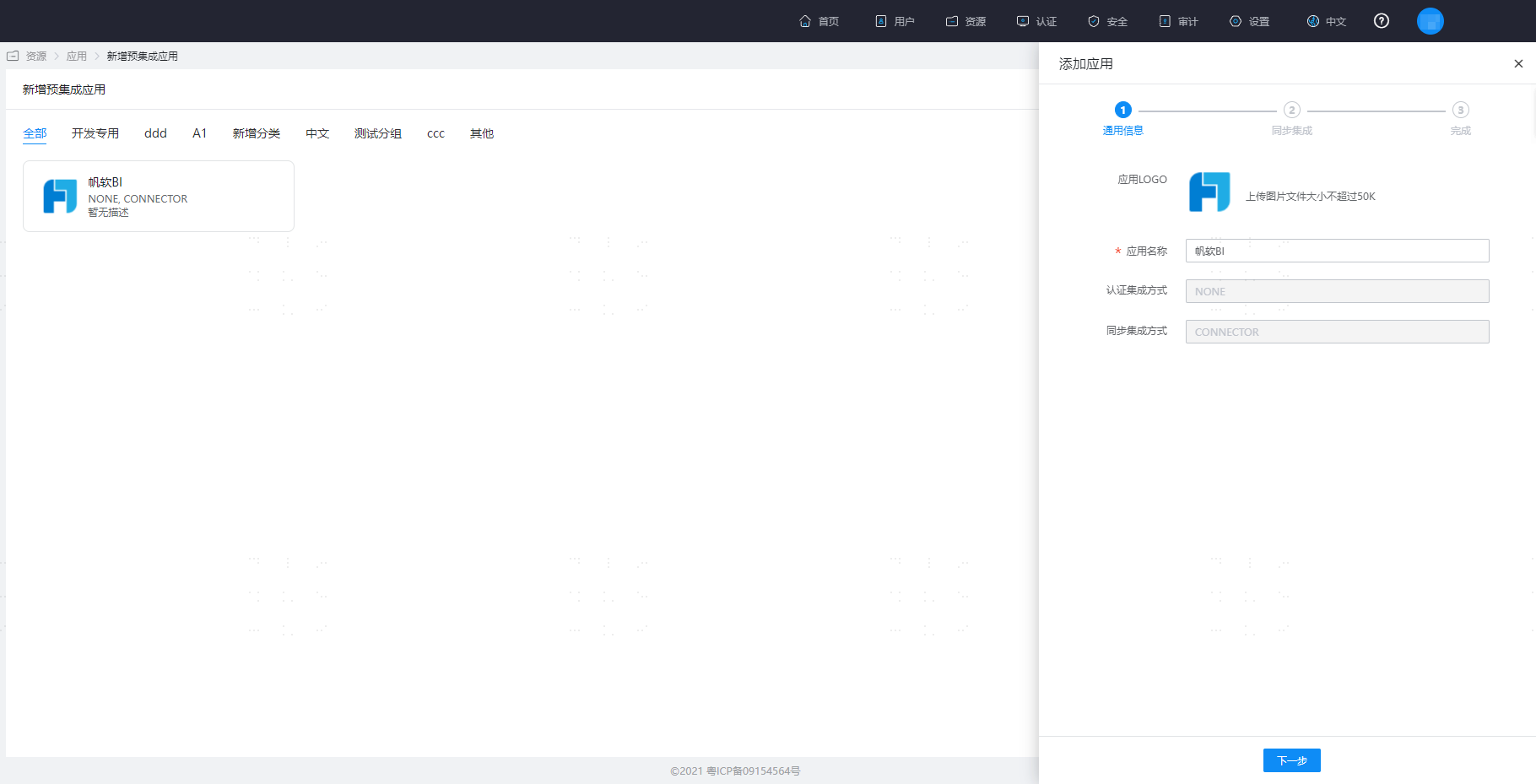
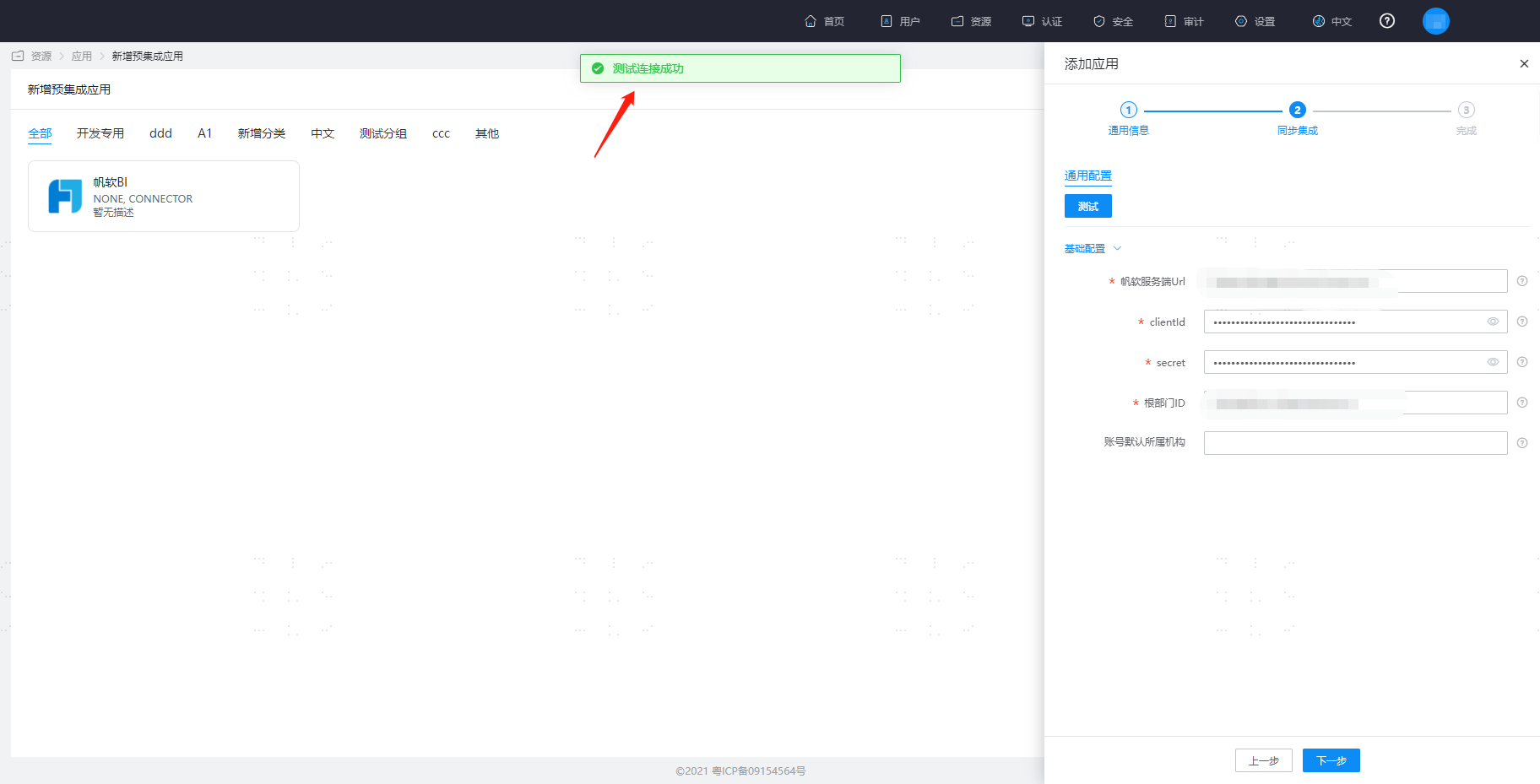
Configure application parameters.
- FineReport Server URL: The address prefix of the FineReport application
- clientId: The ID of the FineReport application
- secret: The secret key of the FineReport application
- Root Department ID: Organizations synchronized from IDaaS will be placed under the specified root department in FineReport by default.
- Default Organization for Accounts: Enter the remote ID of the FineReport organization. After configuration, created accounts will be placed under this organization by default. In this case, even if a mapping for the account's department is configured in the mapping definition, it will not take effect, and updates to the account's organization attribute will not be triggered.

Click Test. After a successful test, save the application.
# FAQ
When synchronizing users to FineReport, username, full name, and password are required fields. The default attributes in the IDaaS application template are set as required. When synchronizing positions to FineReport, both positions and organizations need to be configured for "Always Map" to successfully synchronize positions to FineReport.
# Reference Links
Refer to the documentation FineReport Open Platform (opens new window).