
Weaver e-cology Single Sign-On
# Description
This article describes the single sign-on configuration process between Weaver e-cology 9.0+ and IDaaS based on the OAUTH protocol.
# Authentication Configuration
# IDaaS Configuration
Add the pre-integrated application Weaver e-cology9.0+.

Configure authentication parameters.
The trusted domain can be filled with the OA access address, for example: https://oa.xxx.com

Go to Application Details - Authorization Management - Application Accounts, click the Add Account button, select the authorized user, and edit the application account to be the user's email address in ecology.
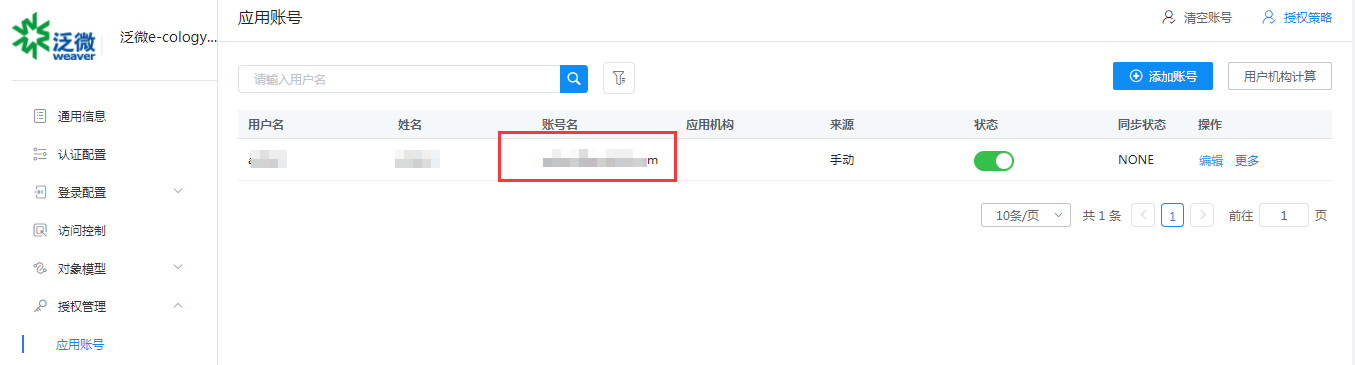
Obtain the application's ClientId and ClientSecret.

# Weaver Ecology Configuration
Administrator logs into the Ecology backend engine Application Center - Integration Center - Unified Authentication Center - Authentication Access Management, and enables OAuth2 integration.
Edit integration parameters.
- Basic Information:
- client_id_key: client_id
- client_id: Application ClientId in IDaaS
- client_secret_key: client_secret
- client_secret: Application ClientSecret in IDaaS
- code_key: code
- access_token_key: access_token
- redirect_uri_key: redirect_uri
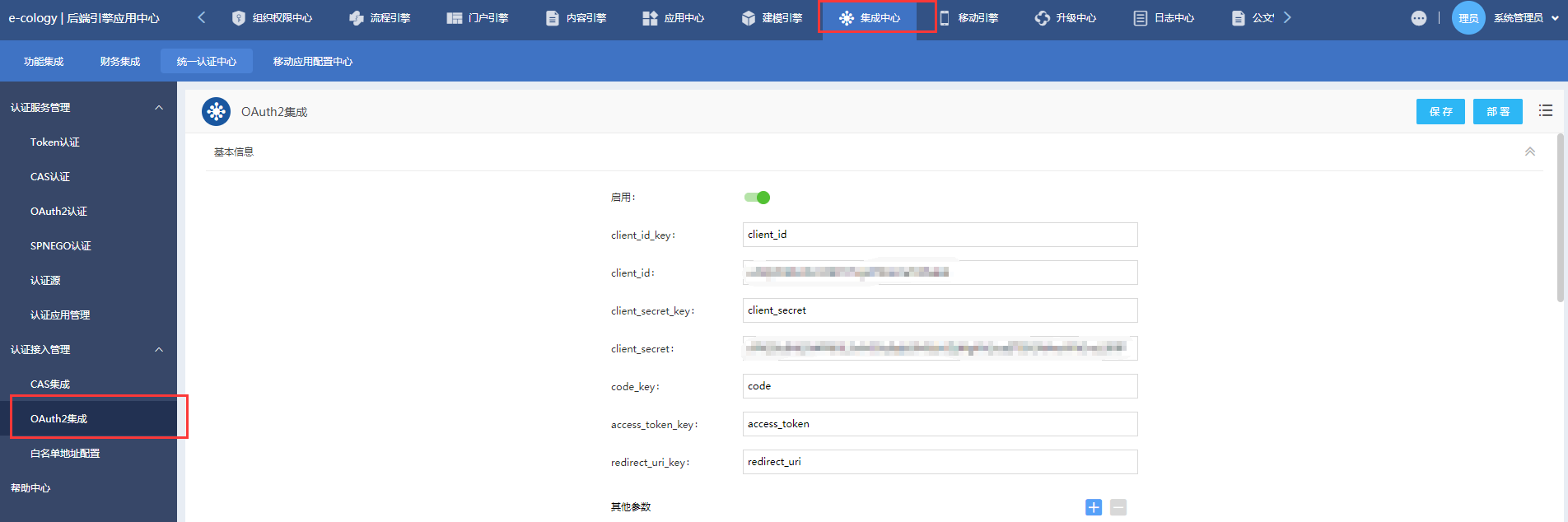
- Basic Information:
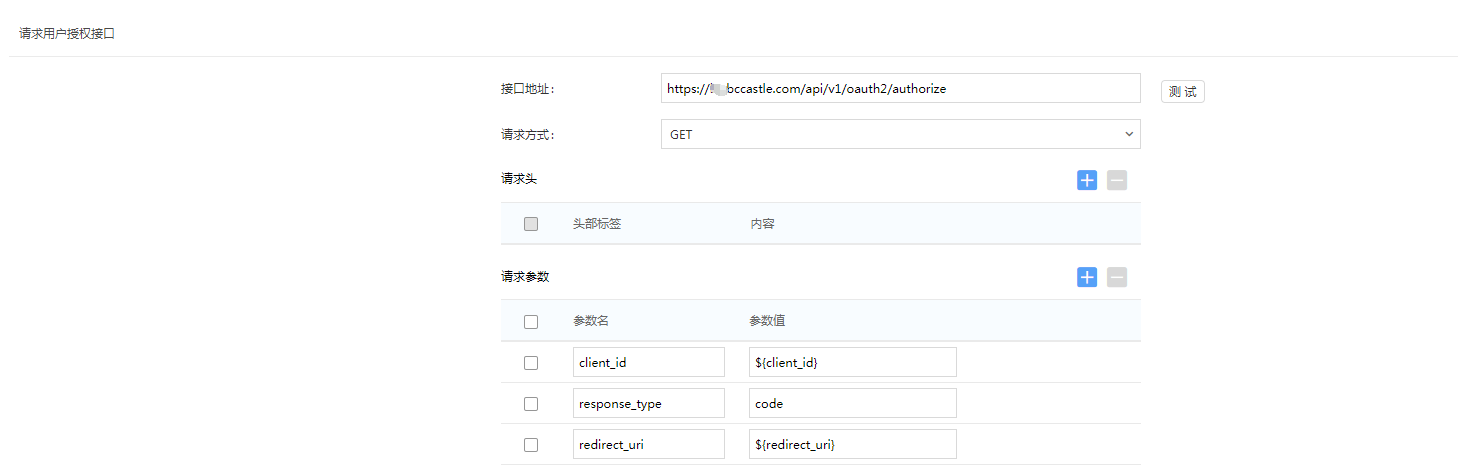
Request User Authorization Interface:
- Interface Address: https://IDaaS tenant domain name.bccastle.com/api/v1/oauth2/authorize
- Request Method: GET
- Request Parameters:
- client_id: ${client_id}
- response_type: code
- redirect_uri: ${redirect_uri}
Get Authorization Token Interface:
- Interface Address: https://IDaaS tenant domain name.bccastle.com/api/v1/oauth2/token
- Request Method: POST
- Request Parameters:
- client_id: ${client_id}
- client_secret: ${client_secret}
- grant_type: authorization_code
- code: ${code}
- redirect_uri: ${redirect_uri}

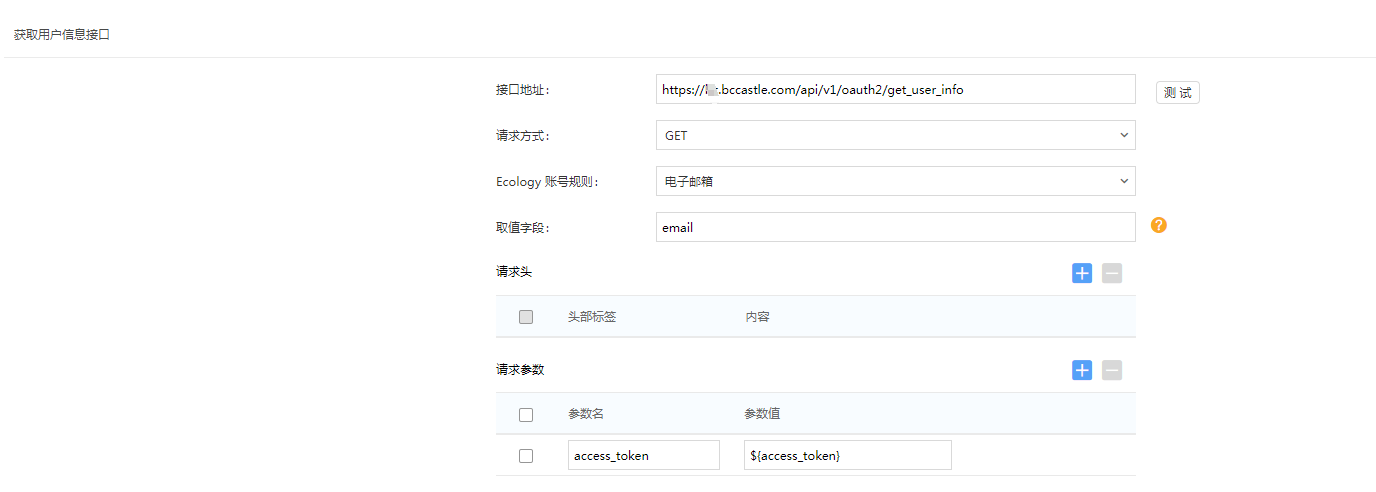
Get User Information Interface:
- Interface Address: https://IDaaS tenant domain name.bccastle.com/api/v1/oauth2/get_user_info
- Request Method: GET
- Ecology Account Rule: Email Address
- Value Field: email
- Request Parameter: access_token: ${access_token}
Unified Logout Interface:
Enable
Interface Address: https://IDaaS tenant domain name.bccastle.com/api/ams/logout?redirectToUrl=https://oa.xxx.com/
Request Method: GET
Authentication Method: Enable PC Authentication
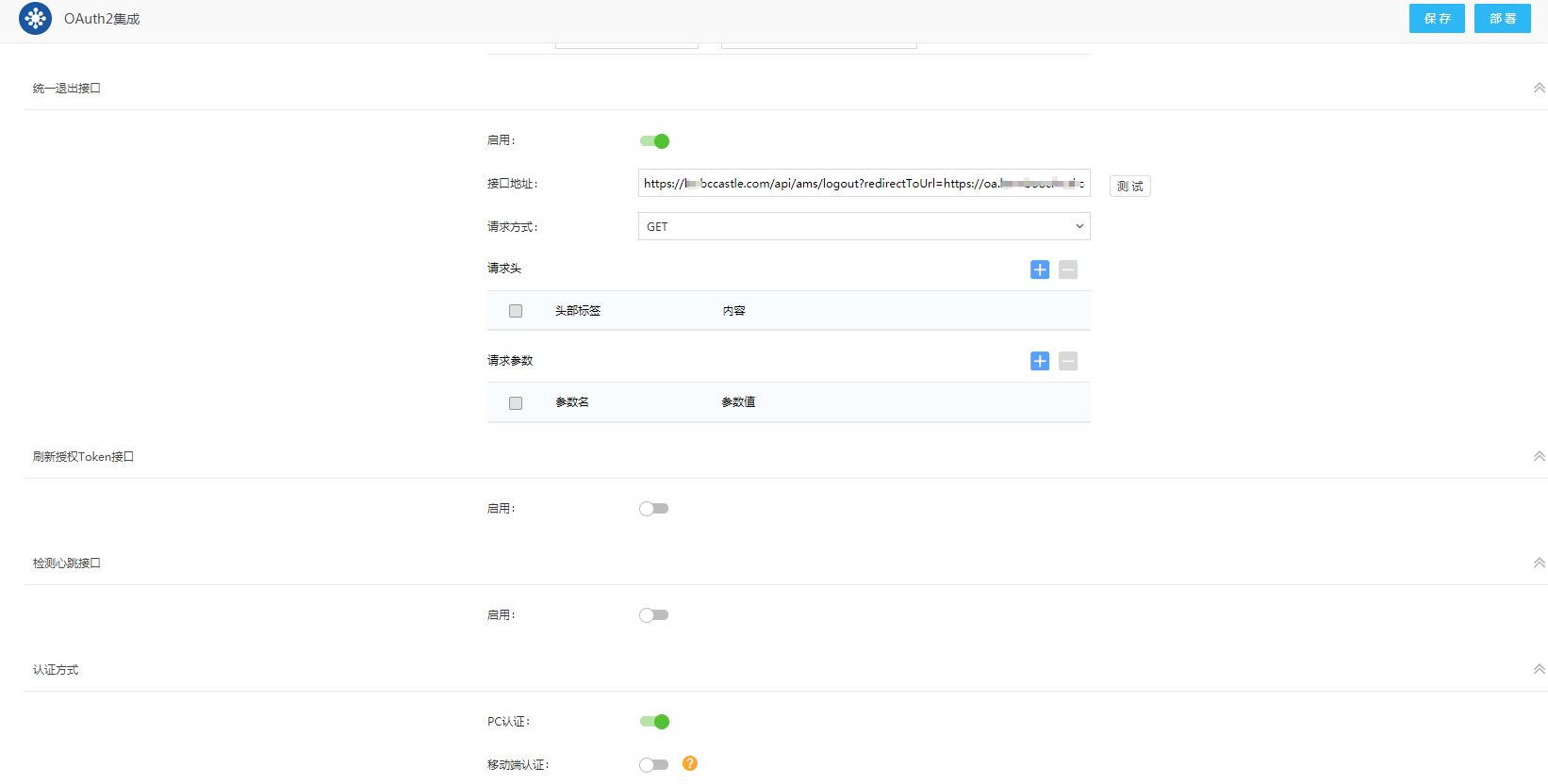
For OAuth2 integration enable/disable, click "Deploy" to take effect; after enabling, only the first click of "Deploy" is required, other modifications only need "Save".
# Login Authentication
After integrating Ecology with IDaaS, there are two access methods:
Access the OA address https://oa.xxx.com/, which redirects to the IDaaS authentication interface. After entering the username and password, you will enter the OA.
Users click the Ecology icon in the IDaaS user center to single sign-on (SSO) into OA.