Coremail Data Synchronization
# Description
This document introduces the synchronization configuration between Coremail and IDaaS, enabling the synchronization of IDaaS organization and user data to Coremail.
# Prerequisites
Configure the API access IP address whitelist and port number in the Coremail system.

Configure the API access IP address whitelist. The default is the IDaaS server address: 39.100.248.219
# Synchronization Configuration
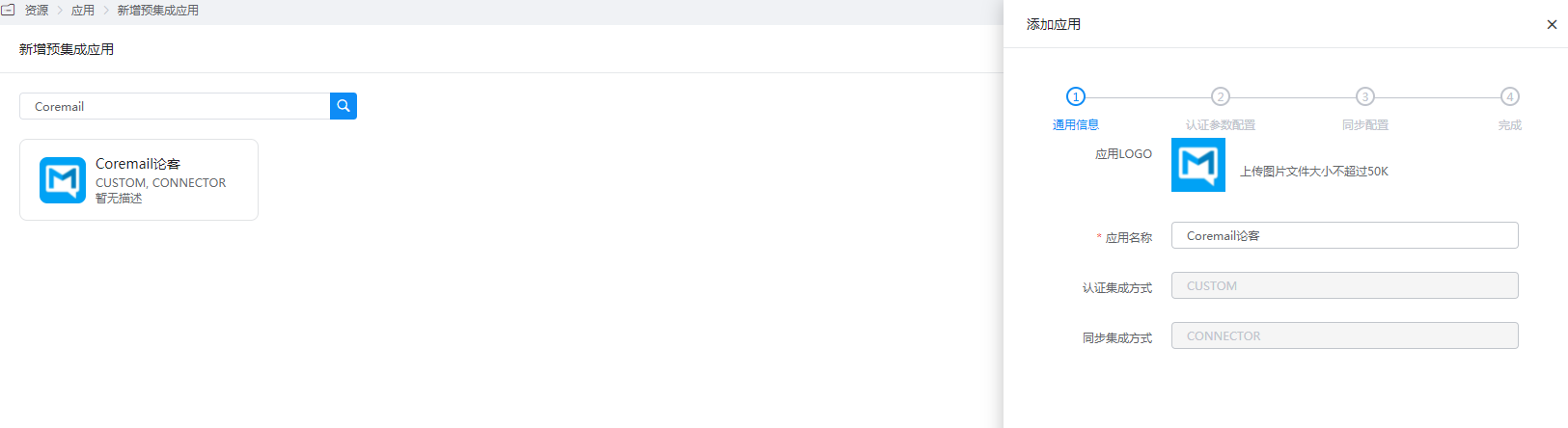
Add the pre-integrated application Coremail.
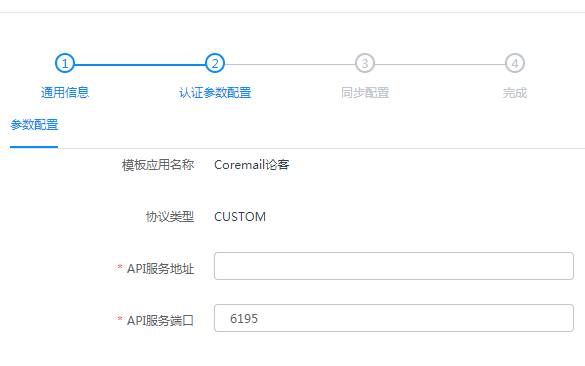
Configure authentication parameters.
- API Service Address: The address or domain name of the machine running the CoremailApi service.
- API Service Port: The service port, default is 6195, can be configured in the Coremail Web management backend.
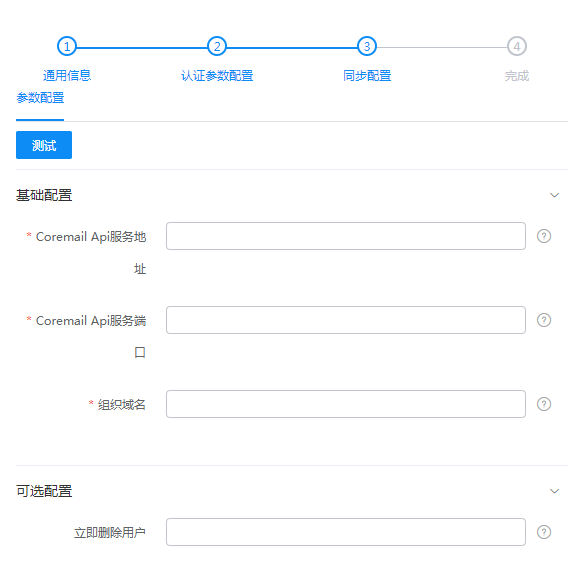
Configure synchronization parameters.
Coremail Api Service Address: The address or domain name of the machine running the CoremailApi service.
Coremail Api Service Port: Obtain the Api service port from the whitelist settings in the Coremail Web management terminal.
Organization Domain: The suffix of the email address, the organization domain. Multiple can be configured, separated by commas, e.g., 163.com,222.com.
Delete Users Immediately: Optional. Whether to immediately delete all existing mailbox users. Allowed values are true|false. Default is false.
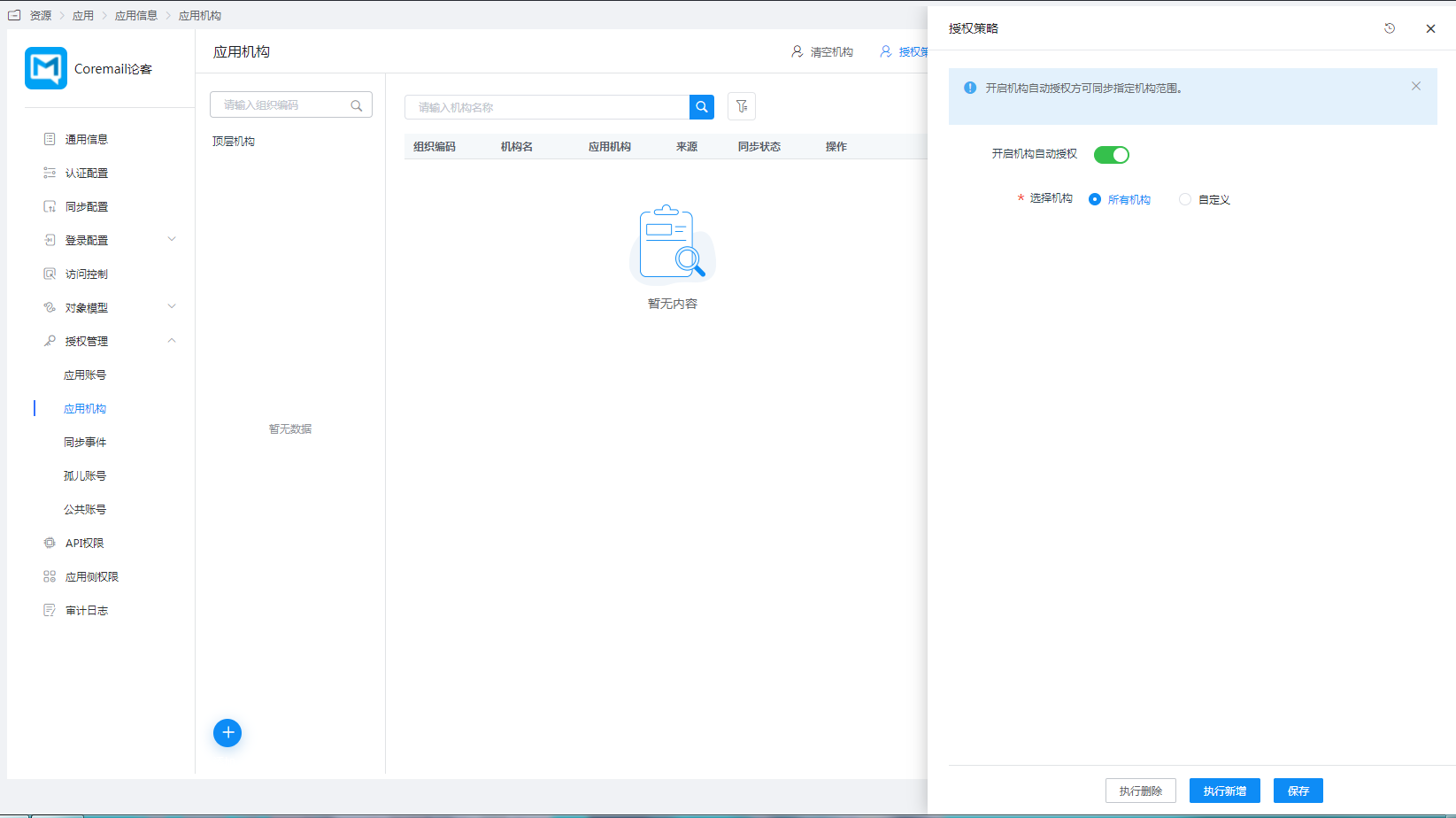
Authorize application organizations. Go to Application Details - Application Organizations - Authorization Policy, enable automatic organization authorization, select the organization scope, click the Save button, and then click Execute Addition.
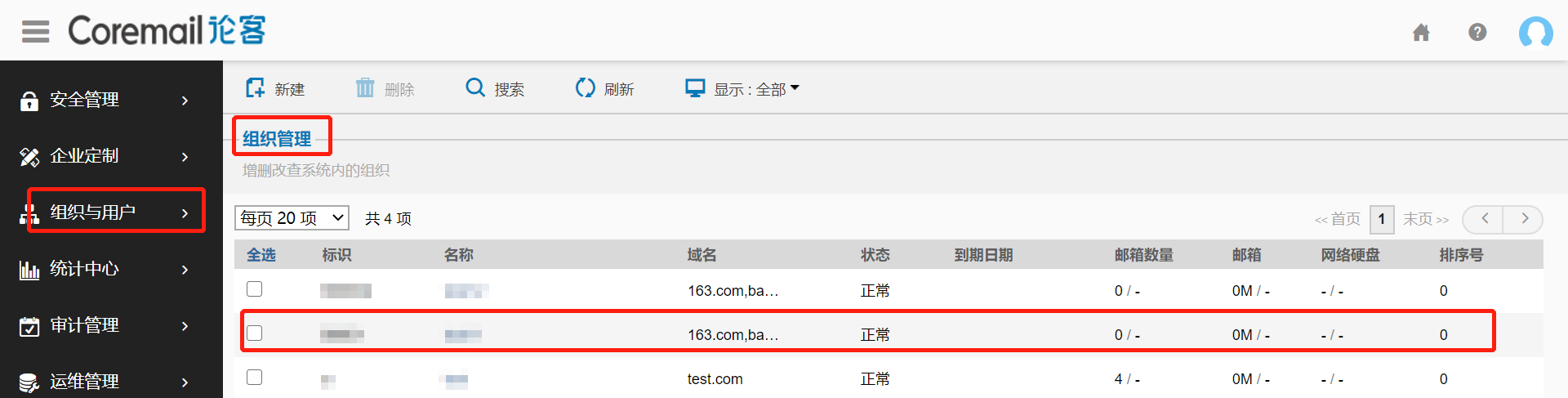
Synchronize to the Coremail system.
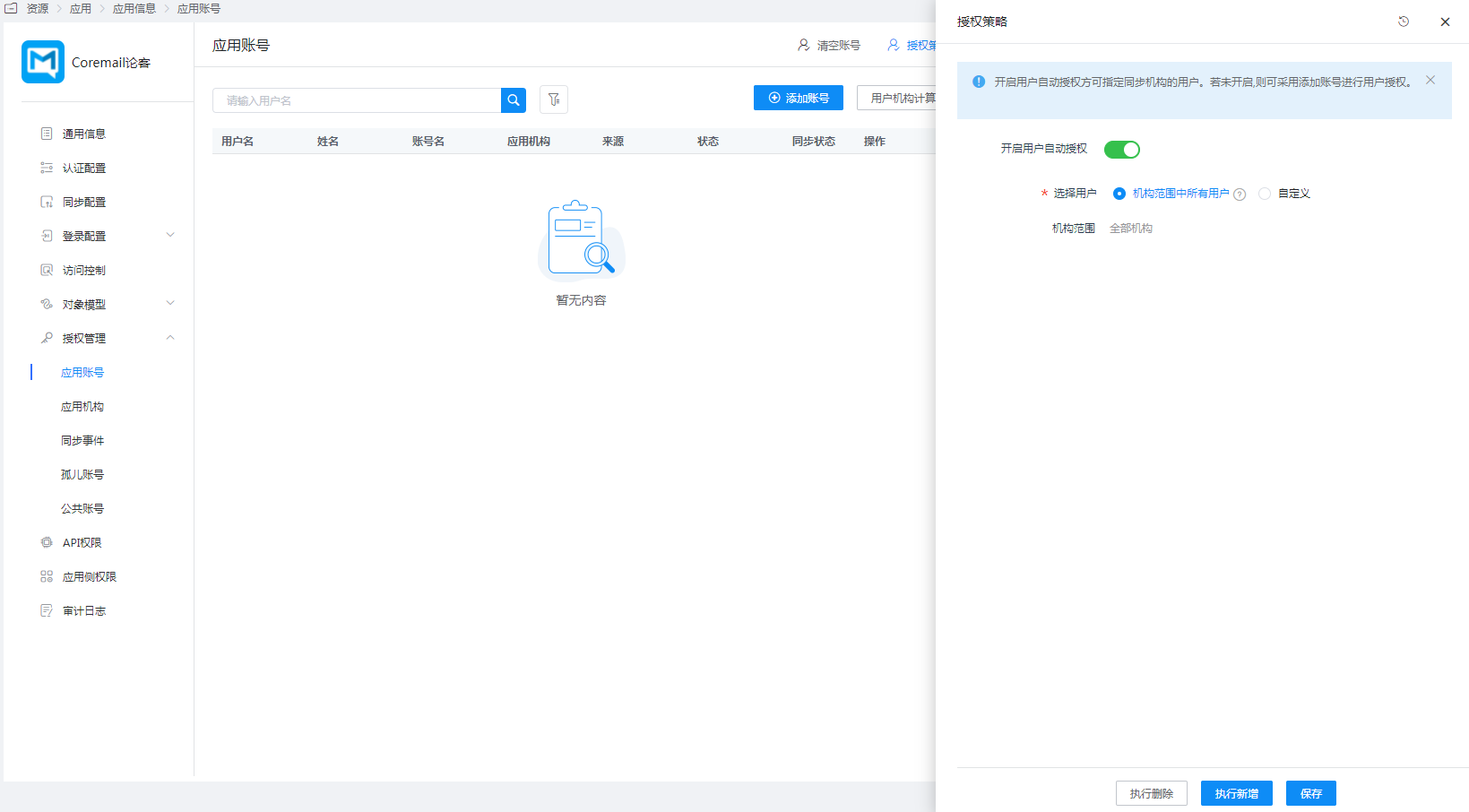
Authorize application accounts. Go to Application Details - Application Account Structure - Authorization Policy, enable automatic organization authorization, select the user scope, click the Save button, and then click Execute Addition.
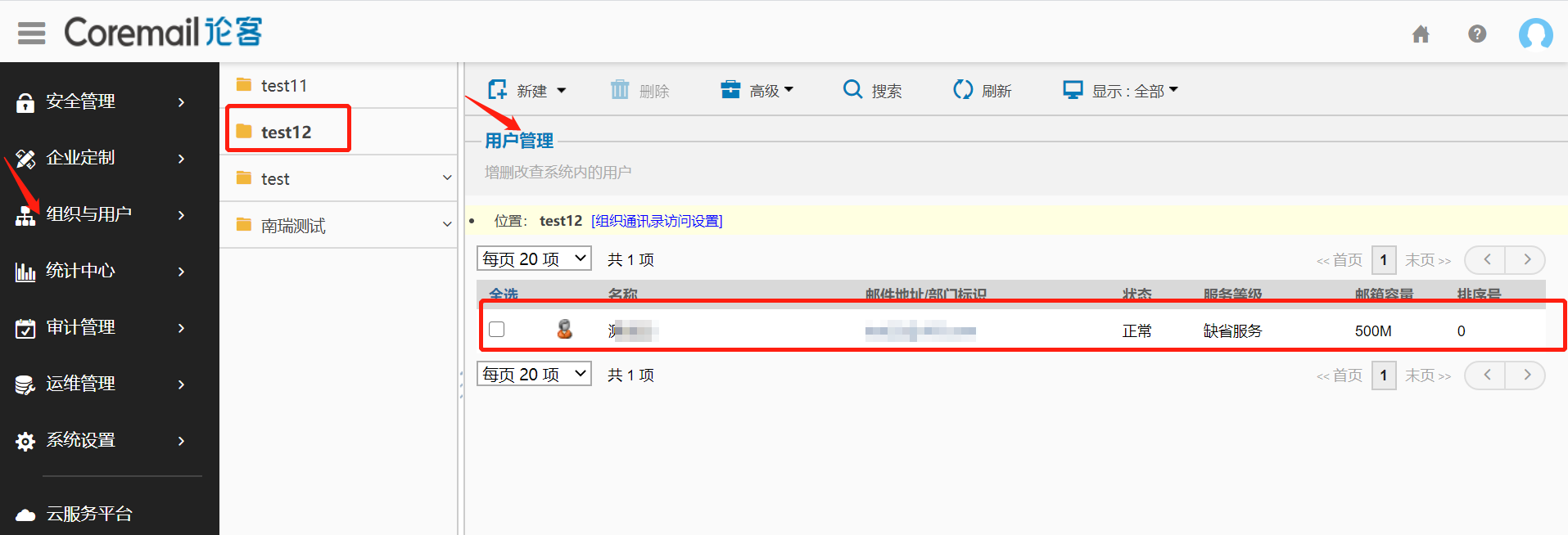
Synchronize to the Coremail system.
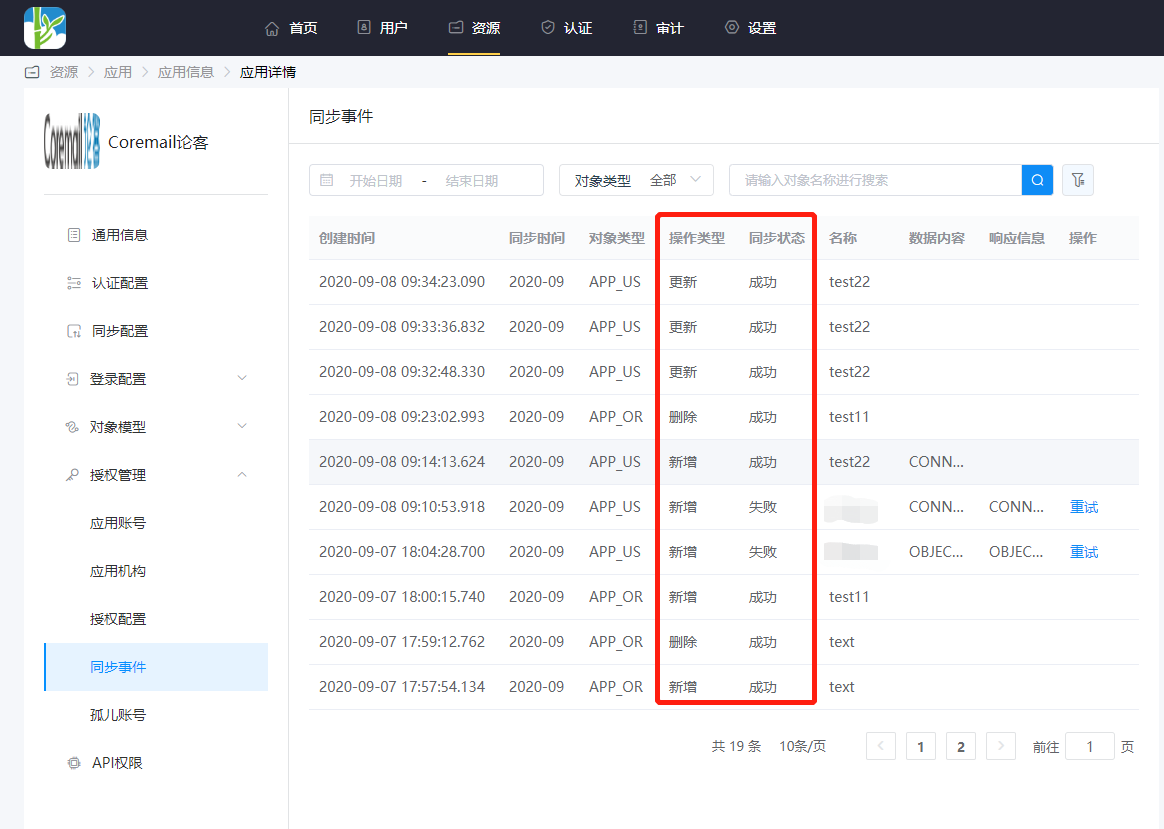
Go to Application Details - Synchronization Events to view synchronization events.