
Coremail Single Sign-On
Single Sign-On SSO
# Description
This document describes the authentication configuration between Coremail and IDaaS to achieve IDaaS single sign-on to Coremail email.
# Prerequisites
Configure the API access IP address whitelist and port number in the Coremail system.

Configure the API access IP address whitelist, default is the IDaaS server address 39.100.248.219
# Authentication Configuration
Add the pre-integrated application Coremail.
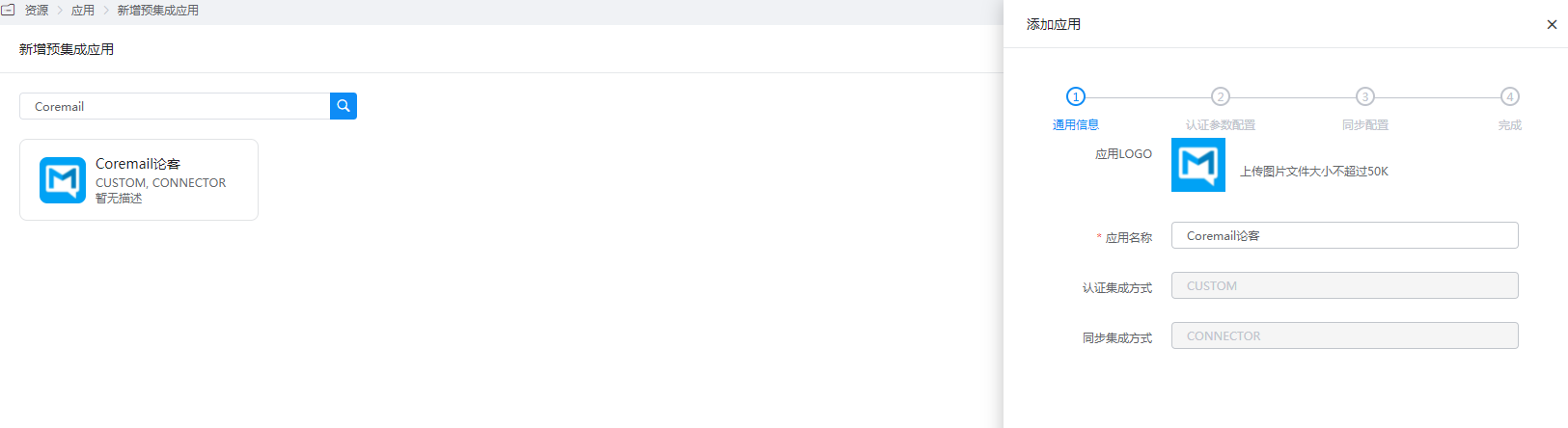
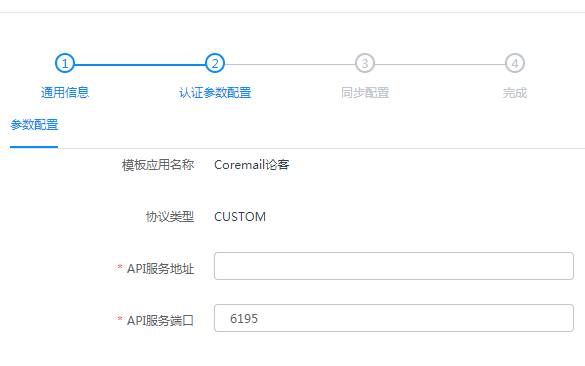
Configure authentication parameters.
API Service Address: The address or domain name where the CoremailApi service runs
API Service Port: Service port, default is 6195, can be configured in the Coremail Web management backend
# Login Verification
Log in to the IDaaS user center, click the Coremail logo to single sign-on into Coremail.
