
Baidu Intelligent Cloud Single Sign-On
# Description
By configuring the SAML node in IDaaS and the External Account Access > IAM Role SSO of the Baidu Intelligent Cloud SP, single sign-on (SSO) from IDaaS to Baidu Intelligent Cloud using Baidu Intelligent Cloud role identities is achieved. Refer to the Baidu Intelligent Cloud configuration documentation (opens new window).
# Authentication Configuration
# Baidu Intelligent Cloud Configuration
Log in to the Baidu Intelligent Cloud console.
Under "Multi-User Access Control", select "External Account Access - IAM Role Federation".
Click "Identity Provider".
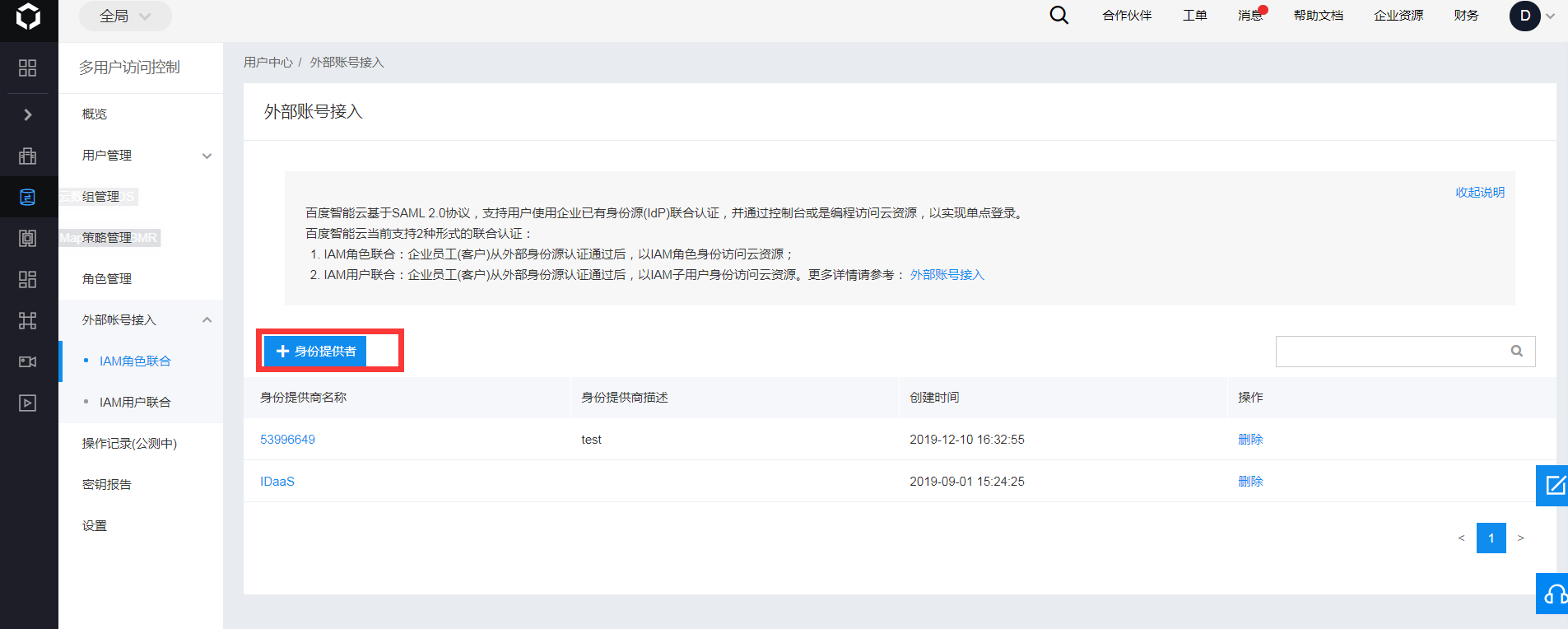
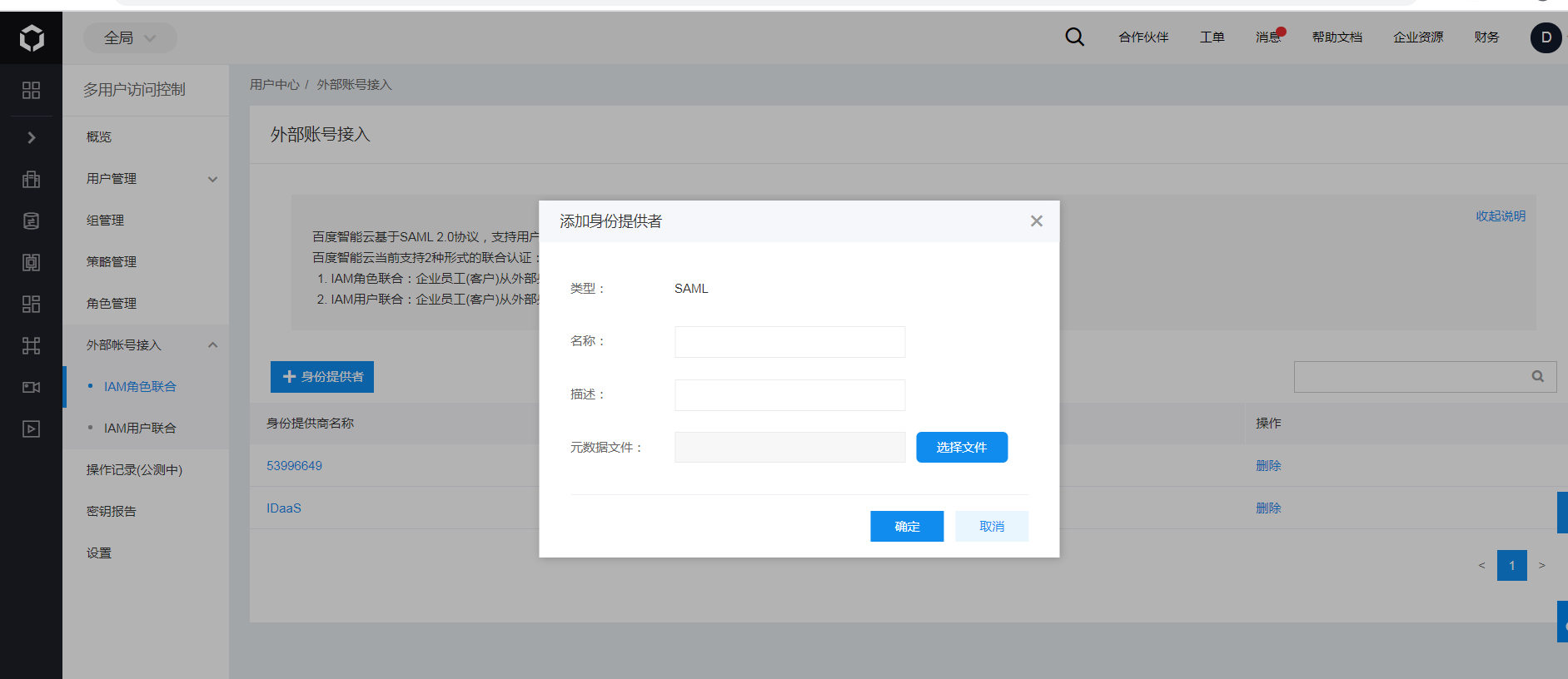
Fill in the name, upload the IDaaS IdP metadata file, and click "Confirm". To download the IDaaS IdP metadata, visit https://{your_domain}/api/v1/saml2/idp/metadata.
Configure the IAM role and grant permissions.
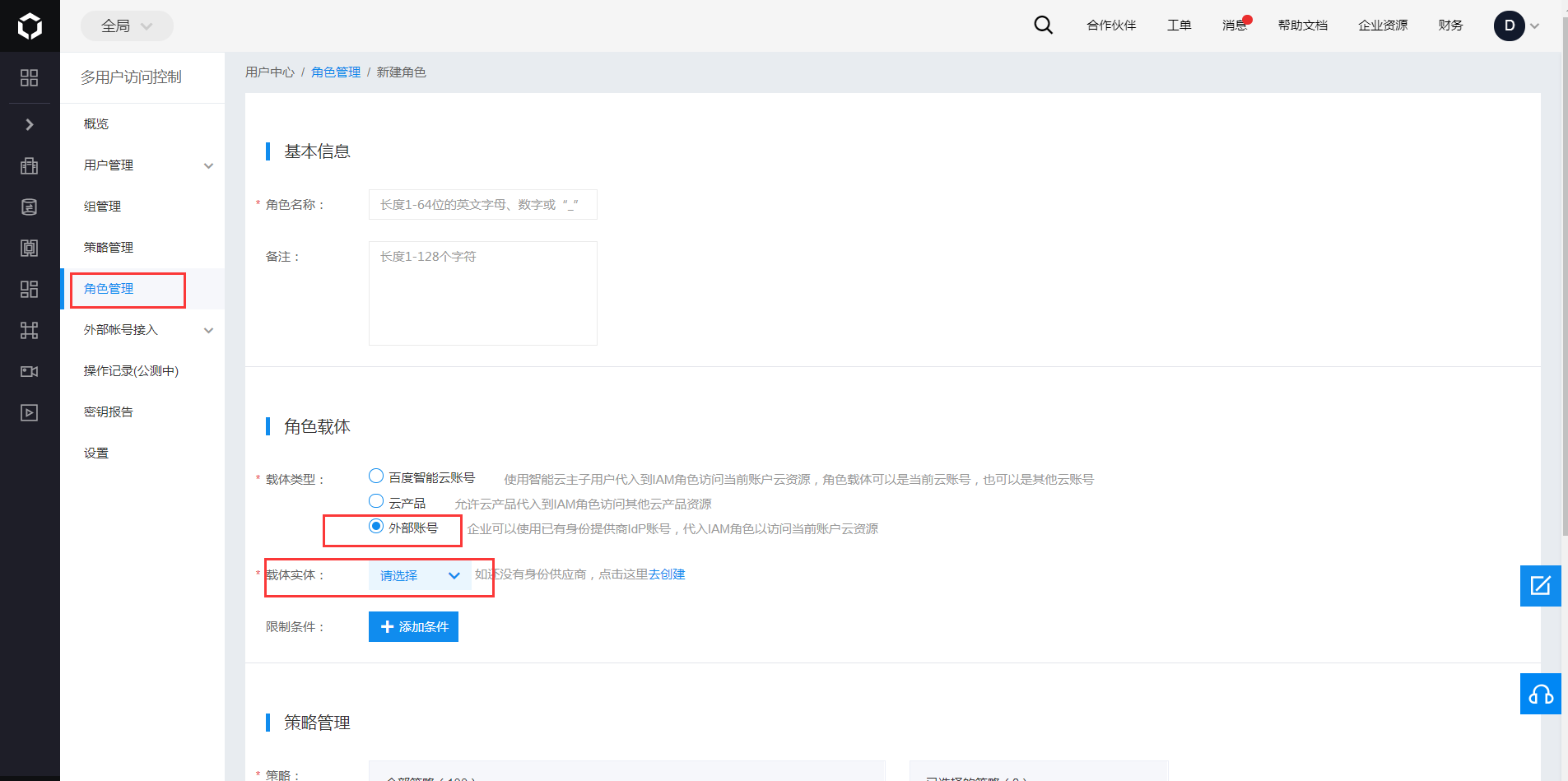
From the left navigation bar, click Role Management to configure the roles that can be assumed when signing in to Baidu Intelligent Cloud via external identity SSO. Here, the administrator role for the virtual machine BCC is used as an example.
Click Create New Role, fill in the role name (e.g., "BCCAdmin") and description (e.g., "BCC Administrator Role").
In the Role Principal, select the principal type as External Account, and choose the IdP name added in the previous step as the principal instance.
You can also set conditional restrictions for the IdP to switch to Baidu Intelligent Cloud. The attribute fields currently supported by Baidu Intelligent Cloud are: saml:iss, saml:aud, saml:cn, saml:eduPersonAffiliation, eduPersonPrincipalName. Adding restrictions enables more granular permission control, allowing SSO to Baidu Intelligent Cloud with the BCCAdmin role only when certain conditions are met.
In Policy Management, grant the "BCCFullControlAccessPolicy" to the current role and click Finish.
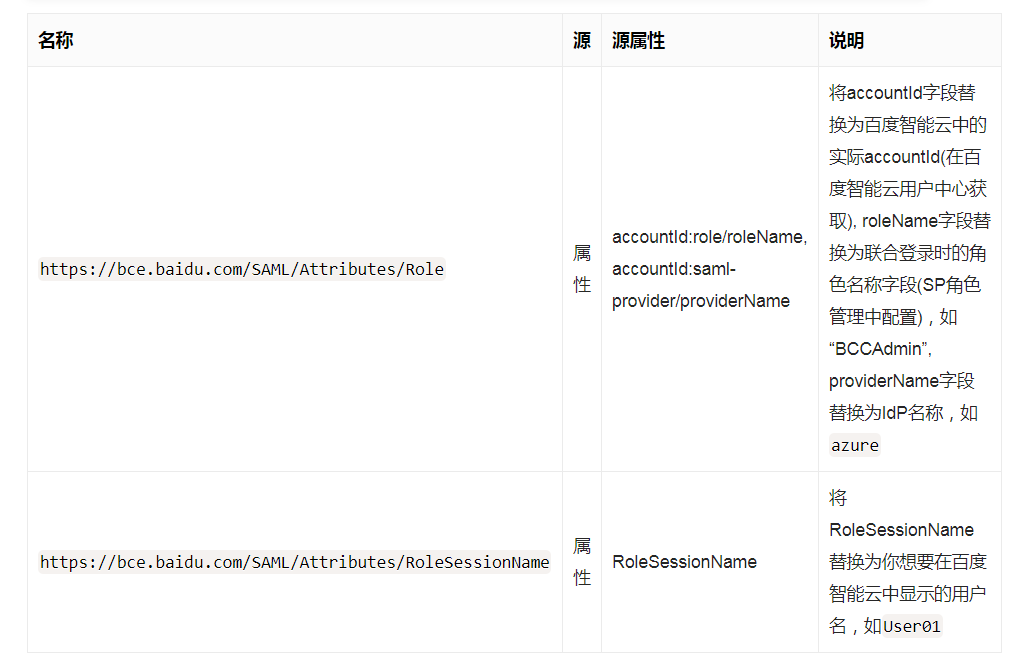
If you need to set up different roles for this IdP, you can continue configuring following the steps above. When an identity from within the IdP performs SSO to Baidu Intelligent Cloud, switching is done via the
https://bce.baidu.com/SAML/Attributes/Roleattribute field roleName.
# IDaaS Configuration
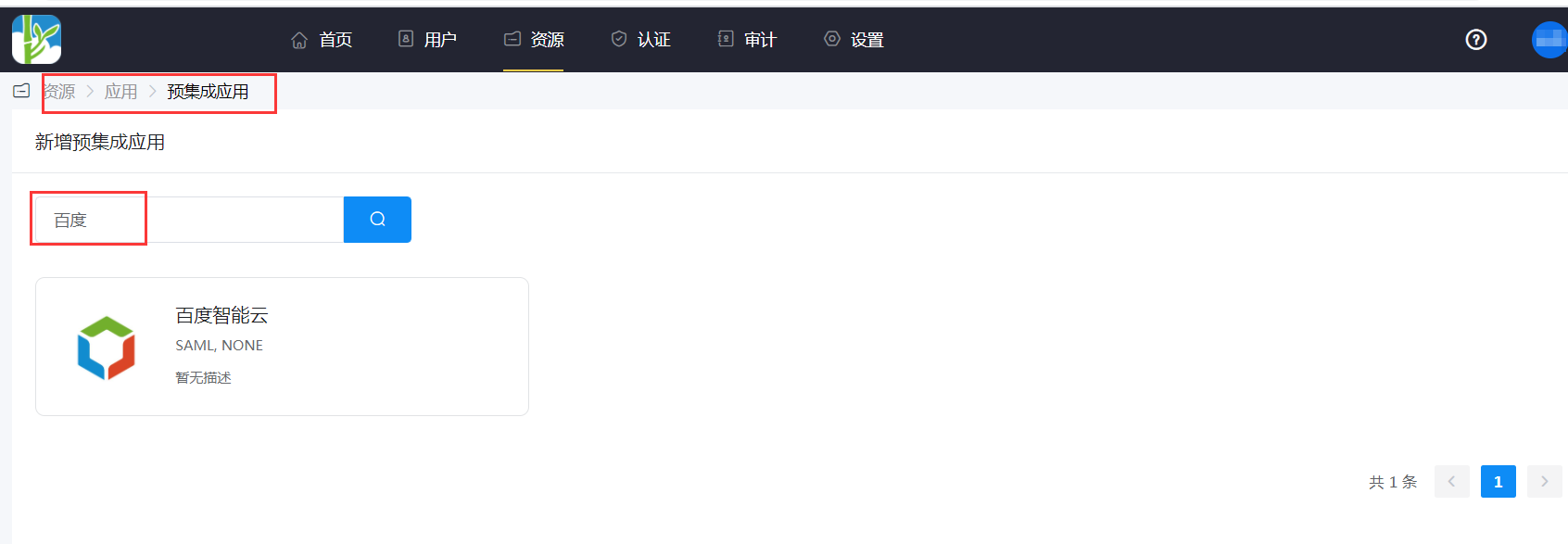
Add the Baidu Intelligent Cloud preset application.

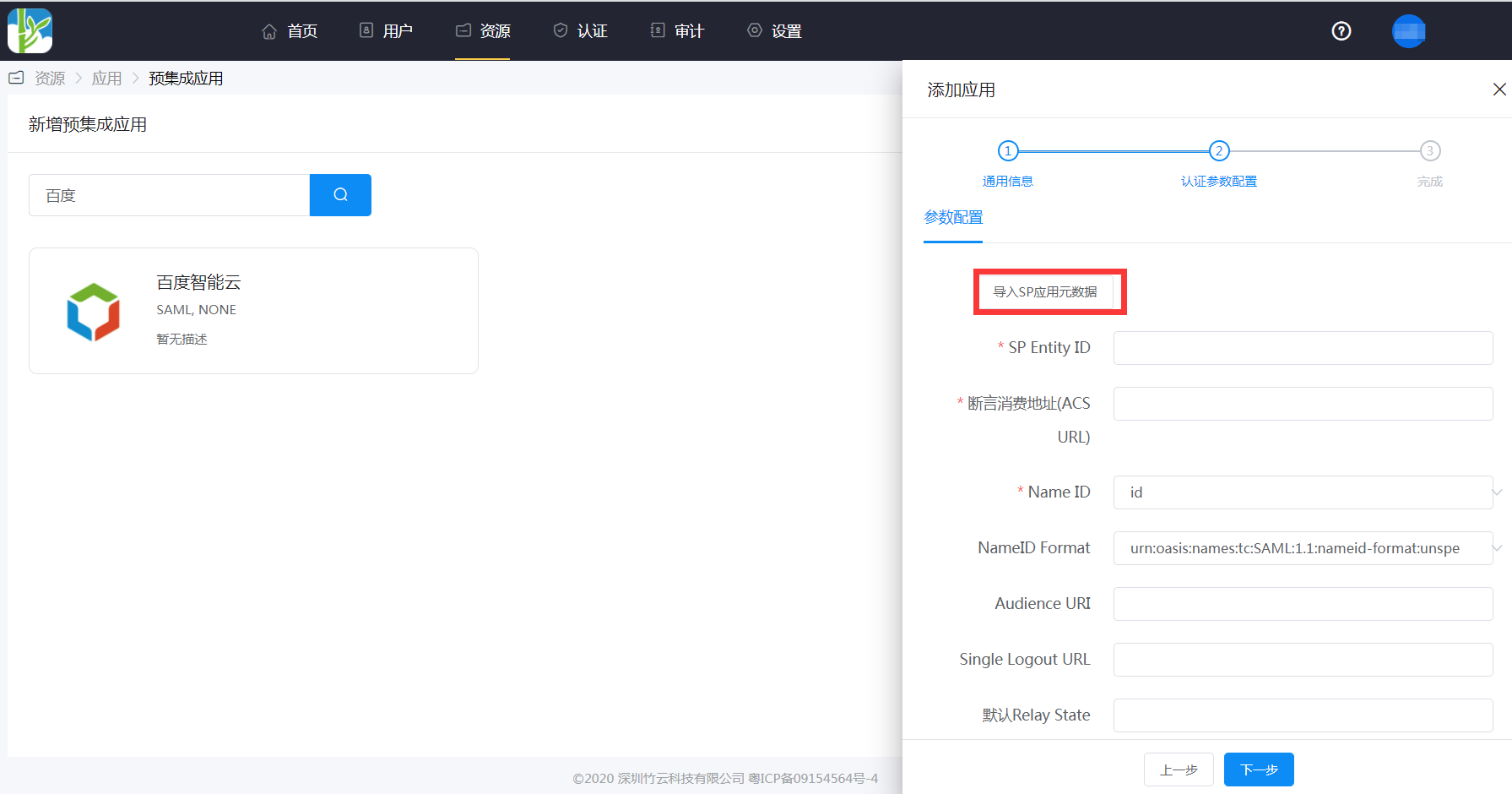
Configure authentication parameters. The Baidu Intelligent Cloud metadata address (opens new window), save it as an sp.xml file.
Import the SP metadata or add it manually.
Mapping configuration.
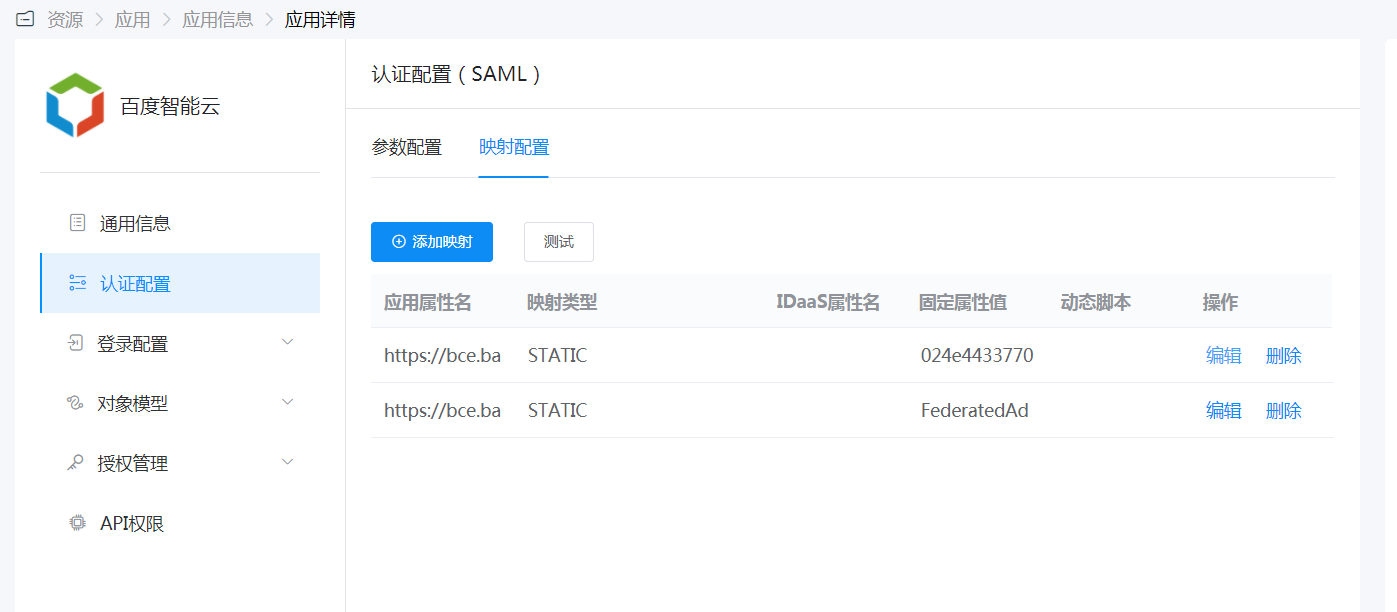
Go to Application Details - Authorization Management - Application Accounts, click the Add Account button, and select the authorized user.
# Login Verification
The authorized user enters the User Center, clicks the Baidu Intelligent Cloud logo, and can then single sign-on to the Baidu Intelligent Cloud backend.