
Using IDaaS Authentication Interface's ID Token for Single Sign-On
# Scenario Description
Applicable to third-party applications authenticating based on IDaaS users. By calling the IDaaS User Login Interface to generate an ID Token, password-free login to various application systems already integrated with IDaaS can be achieved.
# Single Sign-On Process
The user first logs into portal application A, then accesses application B through portal application A to achieve single sign-on.
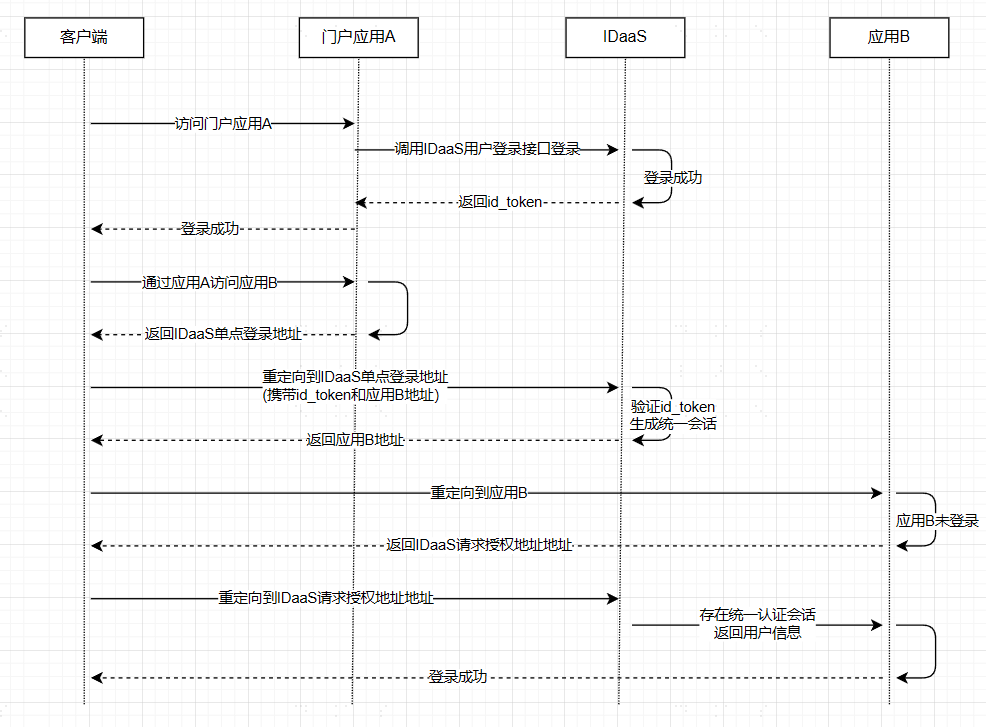
- IDaaS Single Sign-On Address: Refer to Third-Party Platform Calling IDaaS Single Sign-On Interface
- Application B Address: The
redirect_toparameter in Third-Party Platform Calling IDaaS Single Sign-On Interface - Only supports one-way SSO, i.e., Application A -> SSO Application B, cannot achieve Application B -> Application A
- This solution uses a custom protocol, not an international standard protocol. The application party/third party must ensure its own security to avoid security risks caused by their own issues.
# Integration Steps
# Create an Application in IDaaS Enterprise Center
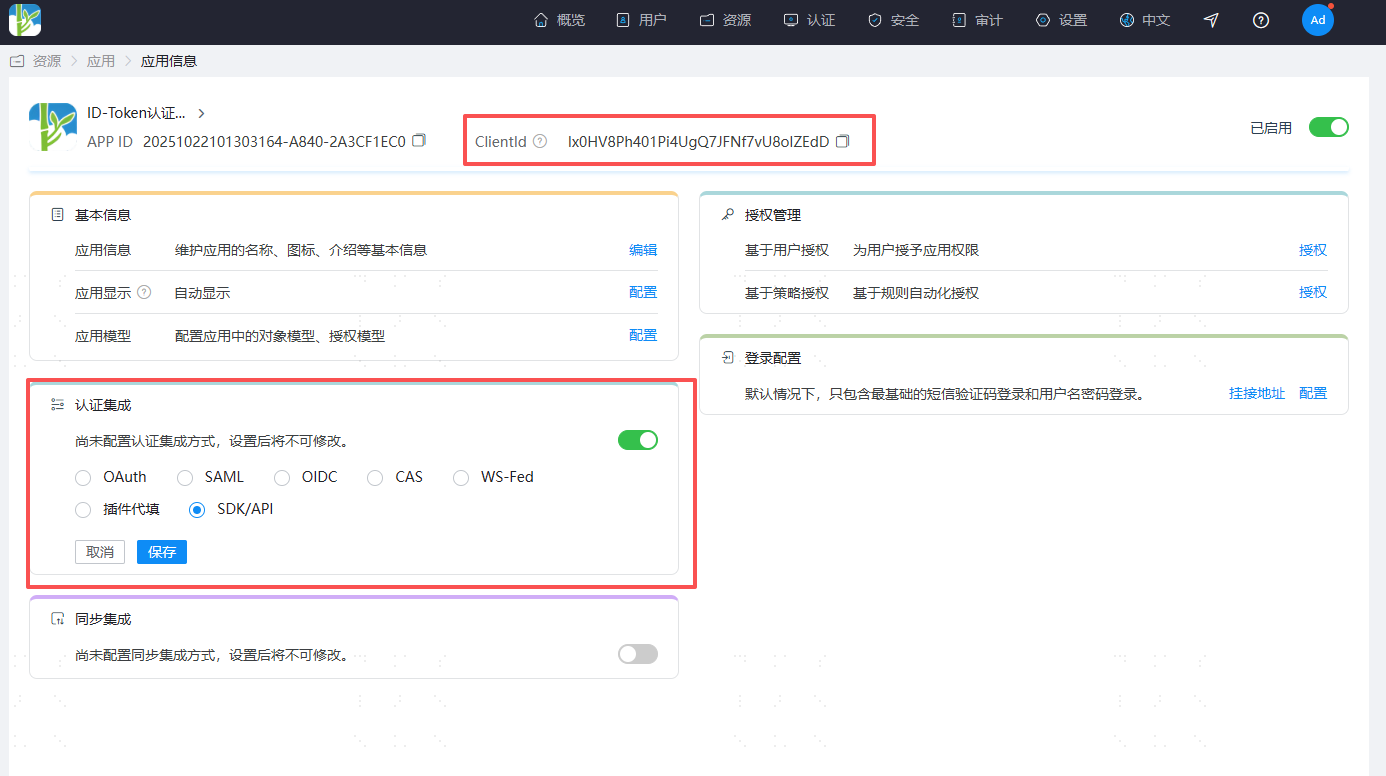
Log in to the IDaaS Enterprise Center and create an application.
Enable authentication integration and obtain the application ClientId.
# Configure OIDC Authentication Source in IDaaS Enterprise Center
Log in to the IDaaS Enterprise Center and create an OIDC authentication source.

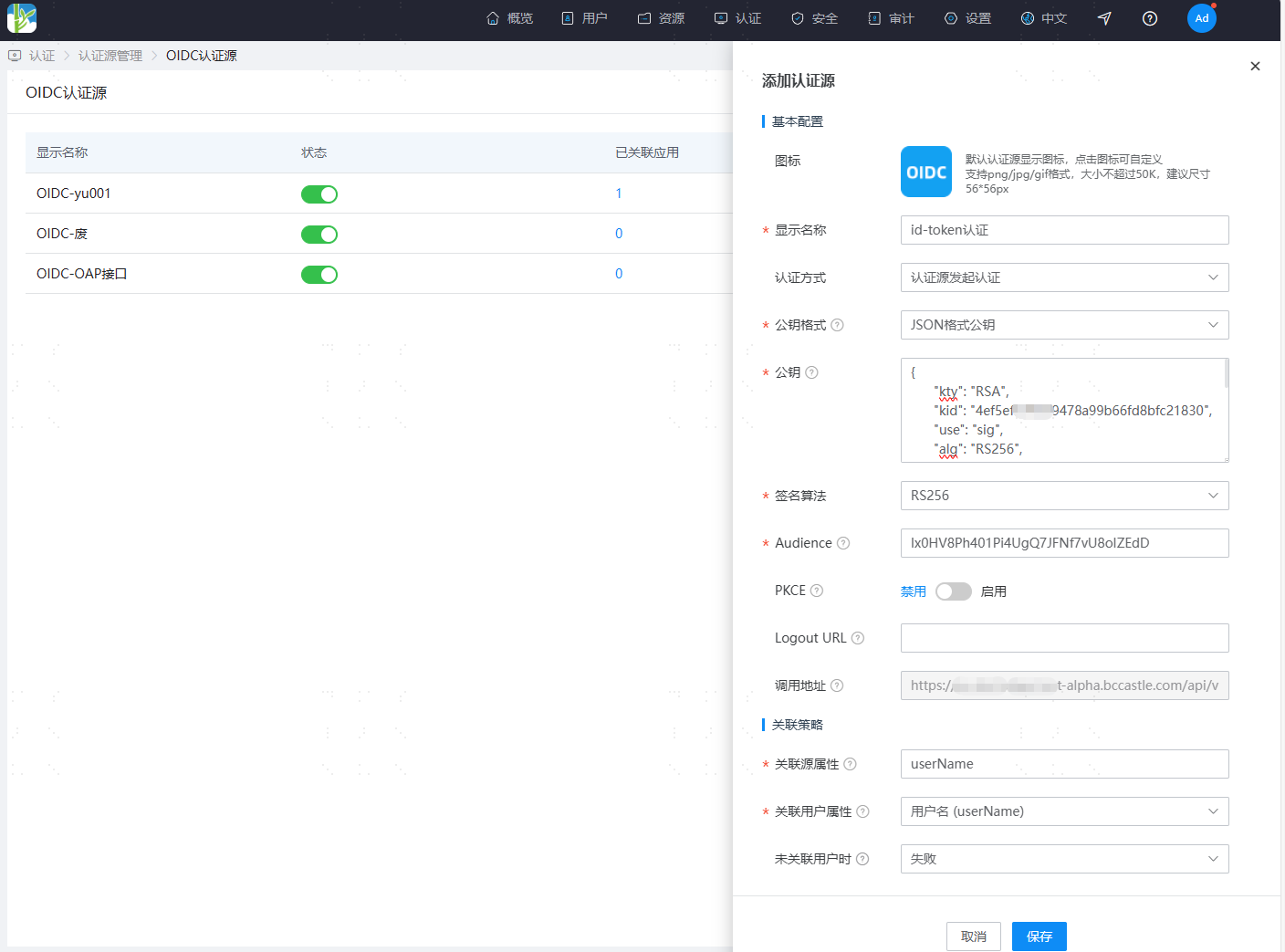
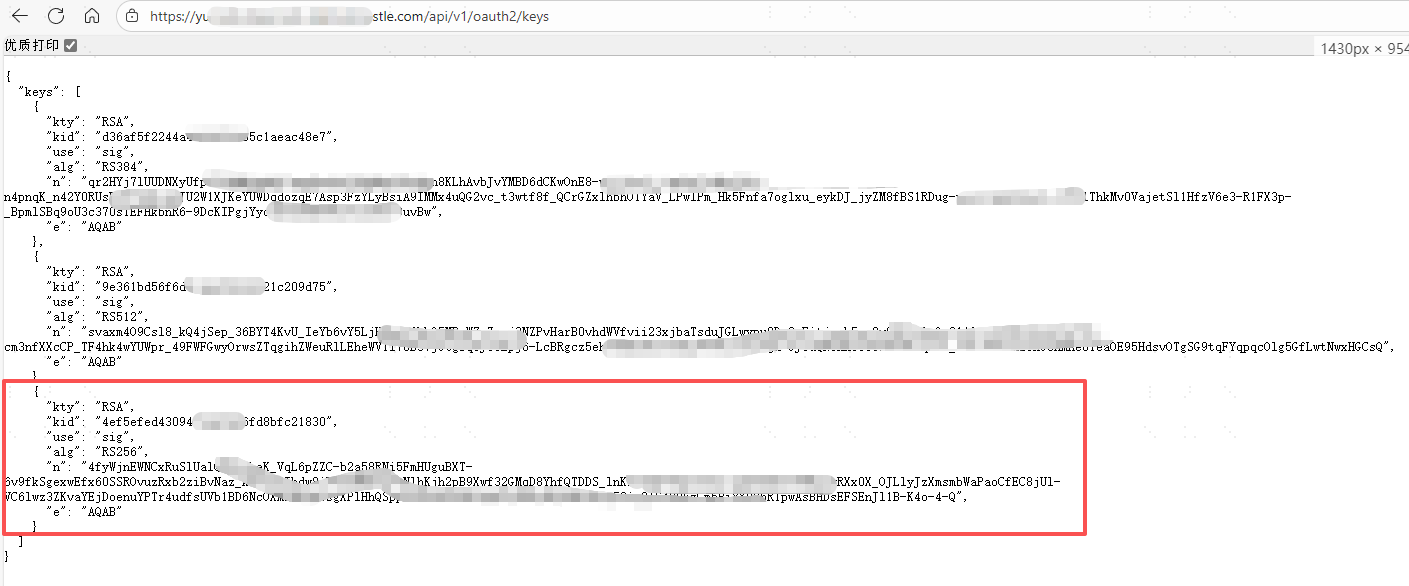
Configuration Name Remarks Authentication Method Select "Authentication Source Initiated Authentication" Public Key Format Select "JSON Format Public Key" Public Key Access the link https://{your_domain}/api/v1/oauth2/keys to obtain the RS256 public key, see the image below. Signature Algorithm Fixed as "RS256" Audience Fill in the application's ClientId Callback Address The callback address used to receive the id_token returned by the authentication source, automatically generated after adding. Associated Source Attribute The attribute key present after id_token parsing, recommended to fill in the username userName.Associated User Attribute The unique attribute of the IDaaS platform user, recommended to select the username userName.
Public Key Acquisition
# Third-Party Platform Calls IDaaS User Login Interface
When logging into the third-party platform, call the User API - Login Interface to obtain the id_token
# Third-Party Platform Calls IDaaS Single Sign-On Interface
Initiate authentication based on the OIDC authentication source, and call the OIDC callback address provided by IDaaS to complete authentication
Request Description
Request Address https://{your_domain}/api/v1/openid/id_token/{idpId}
Request Method GET
Request Headers
参数名 中文名称 必须 类型 示例 Authorization Authorization Information Required String Bearer {id_token} Request Parameters
参数名 中文名称 必须 类型 示例 redirect_to Redirect Address Optional String The access address of the target application system to be accessed
If the parameter is empty, defaults to redirecting to the IDaaS User Center
You can configure a whitelist for this addressRequest Example
https://{your_domain}/api/v1/openid/id_token/202208231445-0FE9-93C4AFCDA?redirect_to=https://demo.com1
Example Response
```http
HTTP Status: 302 REDIRECT [https://demo.com]
```