Employee Identity (EIAM)
Preparations
Application Development
# Description
This document introduces the necessary preparatory steps that enterprise administrators need to complete on the IDaaS Enterprise Center platform before formally developing mobile authentication for the APP.
# Steps
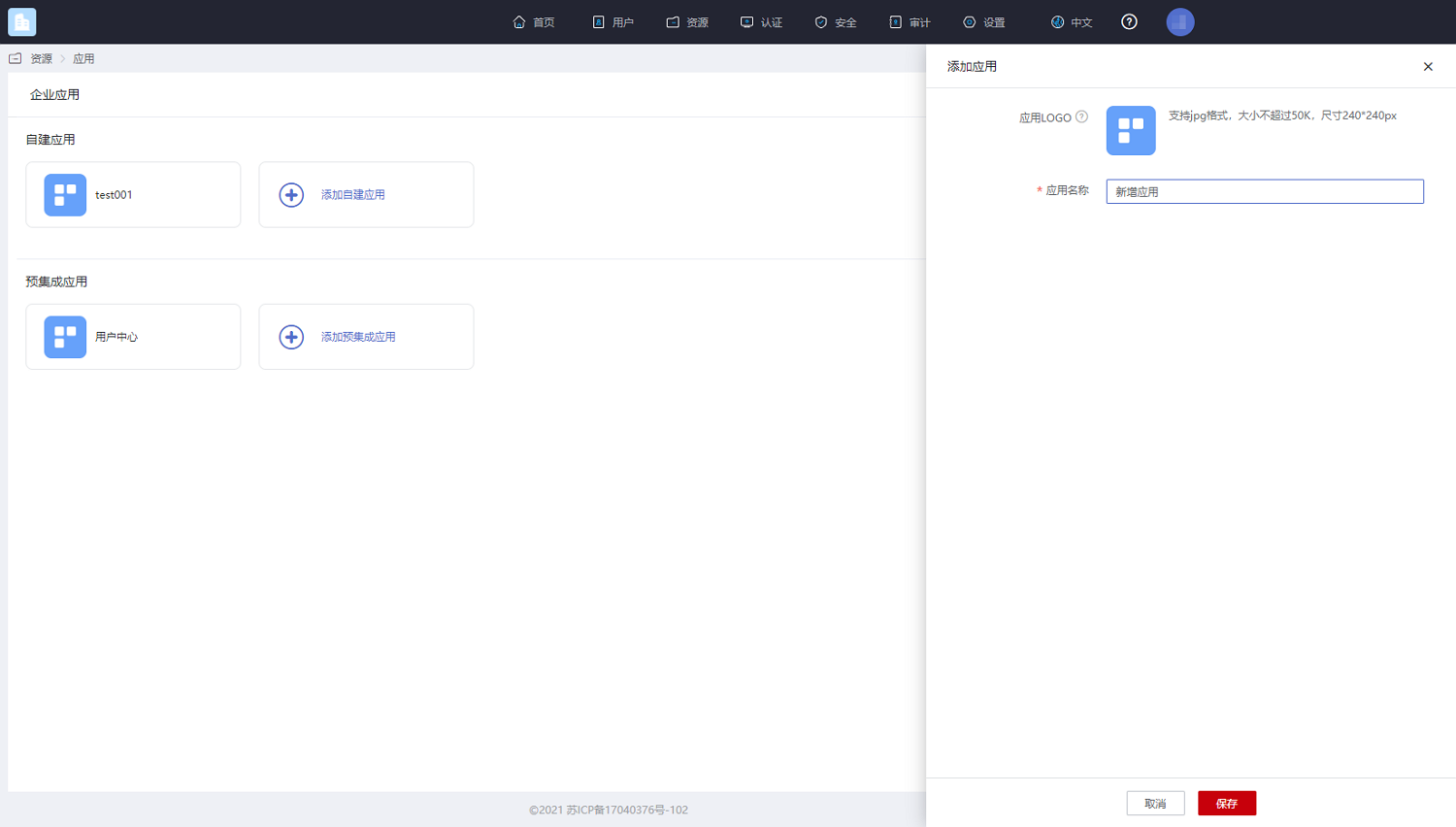
Log in to the Enterprise Center, click 【Resources】-【Applications】- Add Self-built Application.
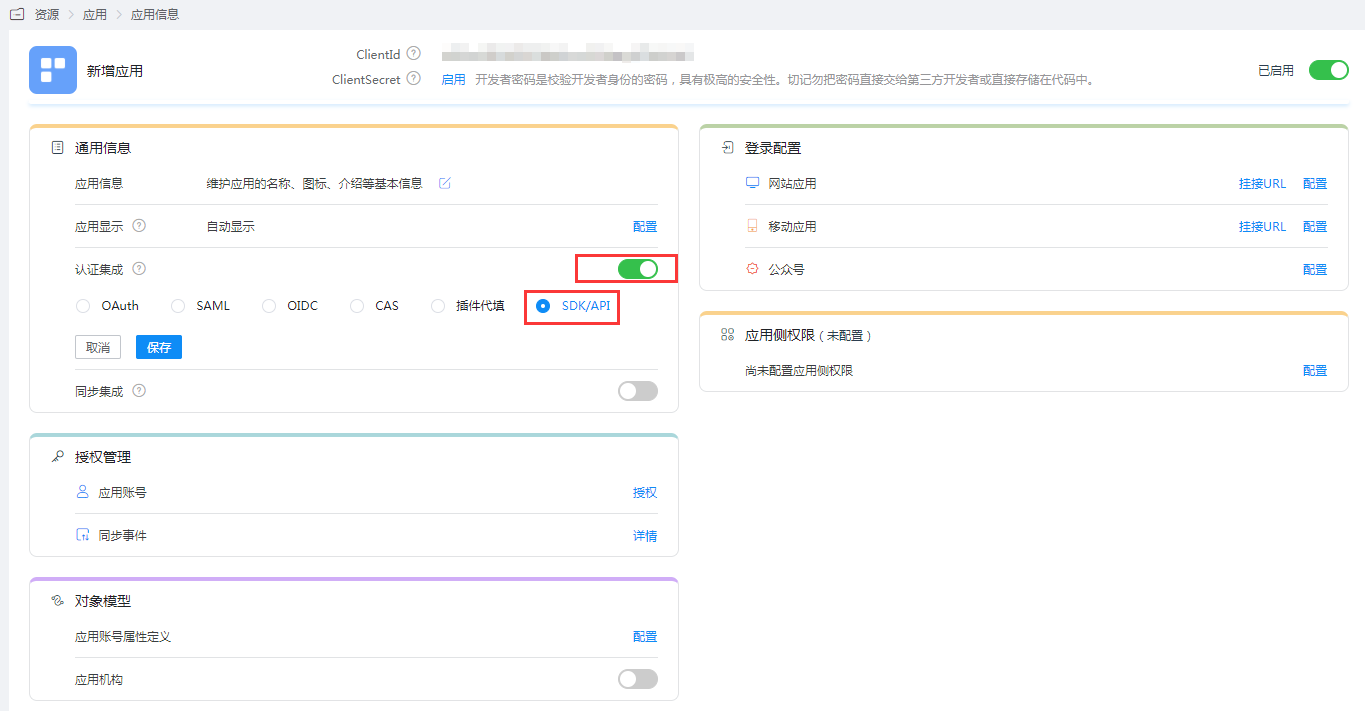
Enter the application details, enable Authentication Integration, select SDK/API, and click Save.
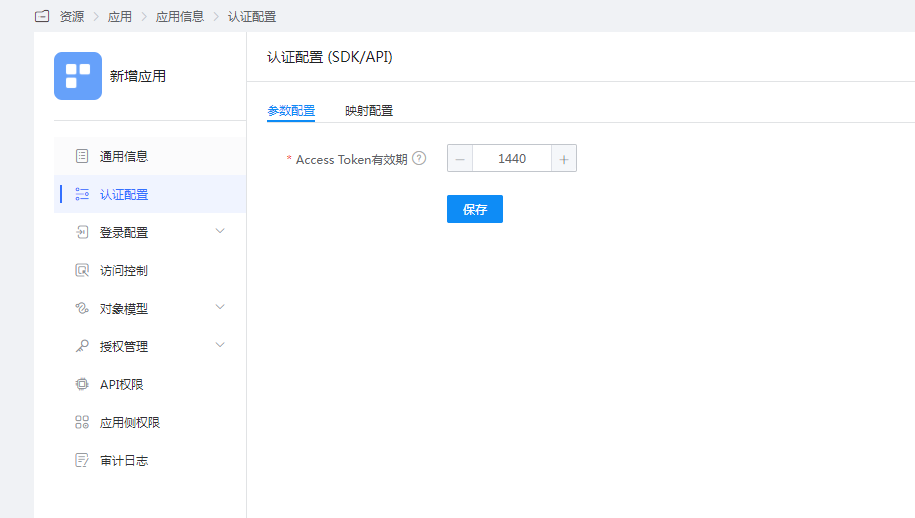
Enter the Authentication Integration Configuration, set the Access Token validity period (in minutes). The minimum is 15 minutes, and the maximum is 43200 minutes (30 days).
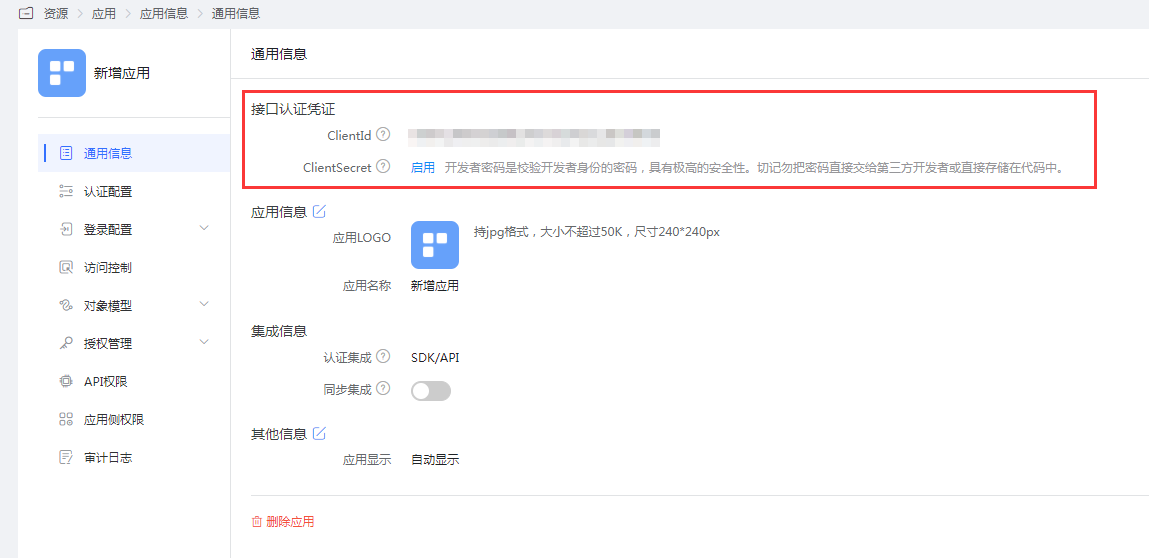
View the ClientId and ClientSecret in the application's General Information. These will be required for subsequent SDK and backend service calls.