Feature Introduction
This document briefly introduces the various mobile authentication features provided by the Zhuyun IDaaS platform, along with brief descriptions of their processes.
# Login Features
# Username and Password Login
Login and authorization are performed by entering an account and password. (The SDK only provides APIs; the interface is designed by the caller.)
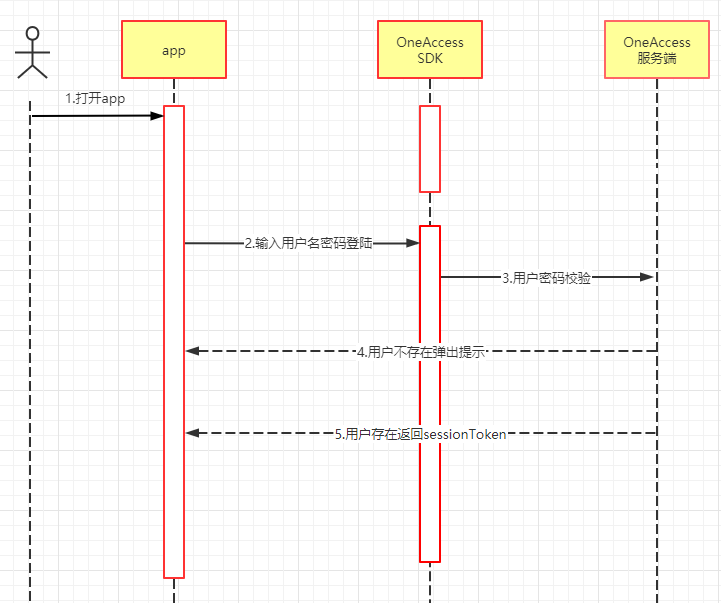
Process Description:
- The caller customizes the login interface.
- The SDK is called to input the username and password for login.
- A sessionToken is returned.
- After obtaining the sessionToken, backend service development is still required. Please click "Verify Token" to learn about backend service development.
- Learn how to integrate login: Android, iOS.
# SMS Login
Login and authorization are achieved by entering a mobile phone number to receive an SMS verification code. (The SDK only provides APIs; the interface is designed by the caller.)
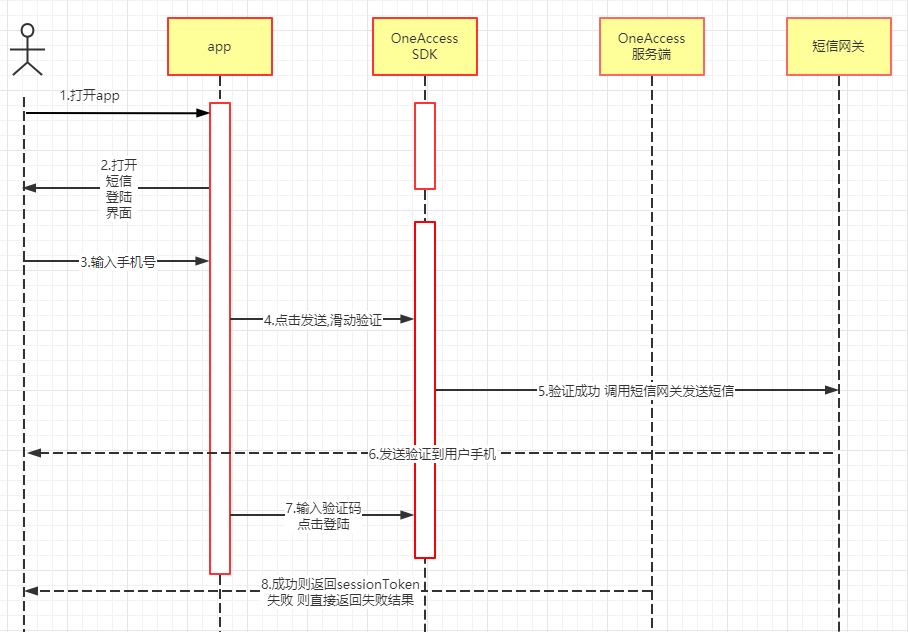
Process Description:
- The SMS login interface is built into the SDK.
- The SMS login interface is designed by the caller.
- Enter the mobile phone number.
- Click to send the SMS.
- A sliding captcha module pops up for verification.
- After successful verification, an SMS is automatically sent to the user's phone.
- Enter the verification code and click login.
- After success, a sessionToken is returned.
- After obtaining the sessionToken, backend service development is still required. Please click "Verify Token" to learn about backend service development.
- Learn how to integrate login: Android, iOS.
The sliding captcha module is built into the SDK and does not require user attention.
# One-Click Login with Native Number
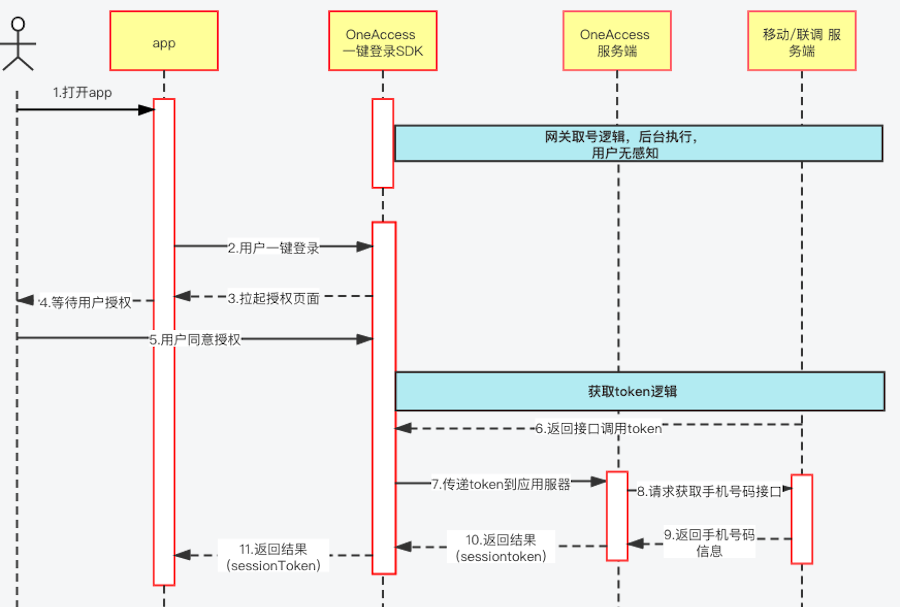
Leveraging the mobile data network of operators and using technologies such as "communication gateway number retrieval" and SIM card identification, the user's mobile phone number is accurately identified to achieve password-free login.
# Social Login
Social login is often chosen by users as a necessity, but the entry conditions for various platforms are very cumbersome. In addition to normally integrating the SDKs of each platform, it is also necessary to maintain SDK versions and compatibility issues between platforms.
Conventional steps are:
- Register a platform account.
- Apply for an application.
- Frontend integration.
- Backend integration.
- Service joint debugging.
- Troubleshooting errors and compatibility issues.
- Long-term tracking of SDK version upgrades and changes from major platforms.
Using the IDaaS SDK, integration can be achieved in just three steps:
- Introduce the IDaaS SDK.
- Configure third-party platform parameters.
- Call.
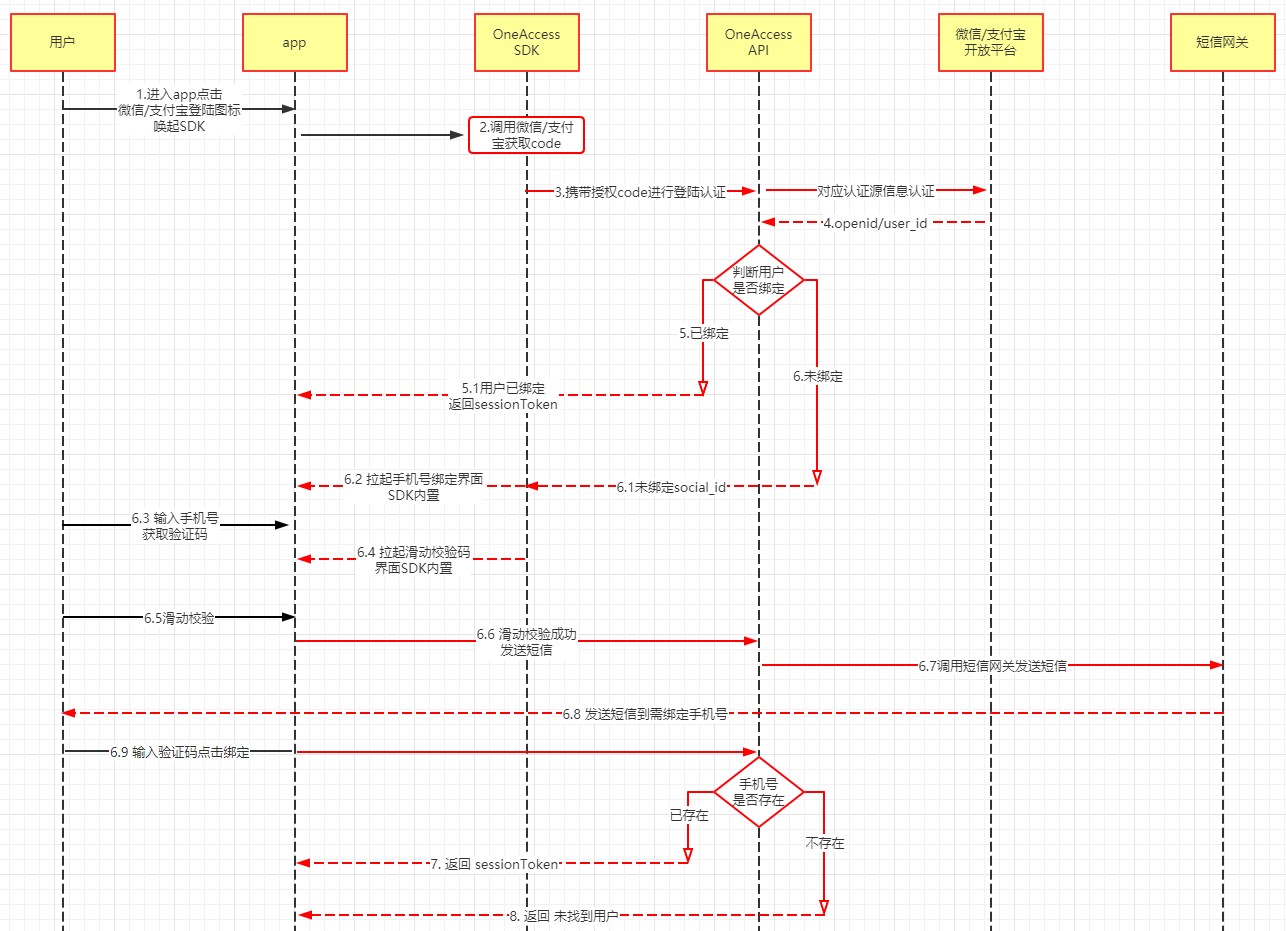
(The red parts in the diagram are completed by the SDK.)
Process Description (WeChat and Alipay processes are the same):
- The social login interface buttons are designed by the caller.
- Click WeChat login to call the SDK's WeChat login method.
- The WeChat authorization interface pops up; click to confirm authorization.
- After successful authorization, a temporary authorization code from WeChat is returned.
- The SDK uses the authorization code to call the IDaaS server to obtain user information.
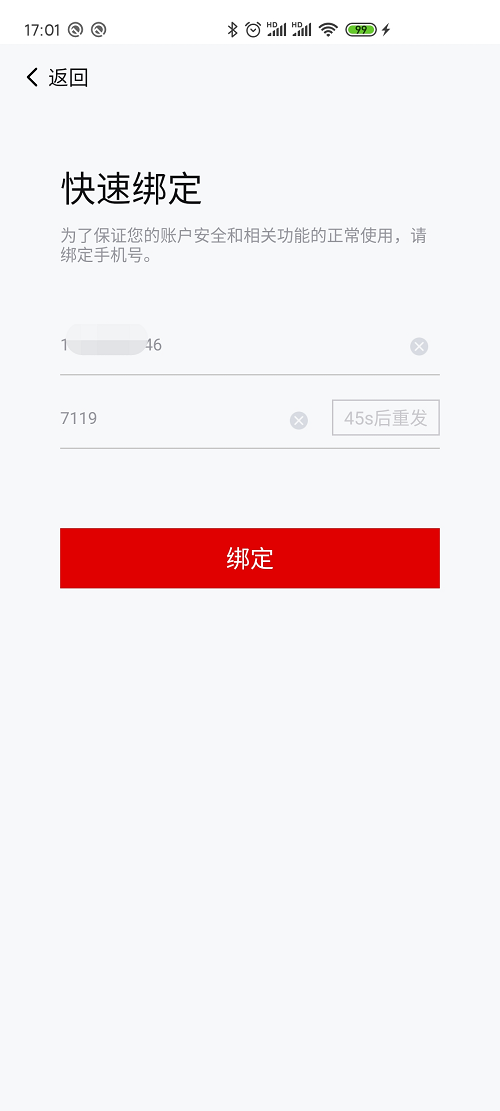
- If not bound, the SDK will pop up a binding interface; enter the mobile number and verification code to bind and return a sessionToken.
- If the user is already bound, a sessionToken is returned directly.
- After the APP obtains the sessionToken, it needs to pass it to the backend for verification.
- To integrate and develop Alipay login, please click "Android" or "IOS" to start trying.
- To integrate and develop WeChat login, please click "Android" or "IOS" to start trying.
- After obtaining the sessionToken, backend service development is still required. Please click "Verify Token" to learn about backend service development.
Integration Example (using WeChat as an example):
Click WeChat login.
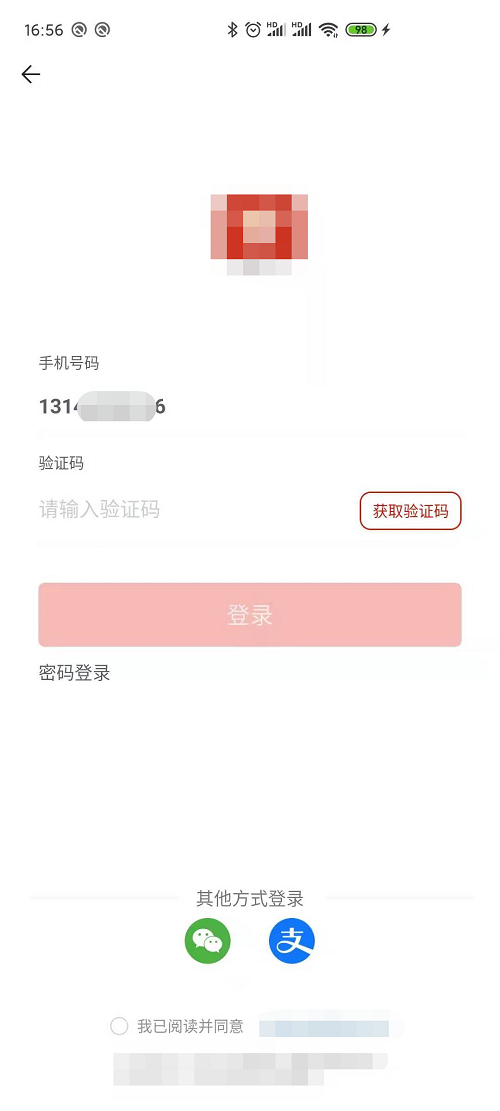
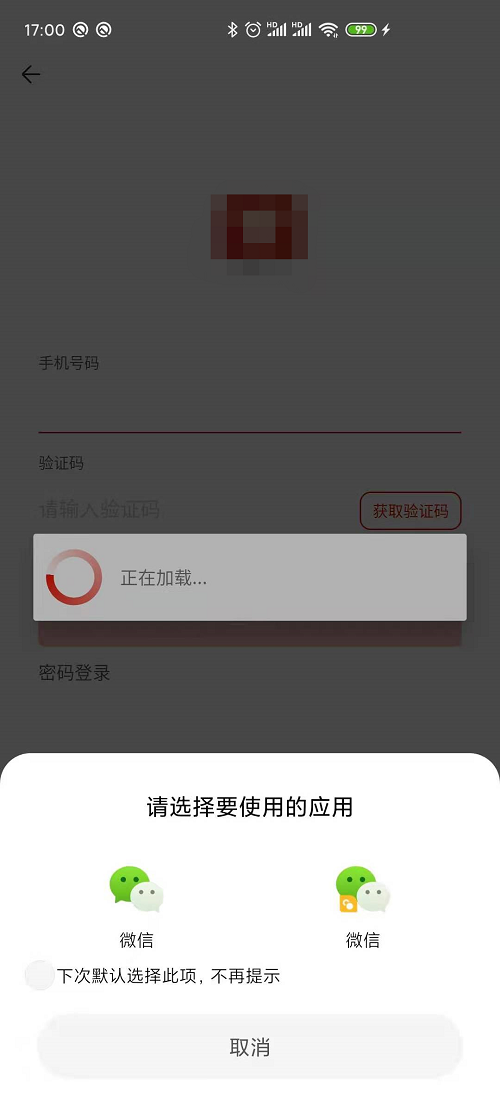
Unbound state: Enter the mobile number to get the verification code; a sliding verification pops up.
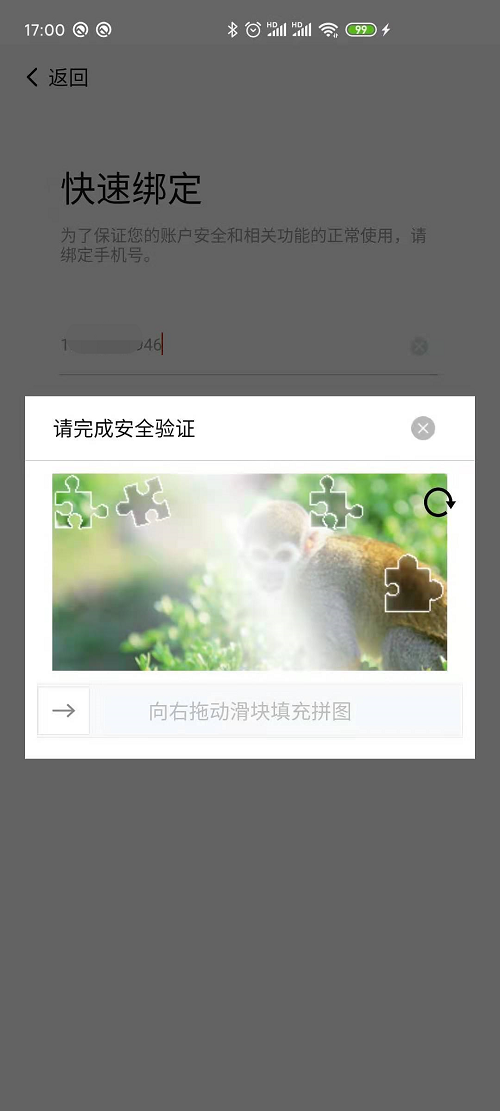
Start sliding verification.
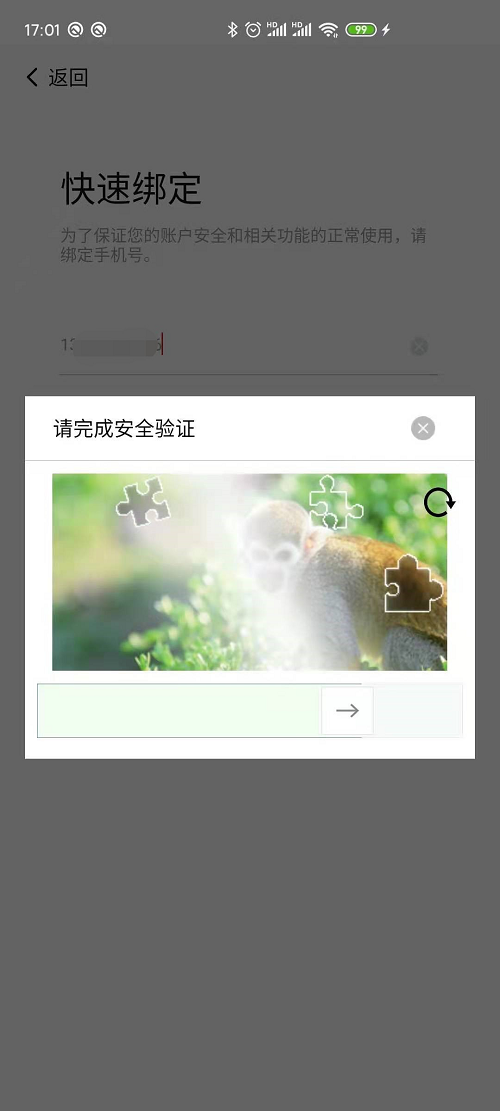
After successful verification, wait for the SMS verification code:
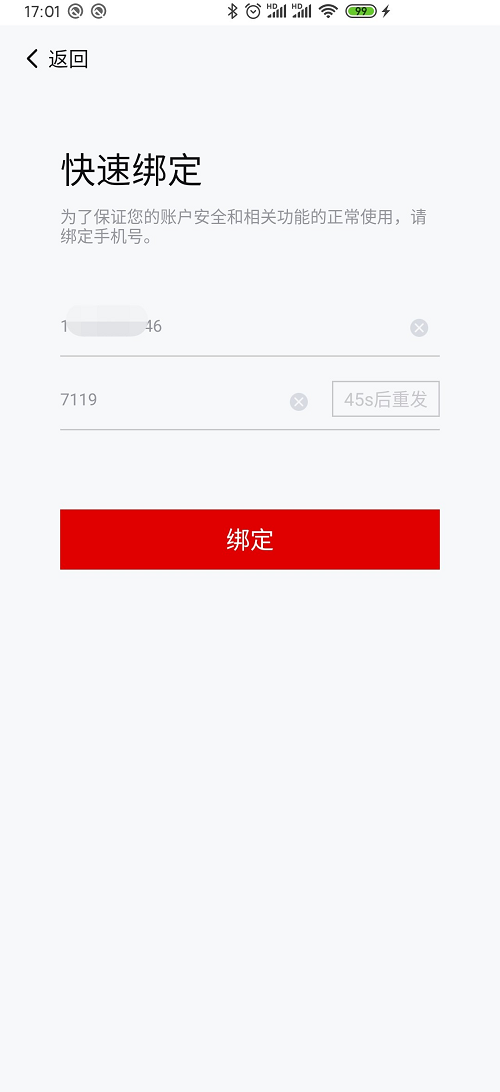
Enter the verification code and click to bind.
# Verify Token
The APP server side needs to validate the sessionToken returned by the SDK to obtain user information.
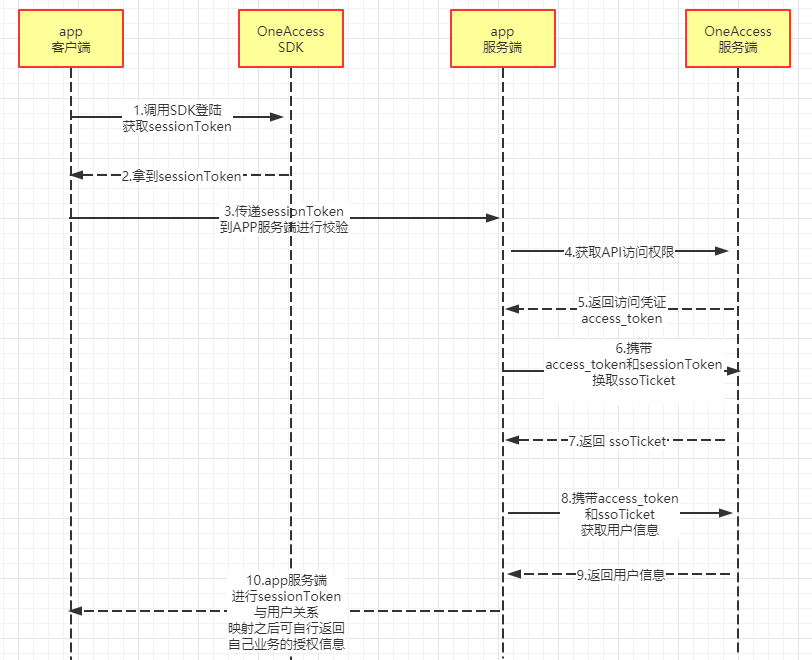
Process Description:
- After the app successfully logs in via the IDaaS SDK, it obtains a sessionToken.
- The app passes the obtained sessionToken to the app backend.
- The app backend first needs to obtain API access permissions for the IDaaS server.
- Receives the API authorization credential returned by the IDaaS server.
- Uses the sessionToken and authorization credential to exchange for an ssoTicket.
- Obtains user information using the authorization credential and ssoTicket.
- Returns user information (returnable information can be configured, refer to the image below).
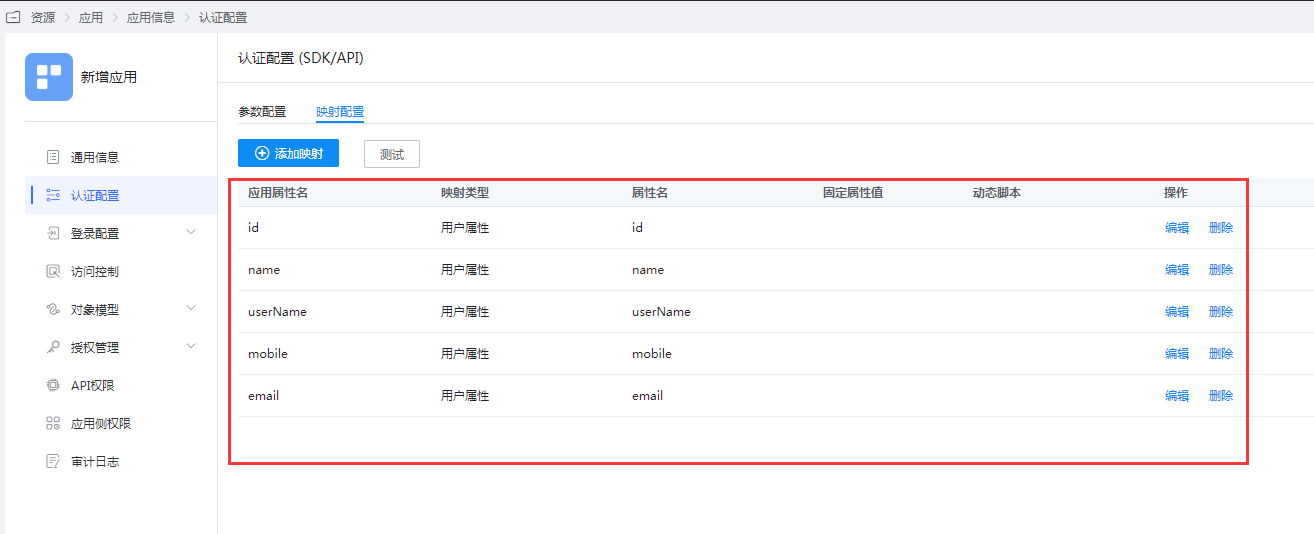
Maintain sessionToken validity.
Next:
Learn about Server-side Integration Interfaces.
# Session Persistence
How to achieve session persistence after login, configuration for session validity period is provided (please refer to Step 3 in Preparation under Getting Started). After a successful login and obtaining the user session, the integrating party needs to save this user session on the server side and record the configured session validity period. They can choose to refresh this session one day or one hour before it expires. This way, the integrating party can achieve session persistence.
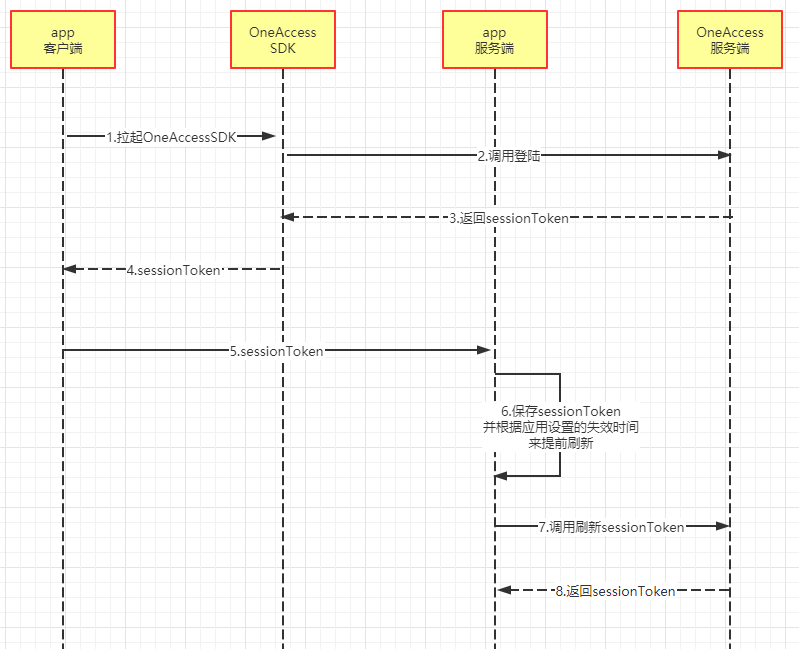
Process Description:
- After the app obtains the sessionToken returned by the SDK, the app server validates the sessionToken.
- After successful validation, the app server saves it locally and stores the expiration time.
- If the sessionToken is found to be nearing expiration, the IDaaS API can be called to refresh it.
- Returns the latest sessionToken.
# Self-Service
# Real-Name Authentication
Real-name authentication is a service that verifies the authenticity of user identity information. It provides various real-name information verification capabilities such as facial recognition, identity information verification, and bank card element verification to address the industry's substantial need for verifying the authenticity of user identity information.
# Third-Party Account Management
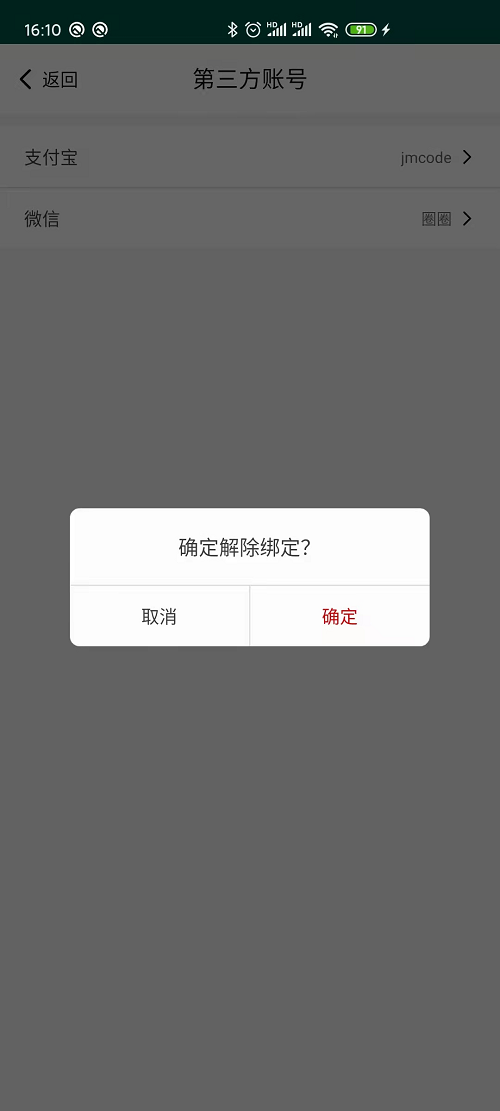
After a user authorizes login with a third-party platform account, the system automatically binds and associates it with the main account. If unbinding is required, it can be performed through this module.
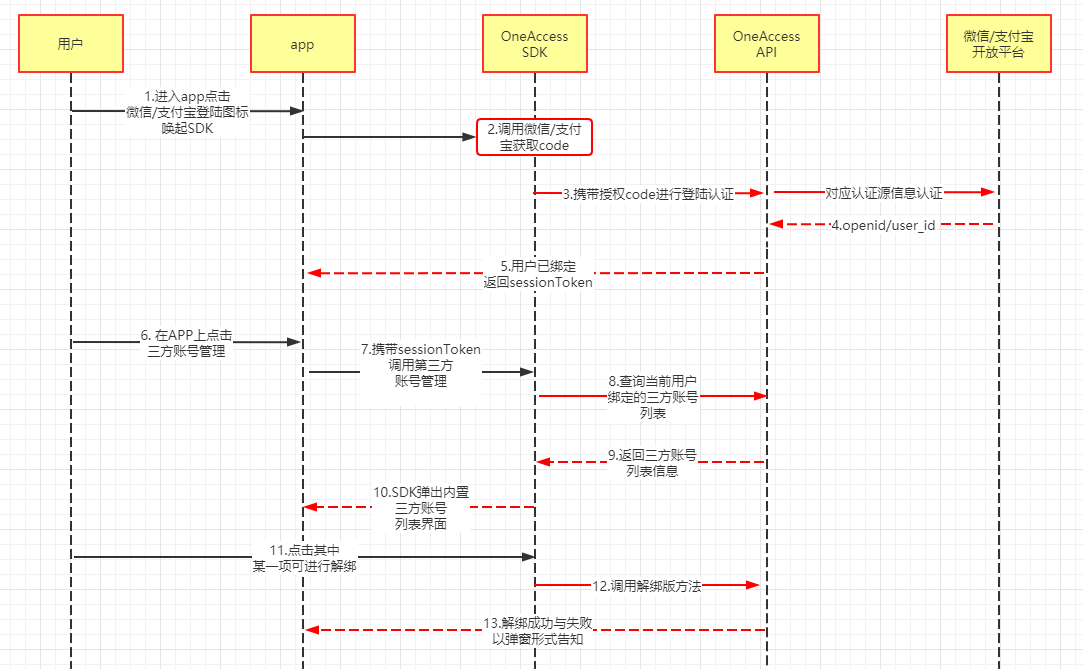
Process Description:
- The user clicks on WeChat or Alipay login within the APP.
- Obtains the returned sessionToken.
- The APP calls the third-party account management function by passing the sessionToken.
- The SDK requests the backend to get the list of third-party accounts already bound to the current account.
- The SDK displays the built-in management interface.
- The user can view the list or click on an item to perform an unbind operation.
Integration Effect (as shown in the image):
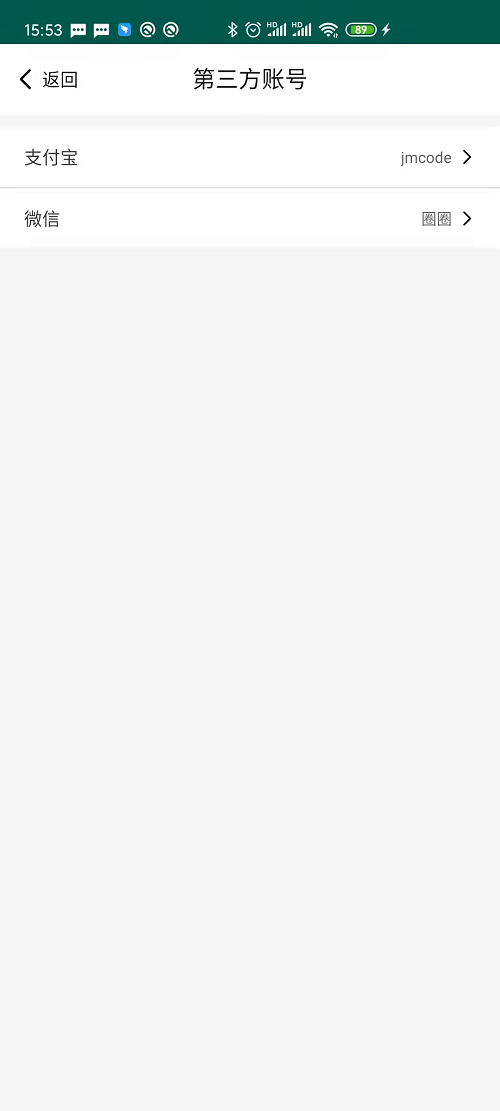
Clicking on any item allows performing an unbind operation.
# Interface Customization
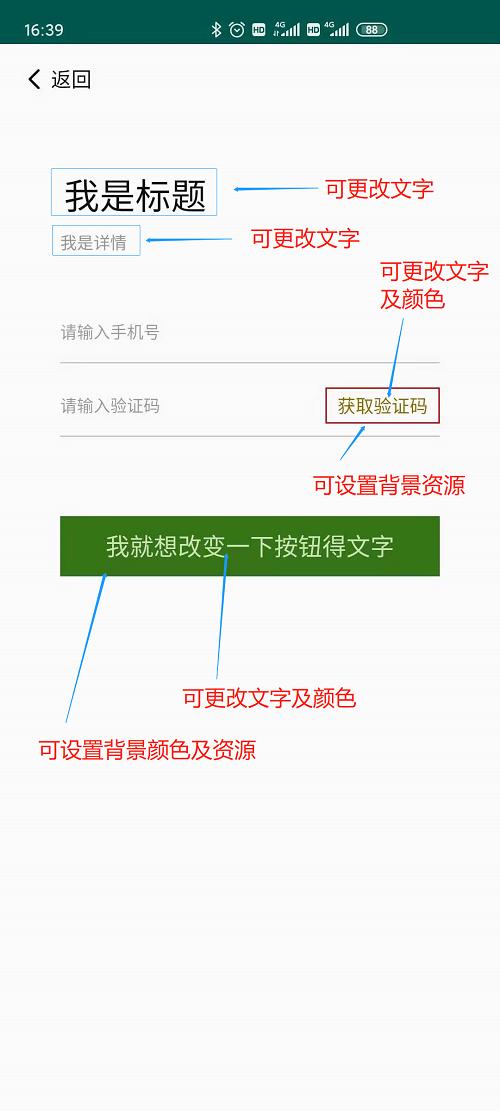
The IDaaS SDK supports lightweight customization of some page UIs (as shown in the images).