Overview
# Description
This document primarily explains integration and demonstration in a Windows environment, focusing on how a client application, as a downstream system, can achieve single sign-on (SSO) authentication integration with IDaaS. The integration protocol is consistent with the web integration solution.
# Integration Solutions
| Scenario Solution | Advantages | Disadvantages |
|---|---|---|
| Application embeds web component for IDaaS login | No need to register a custom protocol | Does not support BS-to-CS SSO |
| System browser launches client application for SSO authentication | Supports BS-to-CS SSO | Requires adding custom protocol registry entries during application installation |
| Client application custom login interface implements IDaaS username/password login | Uses native application interface and supports calling other APIs to implement corresponding functionalities | Increased development complexity |
# Application Embeds Web Component for IDaaS Login
When the client logs in, it launches an embedded web browser within the application, initiating a standard protocol authentication request and redirecting to the IDaaS login page.
After the user completes IDaaS login within the embedded web browser, the browser redirects and carries relevant parameters of the authentication protocol.
The client application needs to listen for the callback address, retrieve the relevant parameters, and complete user authentication through standard protocol interfaces.
Upon successful authentication, close the embedded web browser and enter the client application system.
# System Browser Launches Client Application for SSO Authentication
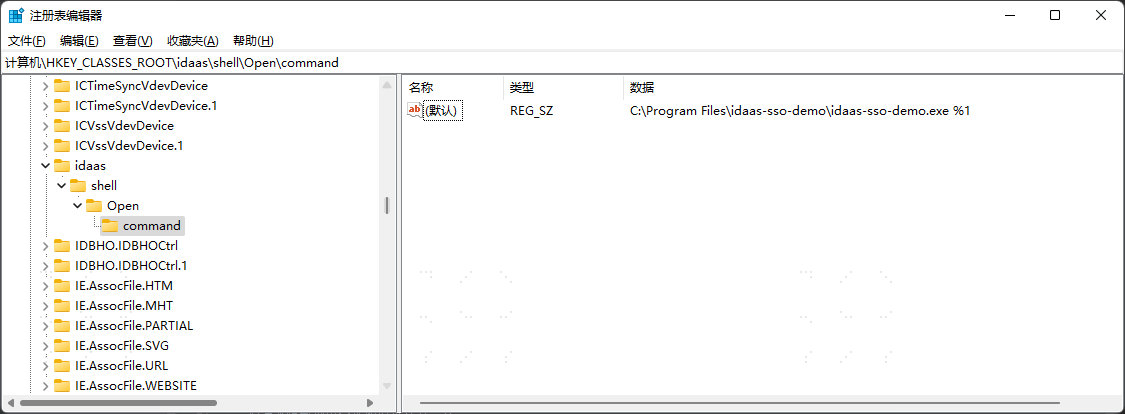
To enable the browser to launch a client desktop application, the client application needs to support adding custom protocol registry entries during the installation process.
For the corresponding client application created in the IDaaS Enterprise Center, the callback address in the application authentication configuration needs to be filled with the client's custom protocol address.
The client application needs to support listening for the application launch URL, retrieve parameters carried in the URL, and complete user authentication through standard protocol interfaces.
# Client Custom Login Interface Implements IDaaS Username/Password Login
Create an SDK/API protocol application in the IDaaS management platform to obtain the application ClientId.
When the client application logs in, call the IDaaS API. Refer to the interface documentation Username + Password Login to complete username and password login.
After successful login, you can refer to the interface documentation Get User Information from id_token to view user information.
# Demo Download
IDaaS provides a client application Demo that implements authentication integration. Click to download (opens new window)
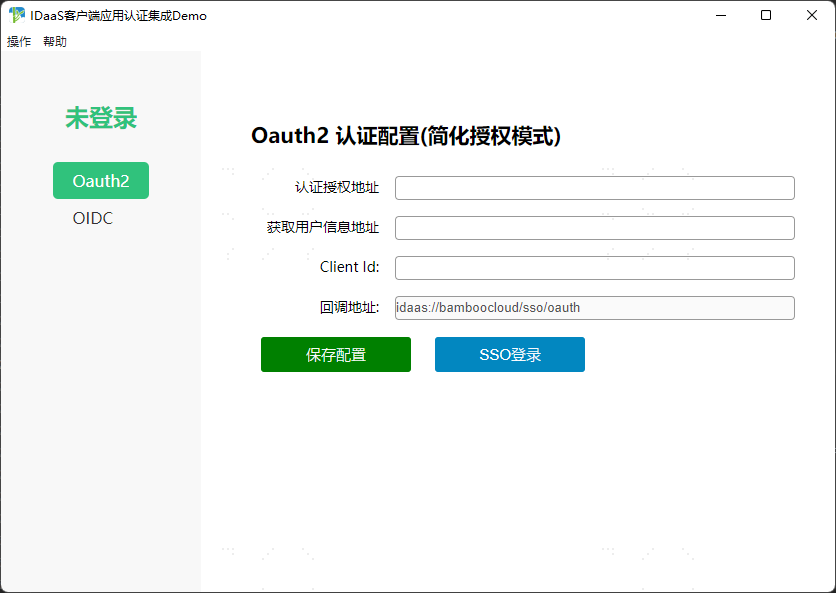
After downloading the Demo installer, click to install. After successful installation,
Open the Run dialog by pressing 【Win + R】, enter the command "regedit" to open the Registry Editor.
Search for "Computer\HKEY_CLASSES_ROOT\idaas\shell\Open\command" to verify that the custom protocol "idaas" has been successfully registered.