
OIDC Authentication Integration
# OIDC Protocol
# Preparation
Enterprise administrators refer to Configuring OIDC Protocol Application SSO to create an OIDC protocol application on the IDaaS Enterprise Center platform.
# Development Integration
After application configuration is complete, please refer to the corresponding mode in the OIDC Protocol to complete the subsequent integration configuration.
# Demo Demonstration
# IDaaS Configuration
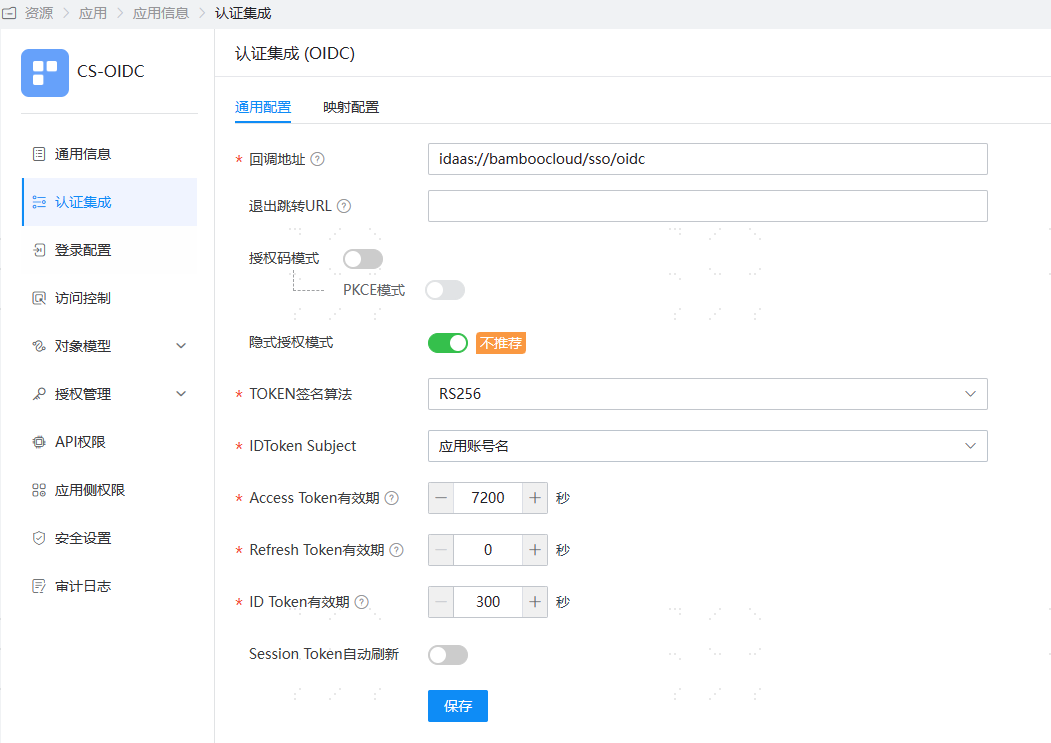
- Log in to the IDaaS administrator platform, add an OIDC protocol application for client application integration. The authentication configuration is as follows, enabling only the Implicit Grant mode. The callback address is: idaas://bamboocloud/sso/oidc (This can launch the client application via the idaas protocol).
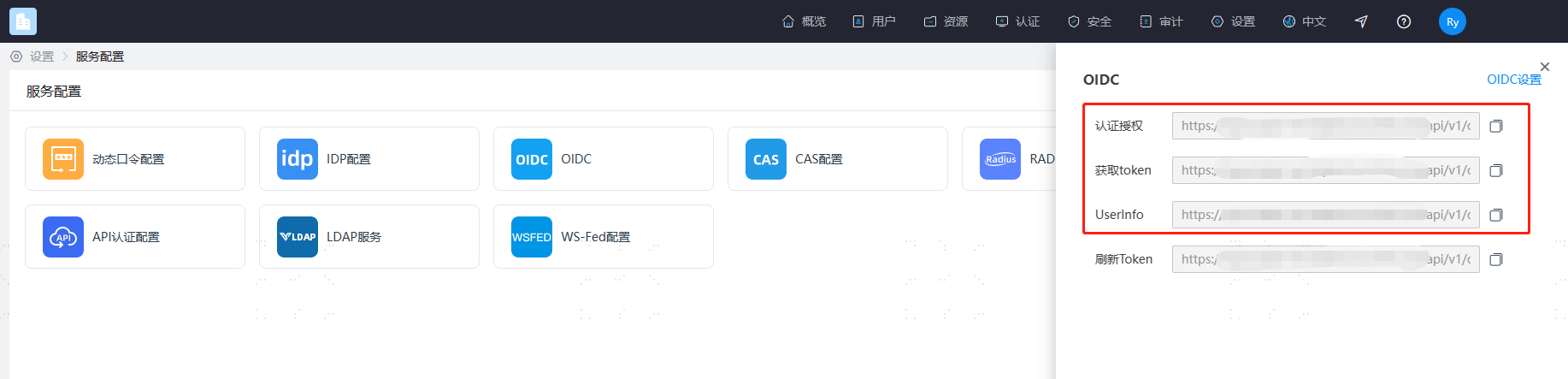
- Obtain the tenant OIDC authentication configuration by navigating to 【Settings - Service Configuration - OIDC】.
# Client Configuration
- Open the client, select OIDC, and add OIDC authentication configuration. The configuration content is as follows.
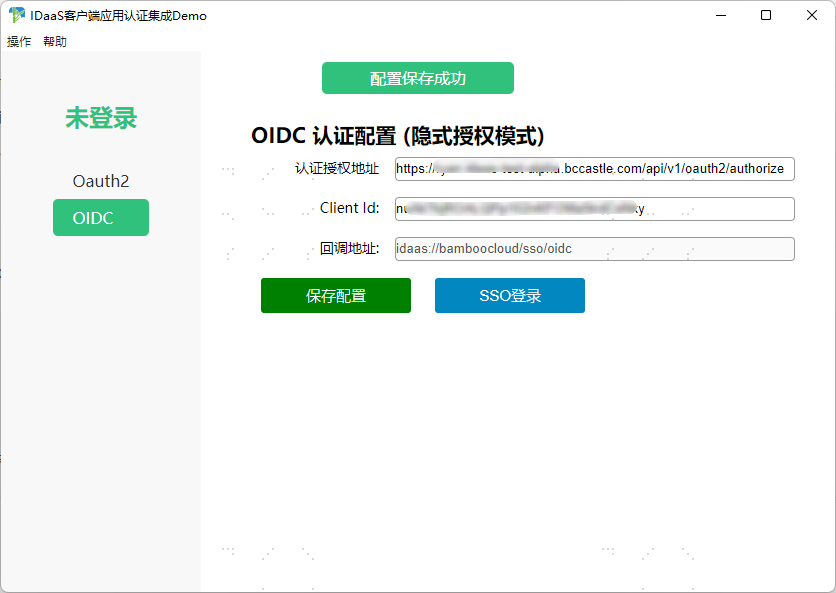
Click SSO Login to simulate initiating an authentication request from the client.
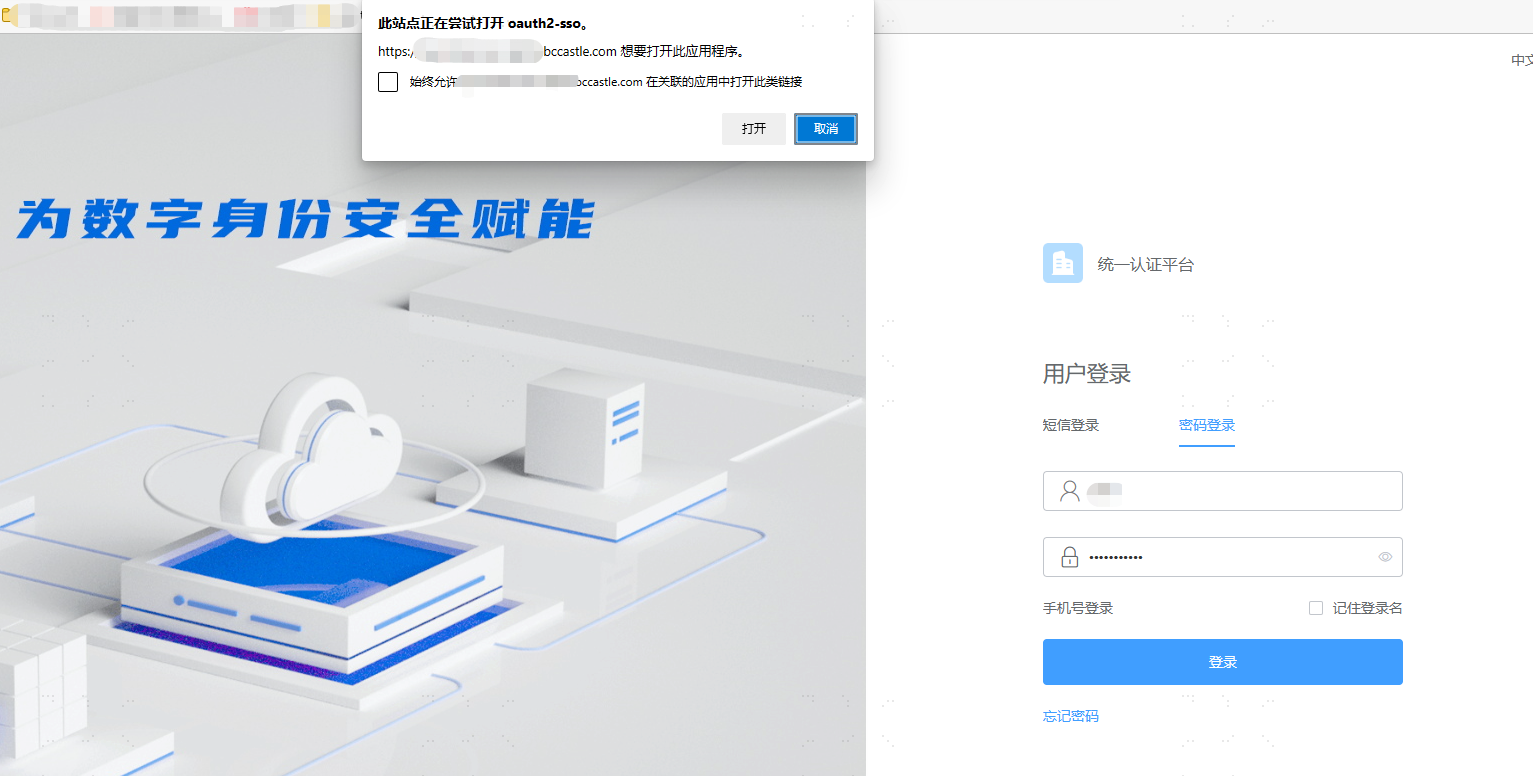
After successful IDaaS login, the browser launches the client.
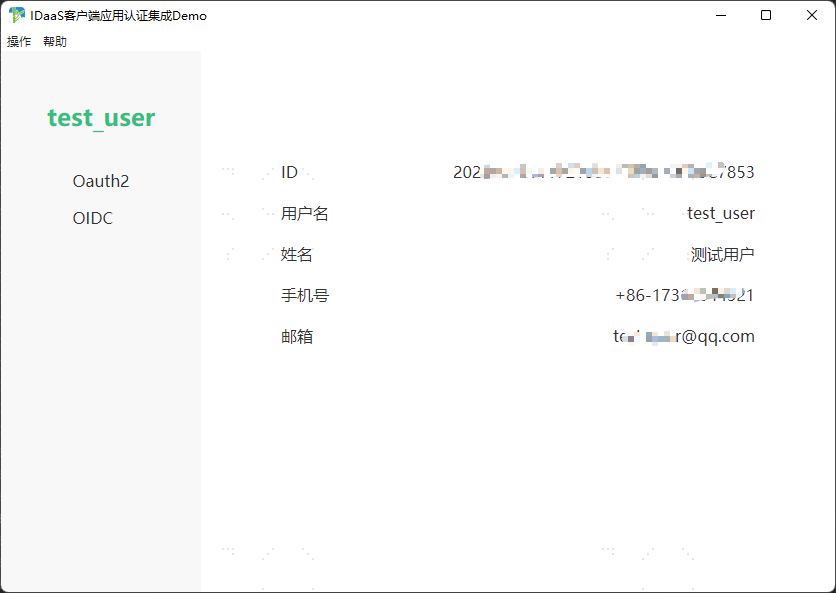
- The client listens to the callback address to obtain the id_token. In this demo, the id_token is verified using the IDaaS openid-configuration, and user information is retrieved to complete the OIDC protocol authentication.
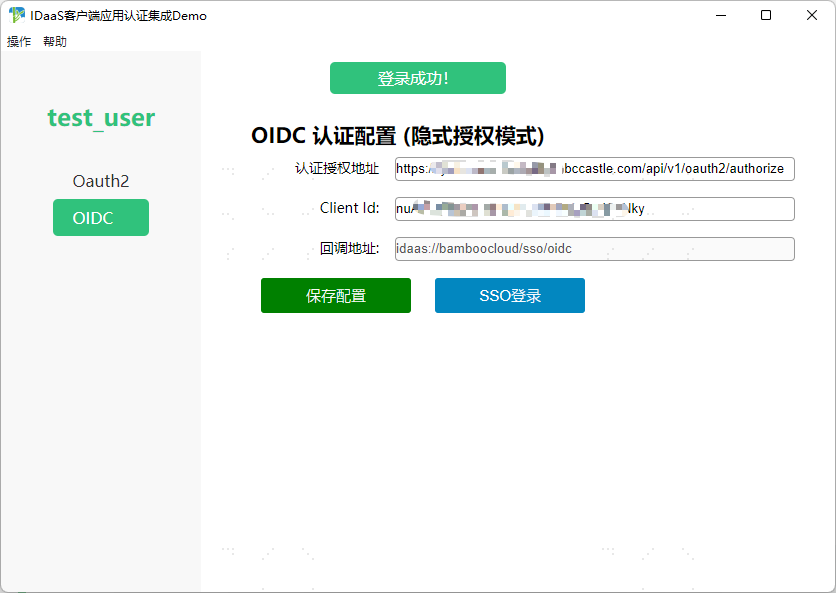
- Click on the username to view user information details.
Close the client to simulate initiating an authentication request from the browser.
Open a browser, access the IDaaS User Center, and navigate to the integrated IDaaS client application.
The browser launches the client. The client listens to the callback address, completes OIDC authentication, retrieves user information, and finishes client authentication.