
Zoho Mail Single Sign-On
# Description
This article describes the Single Sign-On configuration process between Zoho Mail and IDaaS based on the SAML protocol.
# Authentication Configuration
# Zoho Mail Configuration
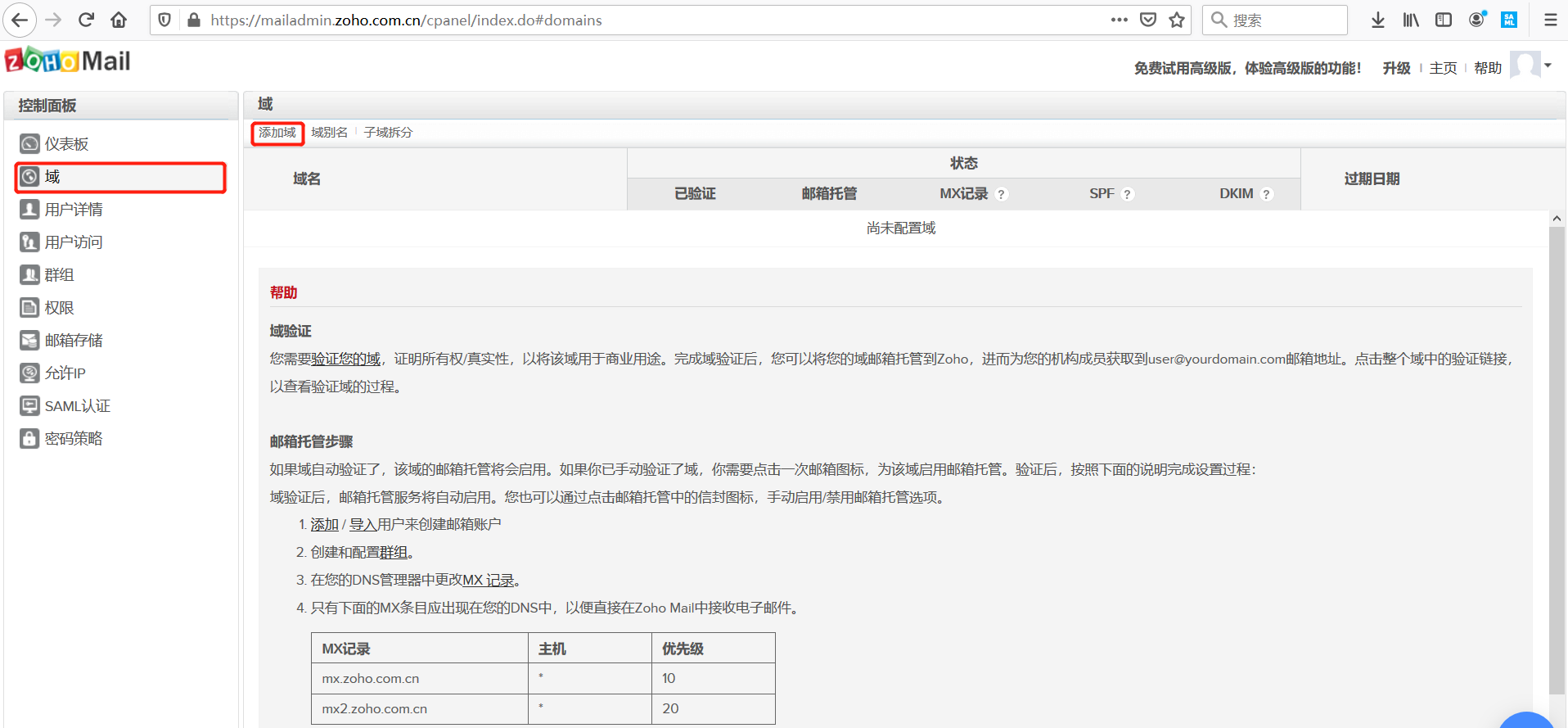
Add a domain.
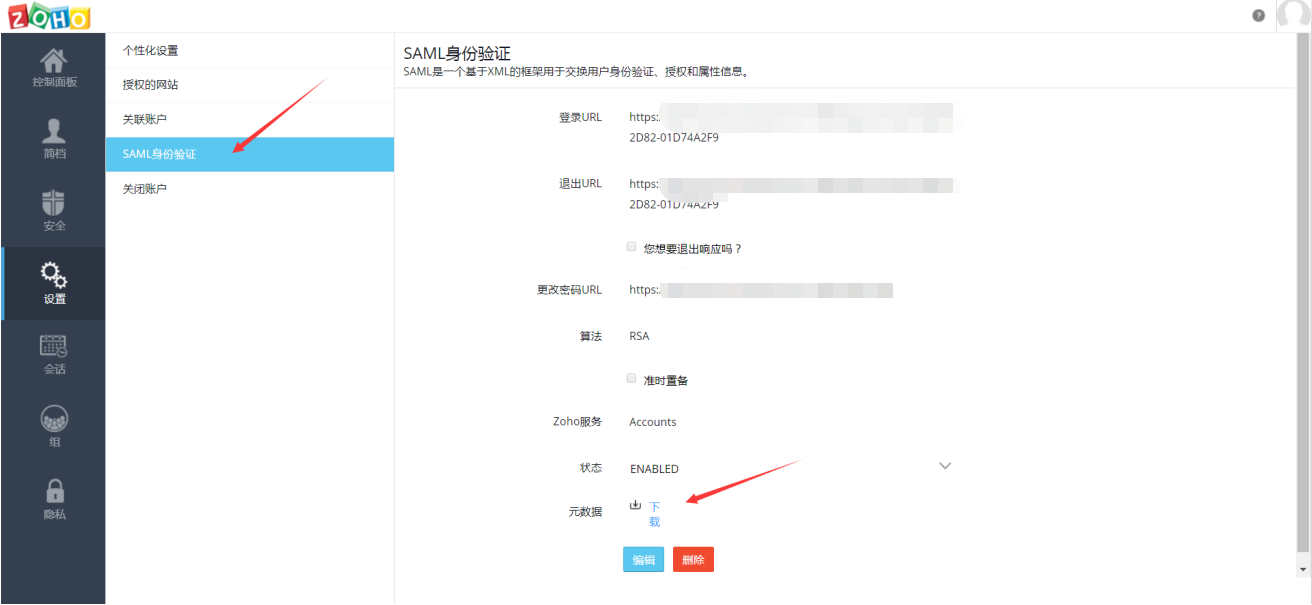
Configure Zoho Mail SAML authentication. The parameter descriptions are as follows:
To download the IDaaS IDP metadata, visit https://{your_domain}/api/v1/saml2/idp/metadata.

Parameter Description Portal URL Custom domain. Accessing this address will automatically redirect to the IDaaS login page. Login URL IDP service address, which is the SingleSignOnService parameter (SAML 2.0 Endpoint URL) in the IDaaS metadata. Logout URL IDP logout address, which is the SingleLogoutService parameter (SLO Endpoint URL) in the IDaaS metadata. Change Password URL Public Key Certificate public key, which is the certificate public key in the IDaaS IDP metadata. Algorithm RSA Download the Zoho Mail metadata.
# IDaaS Configuration
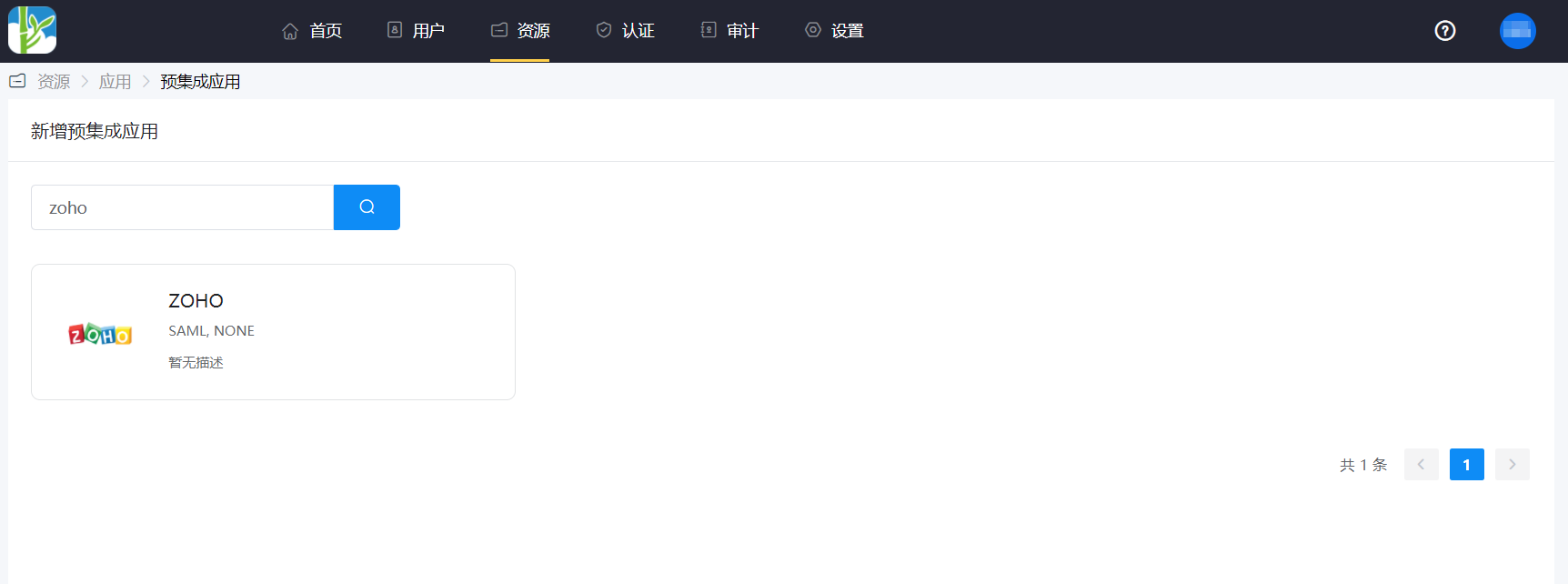
Add the pre-integrated application ZOHO.
Authentication parameter configuration.
Import the Zoho Mail metadata configuration.

Parameter Parameter Description SP Entity ID The entityID parameter in the Zoho Mail metadata. Assertion Consumer Service (ACS URL) The AssertionConsumerService URL parameter in the Zoho Mail metadata. Name ID Email address. NameID Format The NameIDFormat parameter in the Zoho Mail metadata. Audience URI The entityID parameter in the Zoho Mail metadata. Default Relay State https://mail.zoho.com.cn Go to Application Details -> Authorization Management -> Application Accounts, click the "Add Account" button, and select the authorized user.
# Login Verification
There are two login methods as follows:
Authorized users log in to the user center, click the Zoho Mail icon, and single sign-on into the Zoho Mail system.
Access the Portal URL configured in the Zoho Mail SAML authentication settings, which will redirect to the IDaaS authentication page for login.
I'm ready to proceed. Please paste the Markdown content you need translated.