
Single Sign-On for Cloud Classroom Xuanxing Cloud Learning 2.0 Platform
# Description
This document describes the authentication configuration between the Cloud Classroom Xuanxing Cloud Learning 2.0 platform and IDaaS.
# Prerequisites
- Have administrator account permissions for Cloud Classroom.
- Have administrator permissions within the IDaaS enterprise.
# Authentication Configuration
# Cloud Classroom Xuanxing Cloud Learning 2.0 Platform Configuration
Log in to Cloud Classroom Xuanxing Cloud Learning 2.0 using an administrator account.
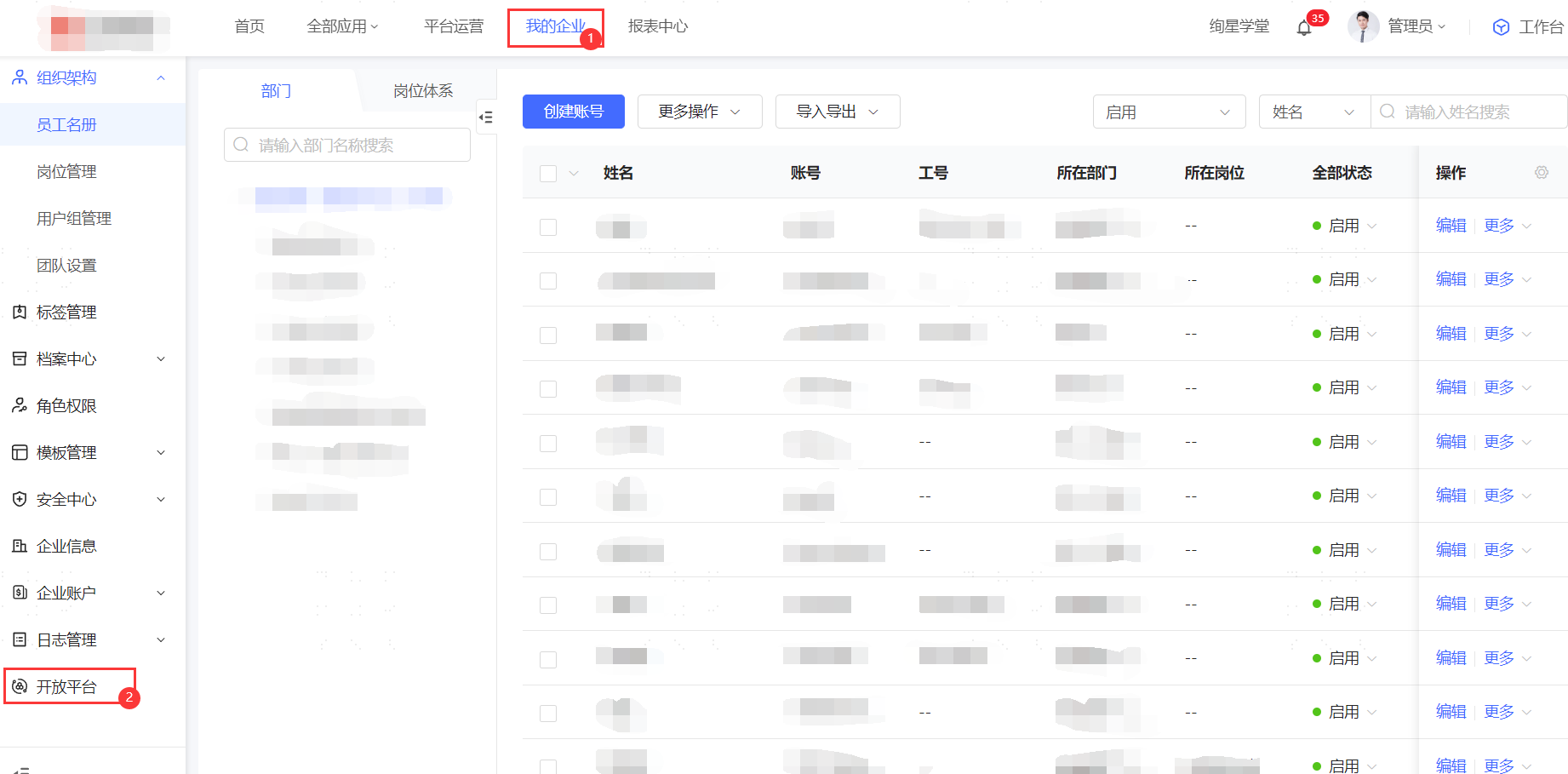
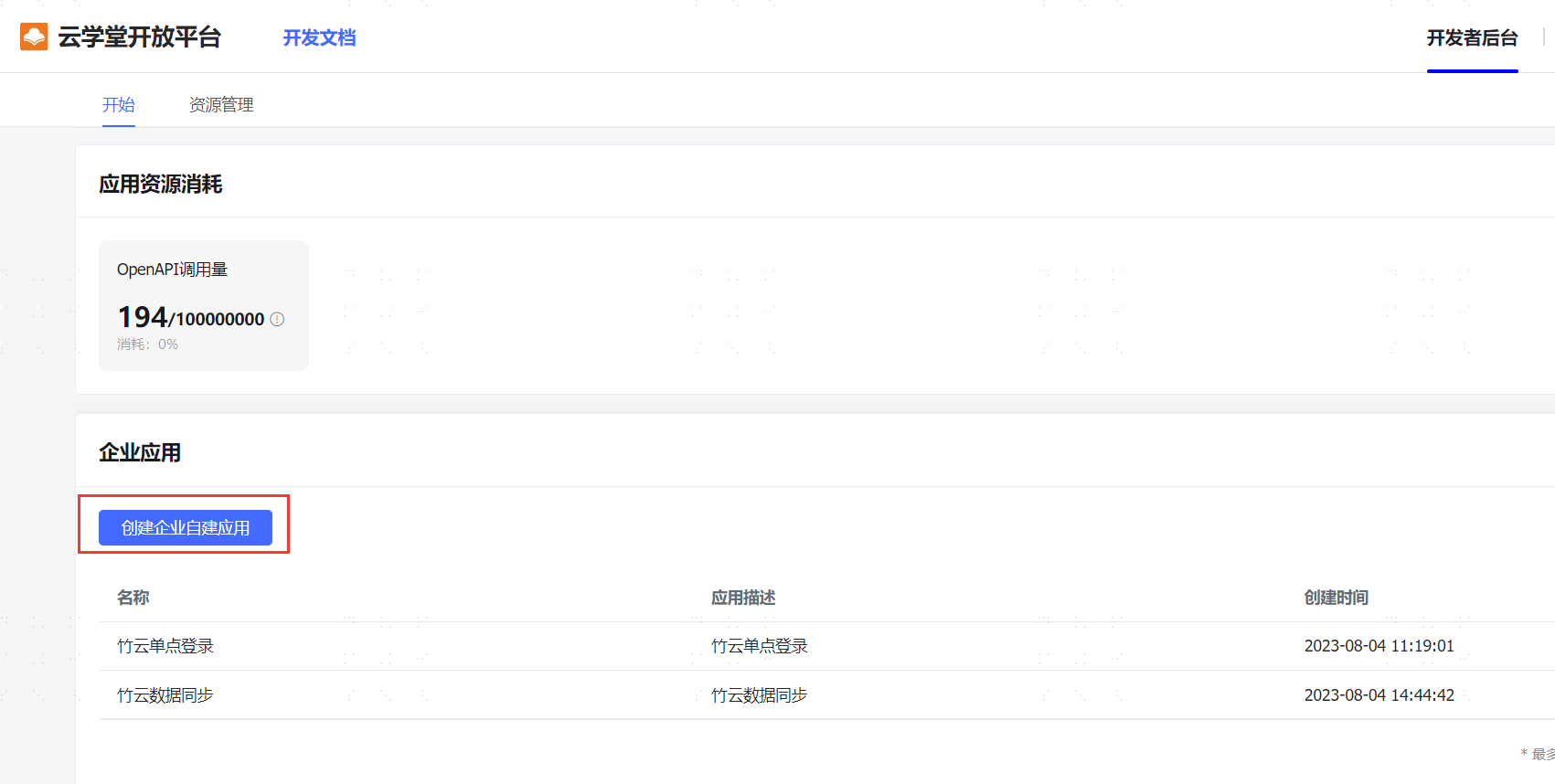
Navigate to 【My Enterprise】->【Open Platform】->【Create Custom Application】-> Click on the created application -> View configuration parameters.

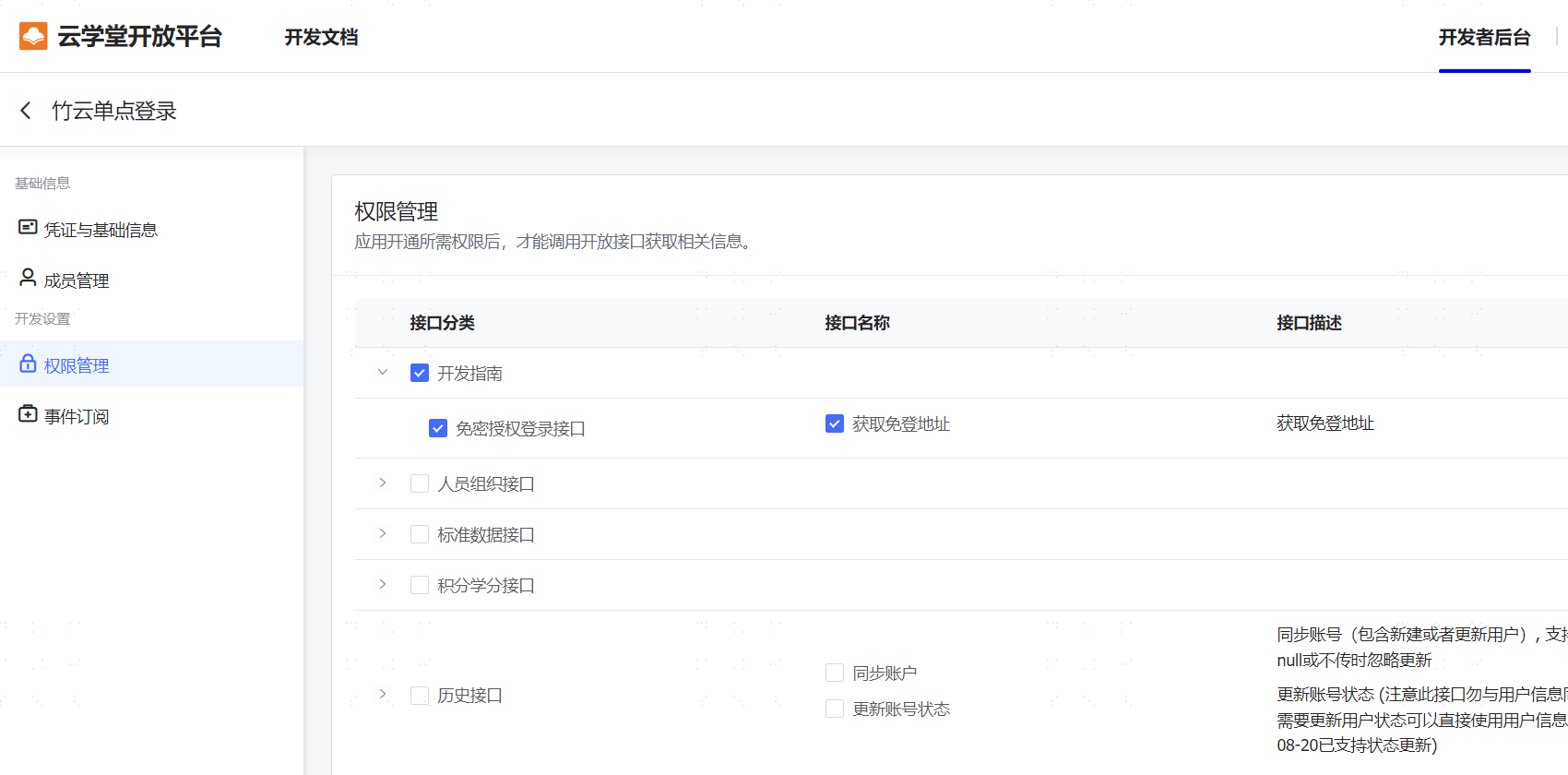
Click 【Permission Management】-> Check 【Developer Guide】-> Enable the 【Password-Free Authorization Login】 permission.
# IDaaS Configuration
Add the pre-integrated application "Cloud Classroom Xuanxing Cloud Learning 2.0" in the Enterprise Center, and fill in the Cloud Classroom appId and appSecret.

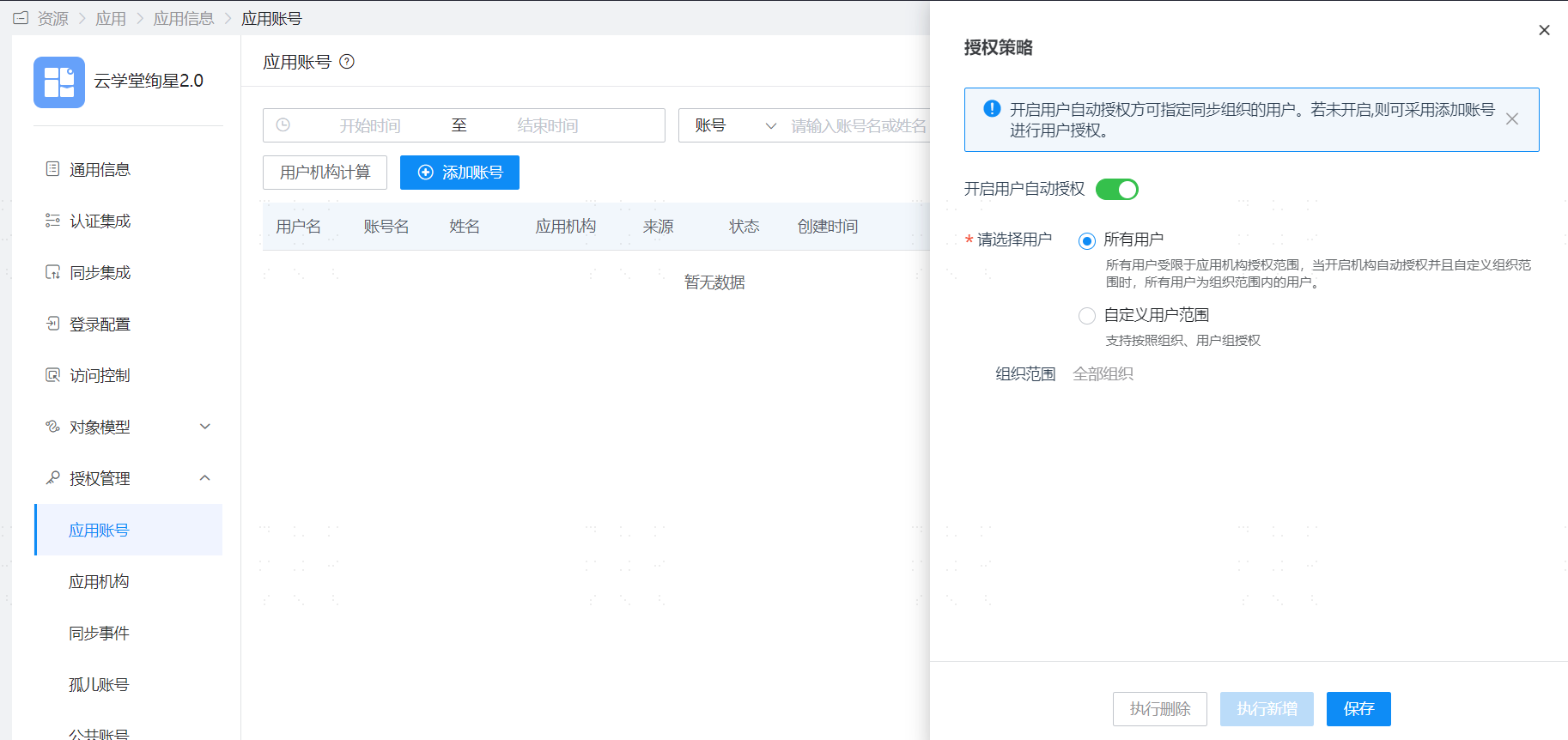
Save the application, enter the application details, authorize the application account, and set the account name to the username of the Cloud Classroom Xuanxing Cloud Learning 2.0 platform.
# Login Verification
Log in to the IDaaS User Center, click on the Cloud Classroom application logo to enter the Cloud Classroom Xuanxing Cloud Learning 2.0 platform.