
NetEase Enterprise Mail Single Sign-On
# Description
This document describes the authentication configuration between NetEase Enterprise Mail and IDaaS to achieve IDaaS single sign-on for NetEase Enterprise Mail.
This application template includes both login authentication and account/organizational structure synchronization functions. They can be configured simultaneously or separately. If only one function is chosen, the required data for the other can be temporarily filled with dummy data.
# Prerequisites
- The administrator has a NetEase Enterprise Mail account and can obtain and configure relevant parameters (e.g., API address, public key information, IP whitelist, etc.) in the NetEase Enterprise Mail backend.
- The administrator has access permissions to the IDaaS Enterprise Center.
# NetEase Enterprise Mail Configuration
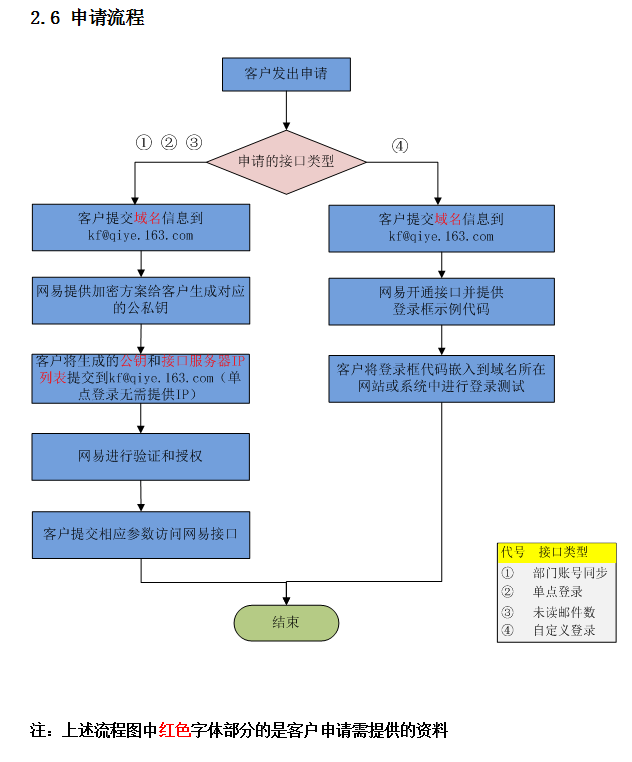
Please contact NetEase Enterprise Mail customer service and provide the required information as per their instructions.
Apply for the NetEase Enterprise Mail API integration process.
# Authentication Configuration
Add the pre-integrated application NetEase Enterprise Mail.
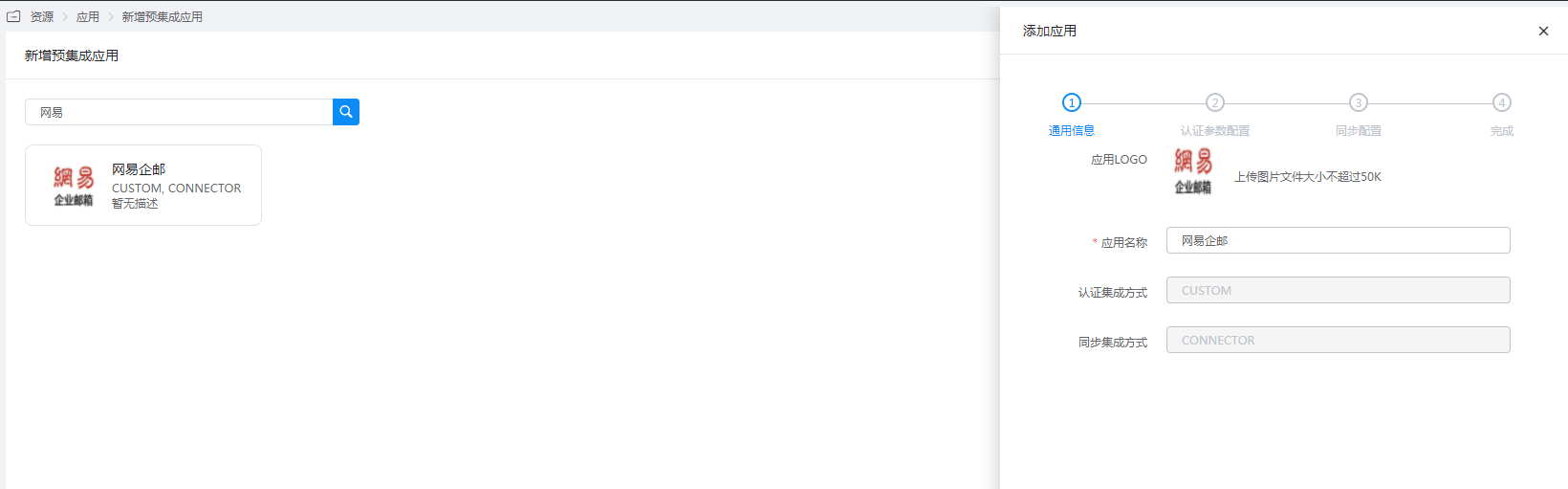
Configure authentication parameters.

Parameter Description Domain The registered domain name for the enterprise email, used to identify the customer, e.g., test1998.com API Address E.g., http://entry.qiye.163.com/domain/oa/Entry Private Key The private key provided by NetEase Enterprise Mail, in binary format. Remove line breaks and spaces when filling it in. Language 0-Chinese, 1-English. This parameter is optional and defaults to 0. If the private key provided by NetEase Enterprise Mail is in hexadecimal format, it needs to be converted to binary format.
Hexadecimal format private key:
30820276020100300d06092a864886f70d0101010500048202603082025c02010002818100b5
379cac29778a5f6f5569801a8ff1beeb23f6bf8ce6e6d92d1886f86dfbf1eed6c9430eabc4d5
842b4150ef980c6cdcd2917eed039e68c9109111fca12215cefd03a2289337916af9f5974bb6
963c739697855a4afa5537de565f8191a7674599c64554038d2770e0050c220a454df437b5de
9ae94f7cabc12d85dc8c7db3af020301000102818100a50929992d069e313dee966f41419893
1c089bbe652f204be722f040adc186dad22766f7a47d554ad22de0ece31765c951c789c586c7
2c7cf8a675b0127b3d49c561972914b134c35490f0999a4114668884450960f8825d76406ad6
db1296044a4de9c92ea3a39ae4f0ae3f6311d5c324f2772eb04a5cb823e0ceb8c15d98790241
00de9fe0796bc69e0472acf9f440b609f6f0acc8229801372d0f39fe2fdbb0028b02c6c5fc29
1c734863fb2c68c9071a6658d27e007dbbb12549e7dc981ed81a3d024100d0628fd631e2578e
11ac4c815dcd4bd7894ab1c4576990c2c963bd2aa763cc464cd1eb902d5228cf0e95add945b2
cfeaa0228262587e990b2effe407f003e05b024072b360ce6e6f08df35ce5582390d11993f6b
663a1ca313b08d95cd970ed3629c08b42d31bc64c228dc0a7f5905aa3939de2da569cf5e32e9
096902c905ab45e902400de9367eef0f9416b8d94eb62823e7573924125ff011ed0703d8b3ad
20458a427b285c58609e26794418fbe51041129e30187da9c10c9a7ce3a3537eb02822170240
35610be1294f72964e6ef4ece35693637bdc9859df6b512a92db3b43aa0b316cd4b5b5ea3354
b080c30f67053d95f28c9e3aa429243e2d14d0798a53031152c4
1
2
3
4
5
6
7
8
9
10
11
12
13
14
15
16
17
Binary format private key:
MIICdgIBADANBgkqhkiG9w0BAQEFAASCAmAwggJcAgEAAoGBALyxv9Oac7SXSAvIBHkYM5Wvaw+D
8srx8Le0kLuTlMU+w37ZA0hYaa7w1qkq9UpF0ON/h7D4Zack+Hpq5w/rjhRV0fPulRLdXV7RRIuL
XUbFvd/IaR/IcB4Pbc9x1dj2QC+jFLqJkT/dRchej7sgrRvdjxhd6kUr6CECmDY7wB31AgMBAAEC
gYA/xju1QvB0SuUYxkNswhc9MgqXNdtraBYZoLeCDkEr4SilyKbpXqhpbhC/IDvDHJGbMlEkKPAC
a+ZnSZZKtSxRcOioOeVl1uTrOLWSR8AfLK/zZf6k5UpnSsknRxrKDUhCVuMvdJYNjkKcsE3GiAD0
yDaMzdRB1VpUke3wMT8QAQJBAP9rUEPTKQpA4g9cefk/IsETAe4HHoTsf/zrGX7DRR2DN/hrEB0J
nQdjo2L+xw26Sq4HeXHVXF1Uj+tqrIoht/UCQQC9H5frC4PWXJt7U65kQK/m0BS6n0XY2I8OjYE4
jkymtqNmFe7Y7B2qZuI3Mqg8YHFt5u+RBNkpmhYLtPfM8w4BAkBX2oObMLB3FGYtPnO95ZeArZcG
VnCK7AYB6qO0VFobkpzX14uNUVcvyXfTfyrcb+1r+qotG2RPvdxa7zA1uu9ZAkBwK0rZV20MOMTm
8ozeXRd3GDcTMOAmatr+UKMxvgRsZKqpI50T/4bgyECnaF4r4S+ldXDlXDDI4eDtdJn8brQBAkEA
5nv+C8bh8KojooyIt08JCtHIudgAKfvbWjS58lbQgwO2hXDc3oXwzs9M5kN73uLdfU5iDQe8O48H
yGq6icaL3Q==
2
3
4
5
6
7
8
9
10
11
12
Reference code for conversion method:
public static String getstring(String priKey) throws NoSuchAlgorithmException, InvalidKeySpecException {
		 RSATool rsa = new RSATool();
		    byte[] pribyte = rsa.hexStrToBytes(priKey.trim());
			PKCS8EncodedKeySpec keySpec = new PKCS8EncodedKeySpec(pribyte);
			KeyFactory fac = KeyFactory.getInstance("RSA");
			Key privateKey = fac.generatePrivate(keySpec);
			BASE64Encoder base64 = new BASE64Encoder();
			String prikey2=base64.encodeBuffer(privateKey.getEncoded());
			return prikey2;
	 }
2
3
4
5
6
7
8
9
10
# Login Verification
Log in to the user center. The NetEase Enterprise Mail icon is already displayed on the user center homepage.
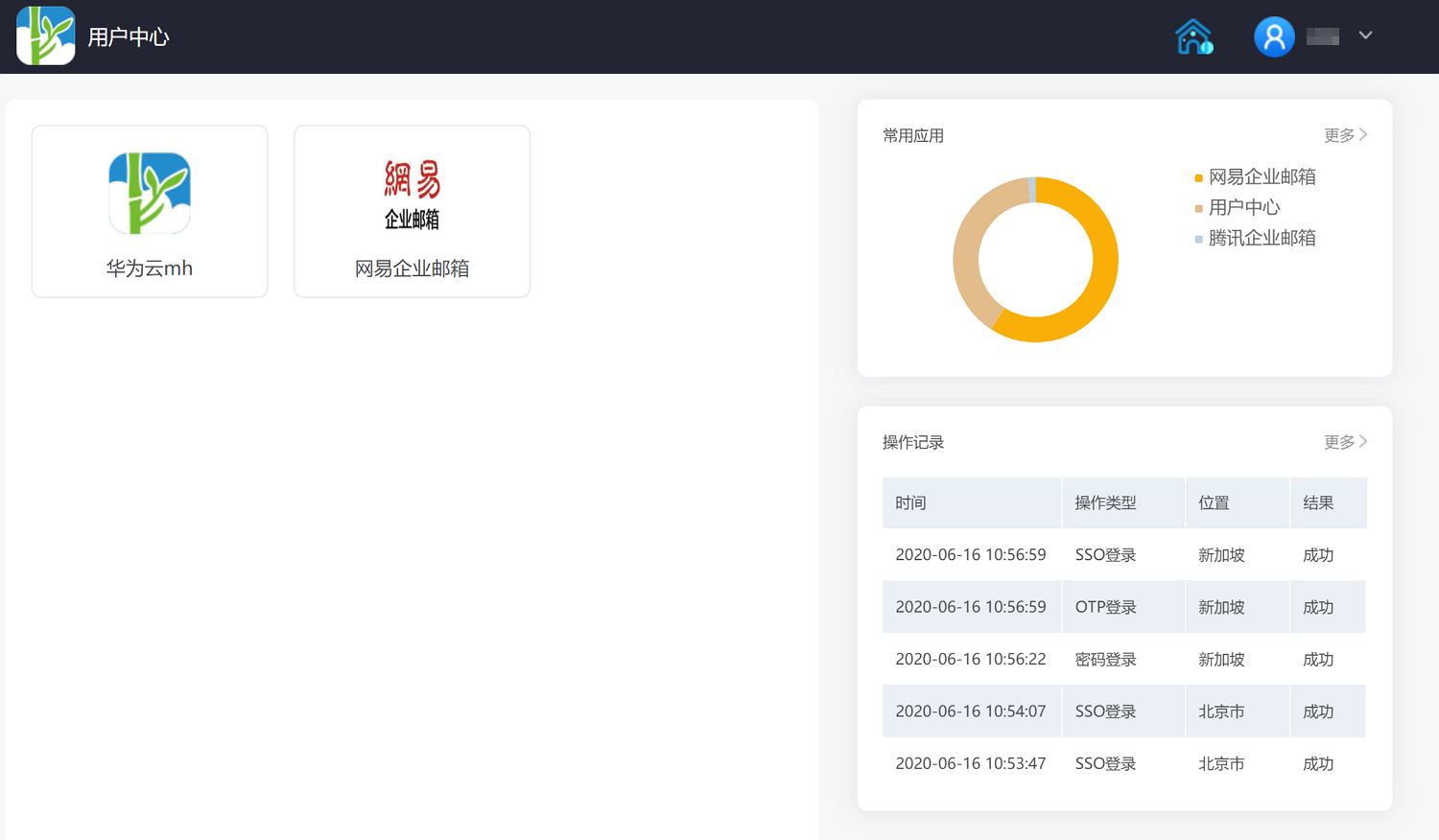
Click the NetEase Enterprise Mail icon to perform single sign-on into the NetEase Enterprise Mail system.
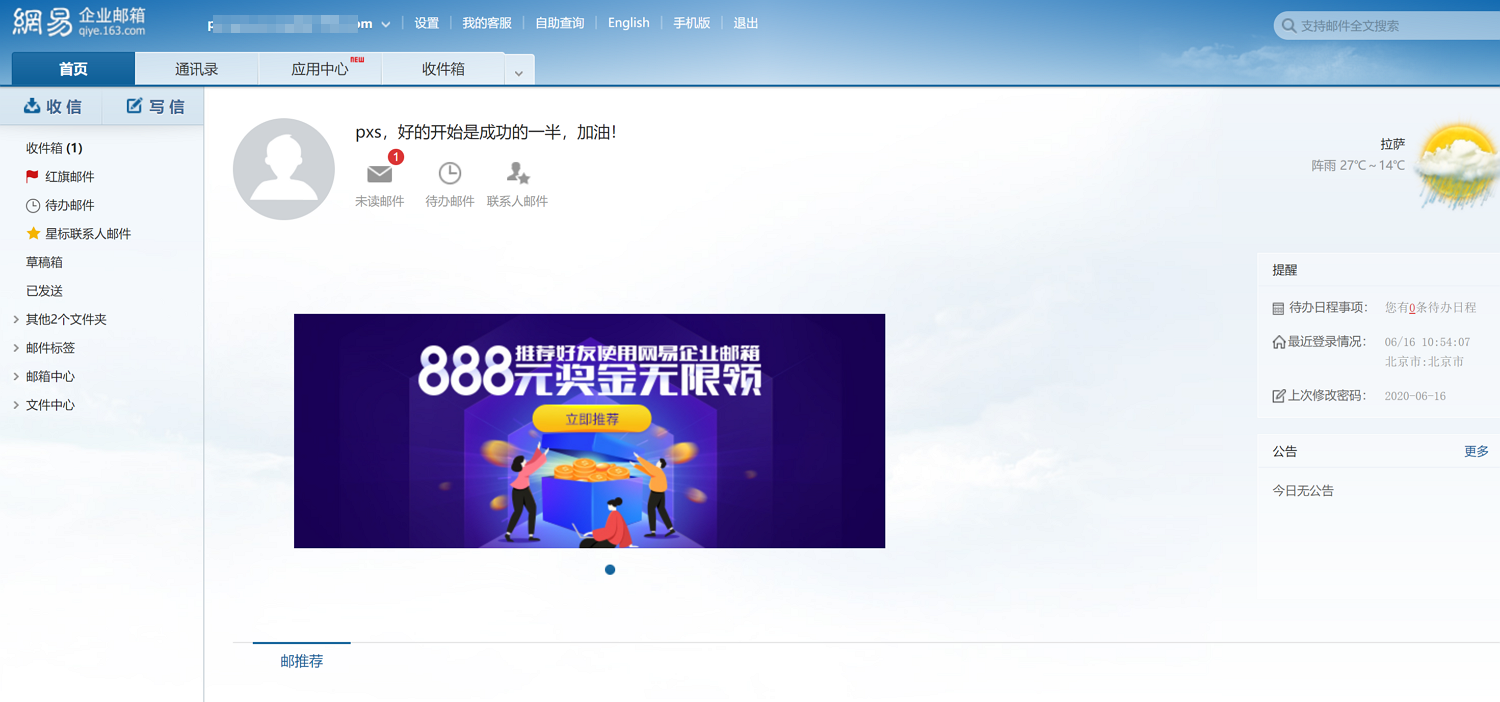
The first time a user logs into NetEase Enterprise Mail, the system will prompt them to change their password.