DataCloak DACS Single Sign-On
Single Sign-On SSOSCIM
# Description
This article introduces the configuration process for Single Sign-On between the DataCloak DACS system and IDaaS, achieving unified login for the DataCloak DACS client and single sign-on effects between application systems, providing users with a simpler and more convenient login method and a better user experience.
# Prerequisites
- Possess backend management permissions for the DACS system.
- Possess access permissions to the IDaaS Enterprise Center.
# DACS Configuration
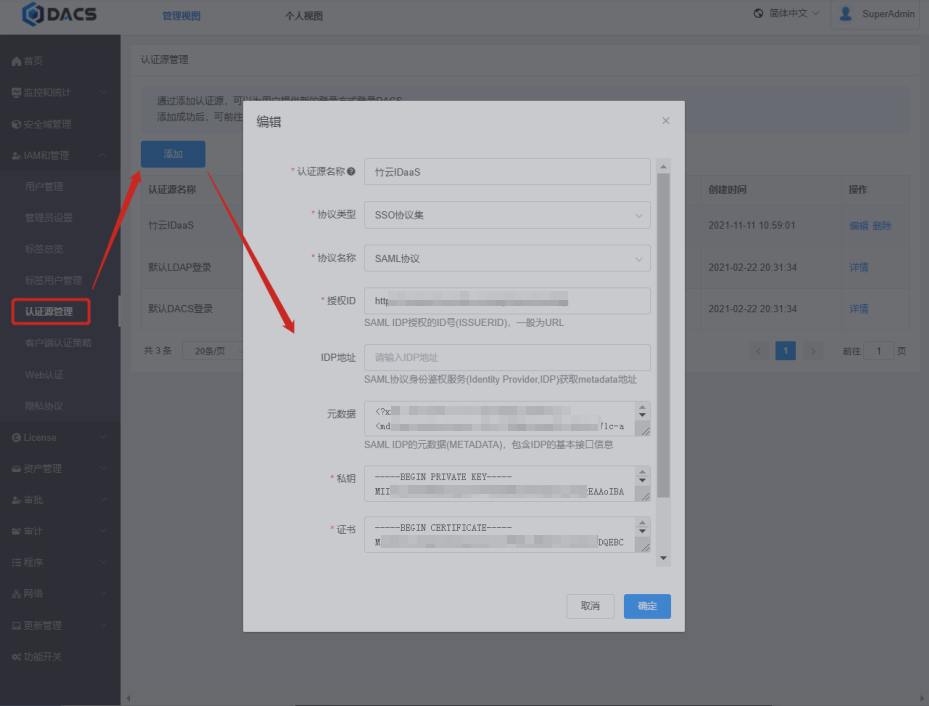
Log in to the DACS management backend, add an authentication source in [Authentication Source Management], import the IDP data from IDaaS. To download the IDP metadata from IDaaS, please visit https://{your_domain}/api/v1/saml2/idp/metadata.
# IDaaS Configuration
Log in to the Enterprise Center and add the pre-integrated DataCloak DACS application.
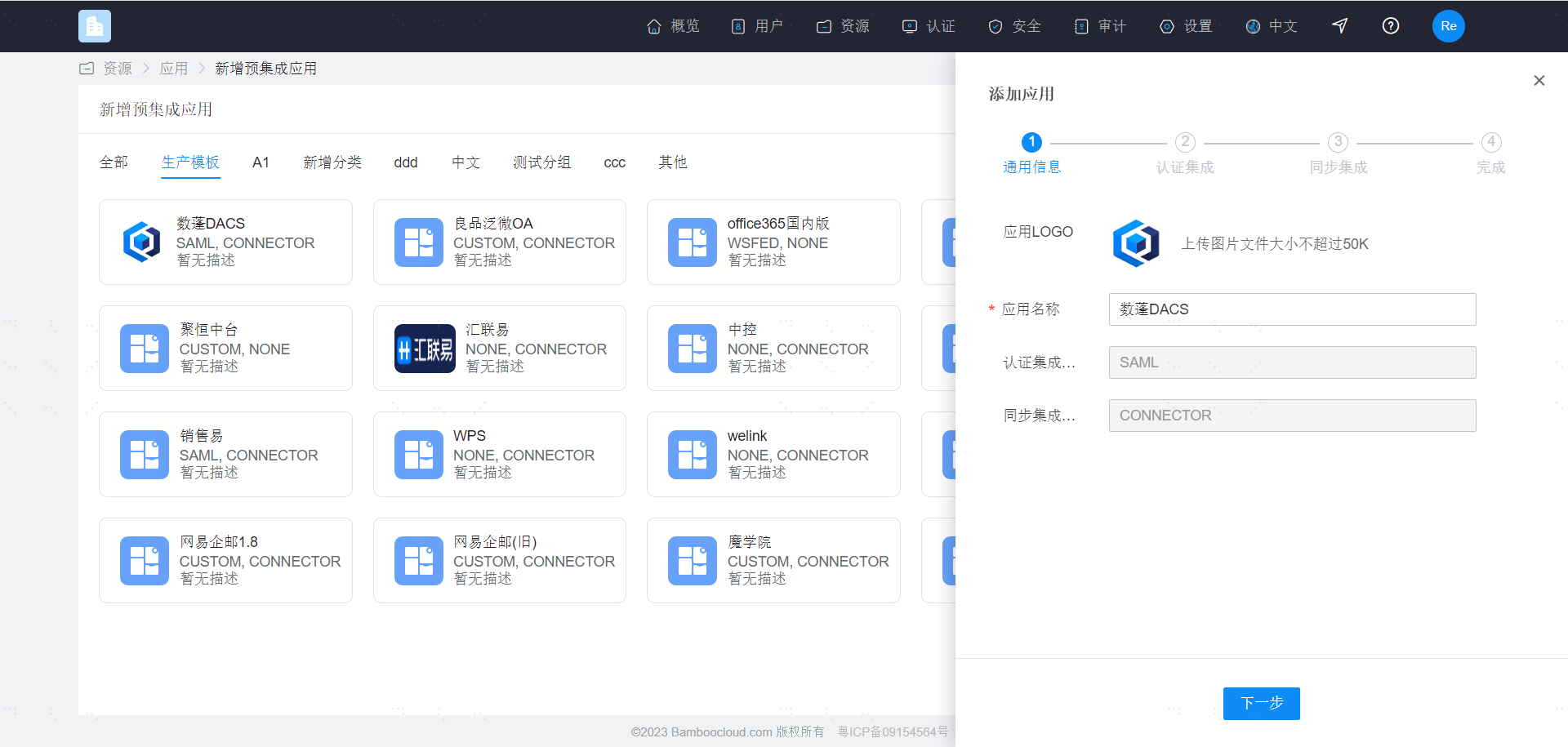
Upload the DACS metadata and configure the authentication parameters.

# Login Verification
- The user logs into the DACS client and is redirected to the IDaaS login interface.

- Enter the IDaaS user login credentials to access the DACS system.