
2hao Personnel Department Single Sign-On
# Description
This document describes the configuration process for Single Sign-On between 2hao Personnel Department and IDaaS based on the OAuth protocol.
# Prerequisites
- Have administrator privileges for the IDaaS Enterprise Center platform.
- The enterprise has already connected with 2hao Personnel Department.
# Authentication Configuration
# IDaaS Configuration
Log in to the IDaaS Enterprise Center platform, select "Resources > Applications", add the pre-integrated application "2hao Personnel Department". The key parameters for the general authentication integration configuration are as follows. It is recommended to keep the mapping configuration default or configure it according to actual needs.

Parameter Description Authorization Code Mode Select the authorization mode for the OAuth protocol. Options include Standard Authorization Mode, Simplified Authorization Mode, Resource Owner Password Mode, and Client Password Mode. For detailed information, please refer to the relevant content in OAuth Protocol. Callback URL Fill in the trusted domain, which is the access address of 2hao Personnel Department. Logout Redirect URL Fill in the redirect URL for logging out of 2hao Personnel Department. After completing the configuration, click Next to enter the synchronization integration page. Fill in the details by referring to the relevant content in 2hao Personnel Department Data Synchronization.
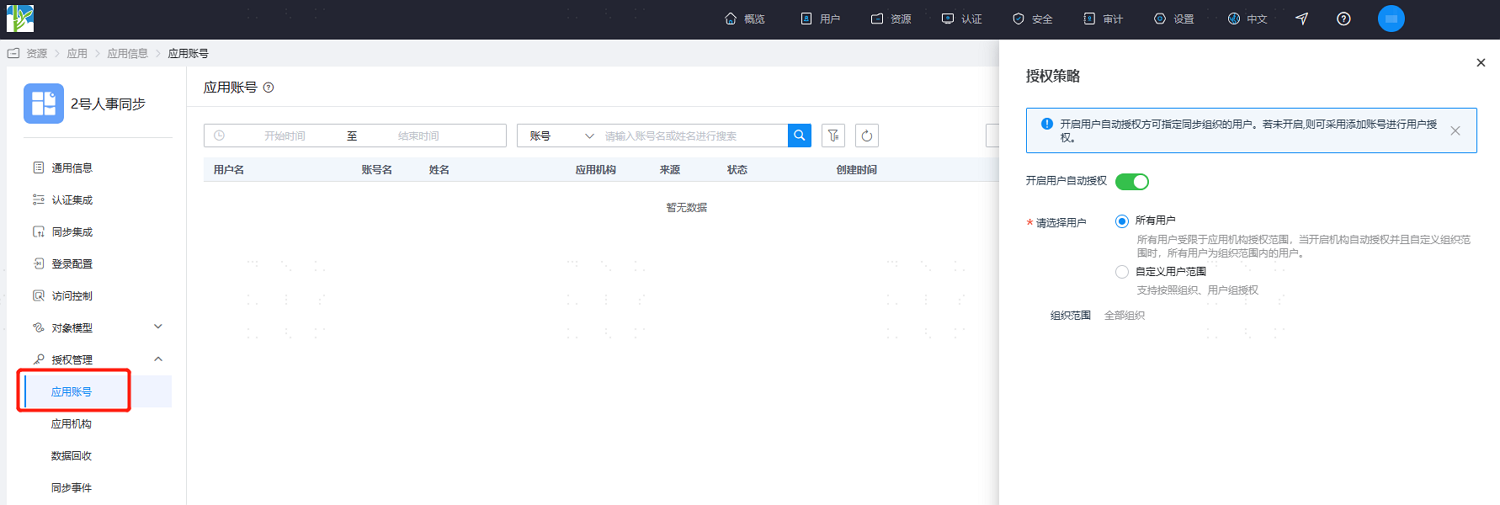
After the application configuration is complete, go to the application details, switch to the "Authorization Management > Application Accounts" page. Click "Add Account" to authorize a user as an application account, or click "Authorization Policy" to enable automatic user authorization, select the user scope, click the Save button, and then click Execute Add.
# Login Verification
Authorized users log in to the User Center, click the 2hao Personnel Department icon, and single sign-on into the 2hao Personnel Department system.