
WeChat Mini Program Quick Implementation Example
# Prerequisites
Add a WeChat Mini Program authentication source in the IDaaS platform and configure the WeChat Mini Program authorization authentication method for the application. Please refer to Configuring WeChat Mini Program Authorization Login
# Steps
# WeChat Mini Program Login
WeChat Mini Program login is divided into two steps,
- Obtain the user login credential (code) from the WeChat Mini Program, and use this credential to exchange for user login status information.
- Call the IDaaS WeChat Mini Program login interface, with the parameter being the credential (code) obtained in the first step. When logging in for the first time and the IDaaS user is not bound, a state_token is returned, and user information needs to be bound. When the user is successfully bound, session_token and id_token are returned, and user information can be obtained through the id_token.
# Obtain WeChat Mini Program Login Authorization Code (code)
Use the wx.login method to obtain the WeChat Mini Program login credential code. Official WeChat wx.login (opens new window) documentation description.
wx.login({
  success (res) {
    if (res.code) {
     // Console print
     console.log("Authorization code obtained by wx.login is: "+ res.code)
    } else {
      console.log('Login failed! ' + res.errMsg)
    }
  }
})
2
3
4
5
6
7
8
9
10
Result Example

# Call IDaaS WeChat Mini Program Login Interface to Log In
Use the login credential code obtained by wx.login to call the IDaaS WeChat Mini Program Login Interface
POSTMAN Request Example
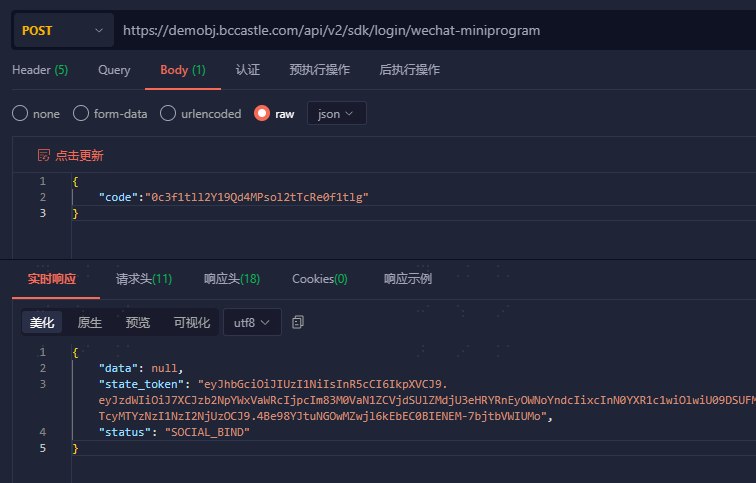
Result Example
First login, user information needs to be bound. state_token is used for subsequent binding process.
HTTP/1.1 200 OK
Content-Type: application/json
{
    "state_token": "eyJhbGcCJ9.eyJzdWMCJ9…tL2VPS8",
    "data": null,
    "status": "USER_REGISTER"
}

Bound user returns session_token, id_token
HTTP/1.1 200 OK
Content-Type: application/json
{
    "session_token": "btsiBjx85prcZu6I6Ki057Tmw3nSF2VO",
    "expire": 432000,
    "status": "SUCCESS",
    "id_token": "eyJraWQn0.eyJpc3MiOiJodHR…g1A7jG8O0uw"
}
2
3
4
5
6
7
8
9
10
11
12
13
14
15
16
17
18
# Bind User Information
When logging in to the WeChat Mini Program for the first time and the IDaaS user is not bound, IDaaS returns a state_token to the WeChat Mini Program, and the WeChat Mini Program needs to bind IDaaS user information.
After the mini program successfully binds IDaaS user information, IDaaS returns session_token and id_token to the WeChat Mini Program. The mini program can obtain user information through the id_token.
Binding user information is divided into two steps:
- Obtain the WeChat Mini Program mobile phone number dynamic token code.
- Call the IDaaS WeChat Authorization Mobile Phone Binding User interface, with the parameter being the dynamic token (code) obtained in the first step. After binding the user, IDaaS returns session_token and id_token to the WeChat Mini Program. The mini program can obtain user information through the id_token.
# Obtain WeChat Mini Program Mobile Phone Number Dynamic Token (code)
Use the getPhoneNumber method to obtain the dynamic token (code) for the mobile phone number. Official WeChat Mini Program getPhoneNumber (opens new window) documentation description.
<button open-type="getPhoneNumber" bindgetphonenumber="getPhoneNumber"></button>

Page({
  getPhoneNumber (e) {
	// Console print
    console.log("Authorization code obtained by getPhoneNumber method is: "+e.detail.code)  // Dynamic token
  }
})
2
3
4
5
6
7
8
Result Example
When clicking the "Get Phone Number" button, the WeChat authorization pop-up will be triggered.
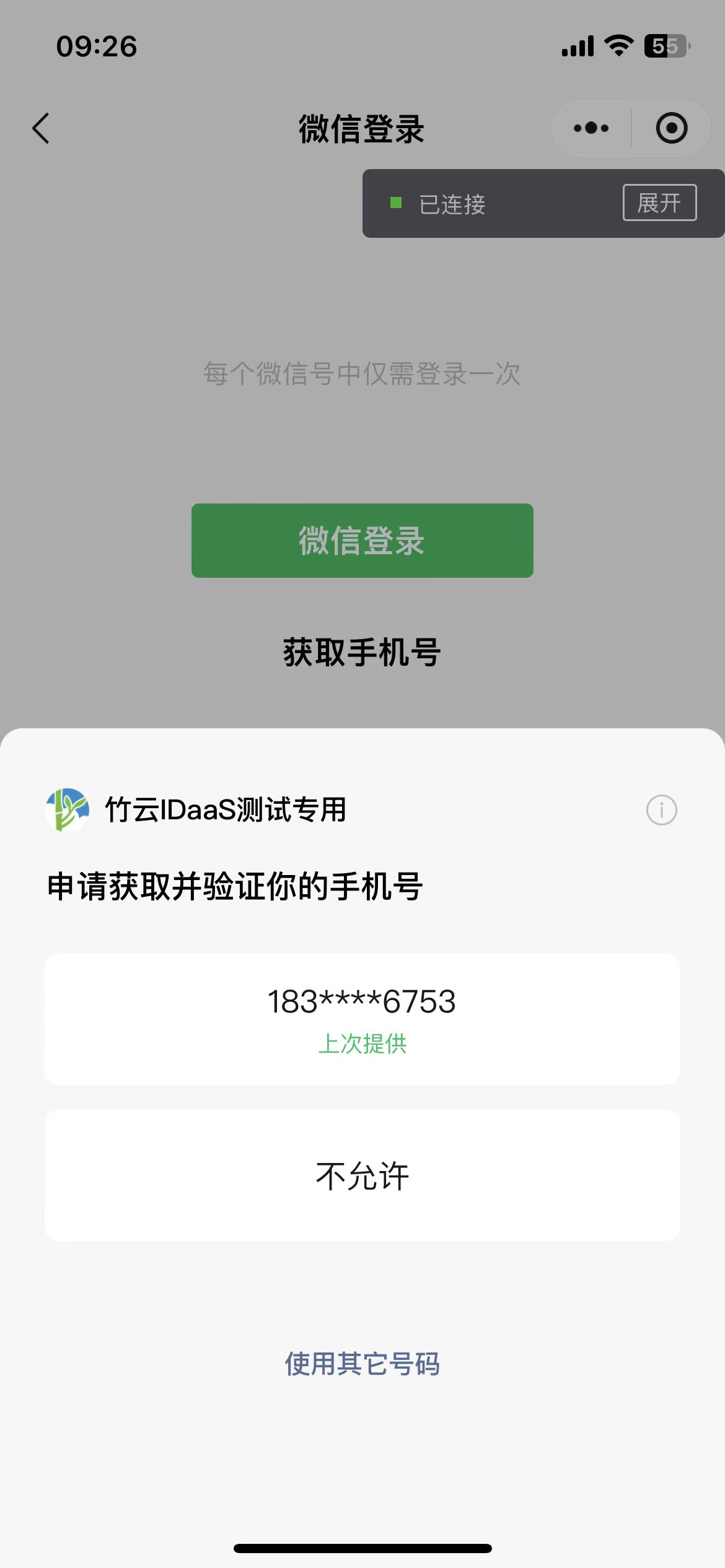
When the user clicks on the phone number to authorize, obtain the dynamic token (code) returned by WeChat.

# Call IDaaS WeChat Authorization Phone Binding User Interface
Use the dynamic token code obtained from getPhoneNumber to call the IDaaS WeChat Authorization Phone Binding User Interface (opens new window)
POSTMAN Request Example
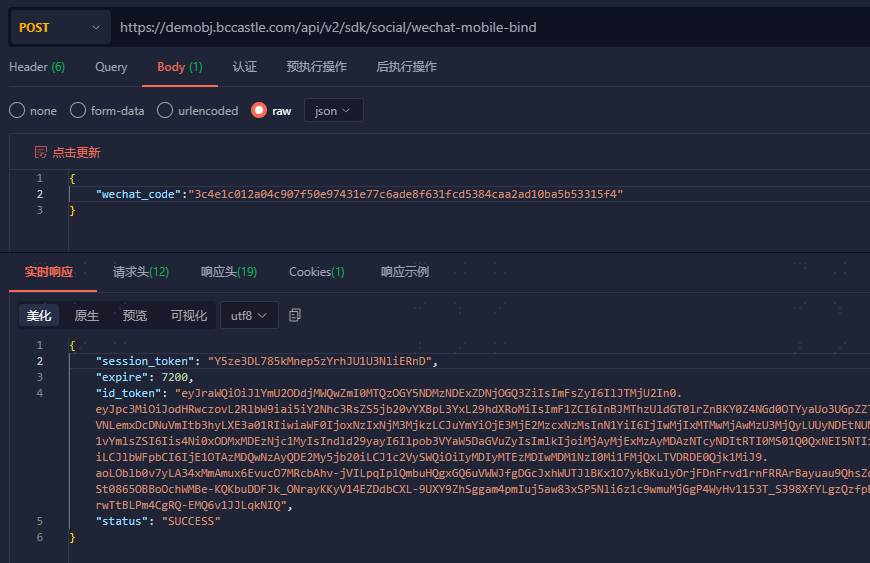
Result Example
Success Example:
HTTP/1.1 200 OK
Content-Type: application/json
{
    "session_token": "btsiBjx85prcZu6I6Ki057Tmw3nSF2VO",
    "expire": 7200,
    "status": "SUCCESS",
    "id_token": "eyJraWQn0.eyJpc3MiOiJodHR…g1A7jG8O0uw"
}

Error Example:
HTTP/1.1 400 Bad Request
{
	"error_code": "SDK.COMMON.1005",
	"error_msg": "state_token has expired"
}
2
3
4
5
6
7
8
9
10
11
12
13
14
15
16
# Get User Information Based on id_token
After successful login via WeChat Mini Program, or after successful user binding upon first login, both session_token and id_token will be returned. The id_token is in JWT format and contains user identity information. Refer to Get User Information Based on id_token to obtain user information. The token validity period defaults to 5 minutes.